EasyManua.ls Logo

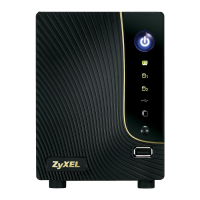
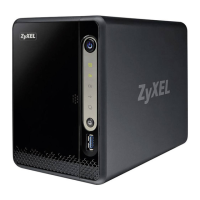
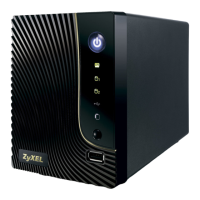
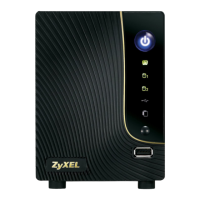
ZyXEL Communications NSA221 - User Manual

ZyXEL Communications NSA221
579 pages
Print Icon
To Next Page IconTo Next Page
Loading...
www.zyxel.com
www.zyxel.com
NSA221
2-Bay Digital Media Server
Copyright © 2010
ZyXEL Communications Corporation
Firmware Version 4.00
Edition 1, 4/2010
Default Login Details
Web Address nsa221
User Name admin
Password 1234

Table of Contents

Other manuals for ZyXEL Communications NSA221

Questions and Answers

  • J
    John LynchAug 13, 2025
    What to do if I cannot access a share on my ZyXEL Communications Server?
    • J
      Jordan ElliottAug 13, 2025
      First, ensure that your ZyXEL Communications Server is powered on and properly connected to the network. You can try to ping the server or use the NAS Starter Utility to locate it. Also, verify that you have initialized your ZyXEL Communications Server using the NAS Starter Utility. Double-check that you have entered your login name and password correctly. Confirm that the share exists and review its access settings. Check if the shared folder is a subfolder of another (parent) share. See if there are any existing mapped network drives to the ZyXEL Communications Server. Ensure that the volume in which the share resides exists and is not down or degraded. Finally, verify that you have the client for Microsoft networks installed and enabled in your network connection’s properties.
  • J
    jonesmirandaAug 17, 2025
    What to do if I cannot access the login screen of my ZyXEL Communications Server?
    • F
      fullerjacobAug 17, 2025
      First, make sure that the ZyXEL Communications Server is turned on. If you are trying to log in directly by typing the server name into your web browser’s address field, make sure you are using the correct server name as the web site address. The default server name is nsa221; if you have changed the server name, use the new one. Check the hardware connections and make sure the LEDs are behaving as expected.
  • S
    Stacey WoodAug 20, 2025
    What to do if a local user cannot access a share on the ZyXEL Communications NSA221 Server?
    • A
      Angela MartinezAug 20, 2025
      First, ensure that the ZyXEL Communications Server is turned on and connected to the network. The local user should attempt to ping the ZyXEL Communications Server or utilize the NAS Starter Utility to discover it. Verify if the share exists and possesses the correct access settings for this user. Examine the Access Control List (ACL) of read/write permissions linked to specific files and/or folders. Ensure that the user’s computer is not already connected to another of the ZyXEL Communications Server’s shares. Check if the share has an ANONYMOUS or EVERYONE access right. Determine if the shared folder is a subfolder of another (parent) share. Finally, verify if the user belongs to a group with conflicting access rights.
  • J
    Jordan ScottAug 25, 2025
    What does it mean if an HDD LED is red on my ZyXEL Communications NSA221 Server?
    • S
      Savannah DavisAug 26, 2025
      If the HDD LED is red, the ZyXEL Communications Server detected an error on the hard drive. It is recommended that you replace it since errors are a sign that the hard drive may fail soon.
  • C
    Carlos WilkinsonAug 28, 2025
    How to fix the LAN LED being off on a ZyXEL Communications NSA221?
    • J
      John KleinAug 28, 2025
      Make sure the Ethernet cable is properly connected to both the ZyXEL Communications Server and another Ethernet device, and that the other device is turned on. Try using a different Ethernet cable; if you're connecting to a Gigabit Ethernet, ensure you're using an 8-wire Ethernet cable. If the problem persists, contact the vendor.
  • J
    John ConradSep 1, 2025
    What does it mean if the COPY LED is red on my ZyXEL Communications Server?
    • K
      Katherine AguilarSep 1, 2025
      The COPY LED being red indicates that copying files from a USB device has failed. Try saving the files onto a computer and then transferring them from the computer to the ZyXEL Communications Server through the network connection.
  • Y
    yjonesSep 4, 2025
    What to do if the NSA PWR LED does not turn on (no LEDs are on) on ZyXEL Communications Server?
    • J
      johnmorrisSep 5, 2025
      First, make sure the ZyXEL Communications Server is turned on. Ensure you are using the power adapter or cord included with the ZyXEL Communications Server. Verify the power adapter or cord is connected to the ZyXEL Communications Server and plugged into an appropriate, powered-on power source. Try turning the ZyXEL Communications Server off and on again. If the problem continues, contact the vendor.
  • C
    chasechristinaSep 8, 2025
    What to do if an HDD LED is off on my ZyXEL Communications NSA221?
    • J
      jason73Sep 8, 2025
      The ZyXEL Communications Server cannot detect a hard drive in the drive bay. Replace or install a hard drive.

ZyXEL Communications NSA221 Specifications

General IconGeneral
RAID levels1, JBOD
Storage drive size3.5 \
Storage drive capacity0 GB
Supported file systemsEXT2, EXT3, FAT32, ReiserFS, XFS
Storage drive interfaceSerial ATA
Total installed storage capacity0 TB
Maximum supported storage capacity4 TB
Number of storage drives installed0
Number of storage drives supported2
Cabling technology10/100/1000BASE-T(X)
Jumbo frames supportYes
Maximum data transfer rate1000 Mbit/s
Supported network protocolsTCP/IP, CIFS/SMB, NFS, FTP, HTTP, DHCP client, PPPoE, NTP
USB 2.0 ports quantity3
Ethernet LAN (RJ-45) ports1
CertificationCE LVD. EMC: CE, FCC B, C-Tick, BSMI, UPnP
Dimensions (WxDxH)108 x 205 x 147 mm
Power requirements100 - 240V
Networking featuresGigabit Ethernet
Compatible operating systemsWindows XP/Vista/7 (32 & 64 bit)
Non-operating relative humidity (non-condensing)0 - 95 %
Storage temperature (T-T)30 - 40 °C
Operating temperature (T-T)0 - 40 °C
Weight and Dimensions IconWeight and Dimensions
Weight1057 g
Package weight1535 g

Related product manuals