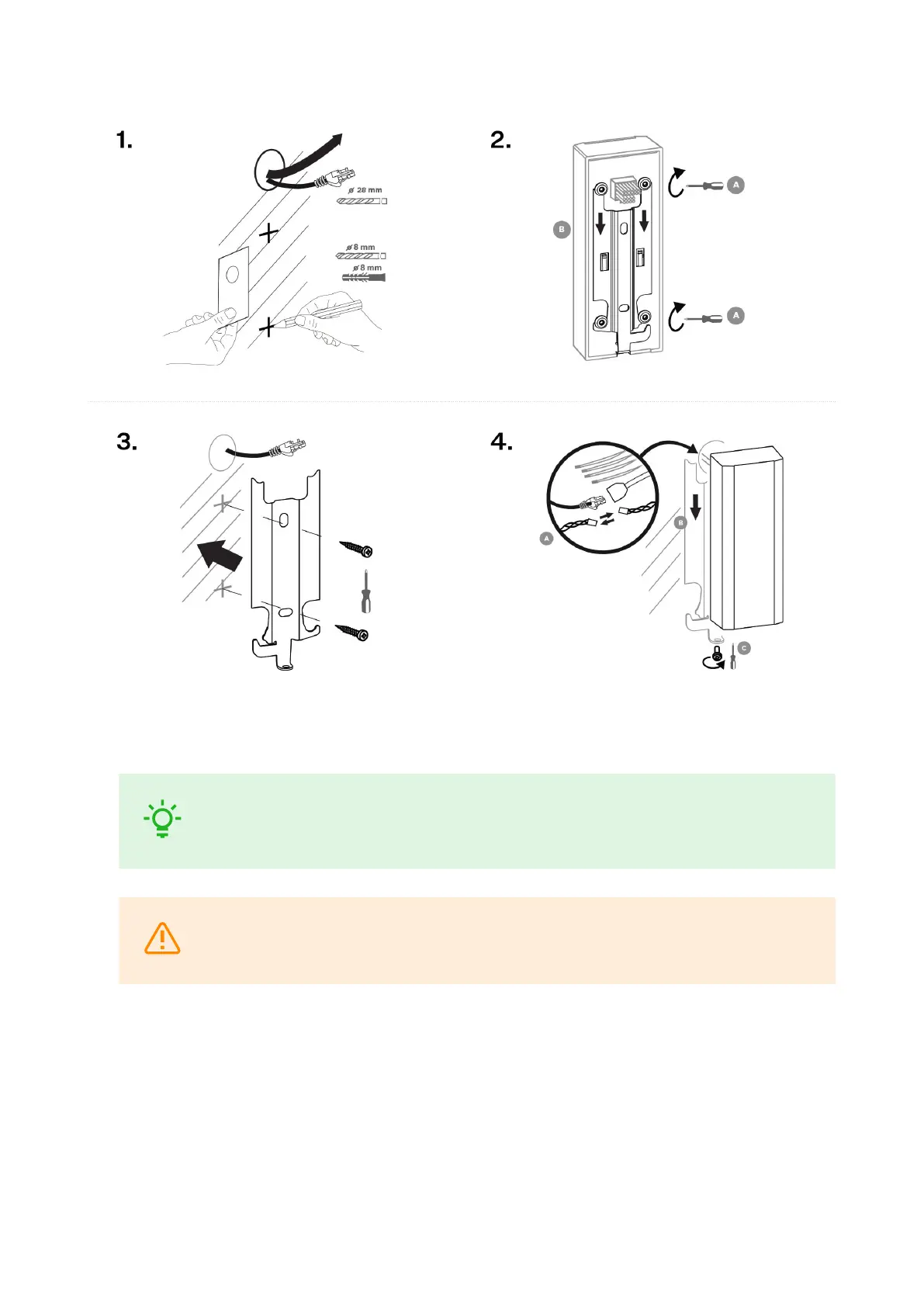
1. Use the drilling template shown on the device box to prepare holes of the required sizes for cabling and
dowels on the selected place in the required height. Feed the cables out of the pre-predrilled hole.
TIP
Download the drilling template from 2N.com.
2. Pull the metal holder downwards to remove it from the device back side.
WARNING
Do not handle the screws on the device back side!
3. Then fit the holder through the dedicated holes using the screws enclosed.
4. Interconnect the accessible cables with the cabling 2N Access Unit M. Put the device carefully on the
installed holder from above downwards and fix its position on the holder carrying elements by tightening
the screw from the bottom through the holder hole.
Surface installation on mounting backplate
The mounting backplate is used for placing cables below the device 2N Access Unit M during surface
installation.
Installation
23



 To Next Page