2N® Indoor View User Manual
•
•
•
•
displayed, indicates that incoming calls are allowed to the device, indicates the
feature of the device to which the call started with a short call button press is created and
indicates the feature of the device to which the alarm call started with a the doorbell button
press is created). One list page can include 15, 25 or 50 devices.
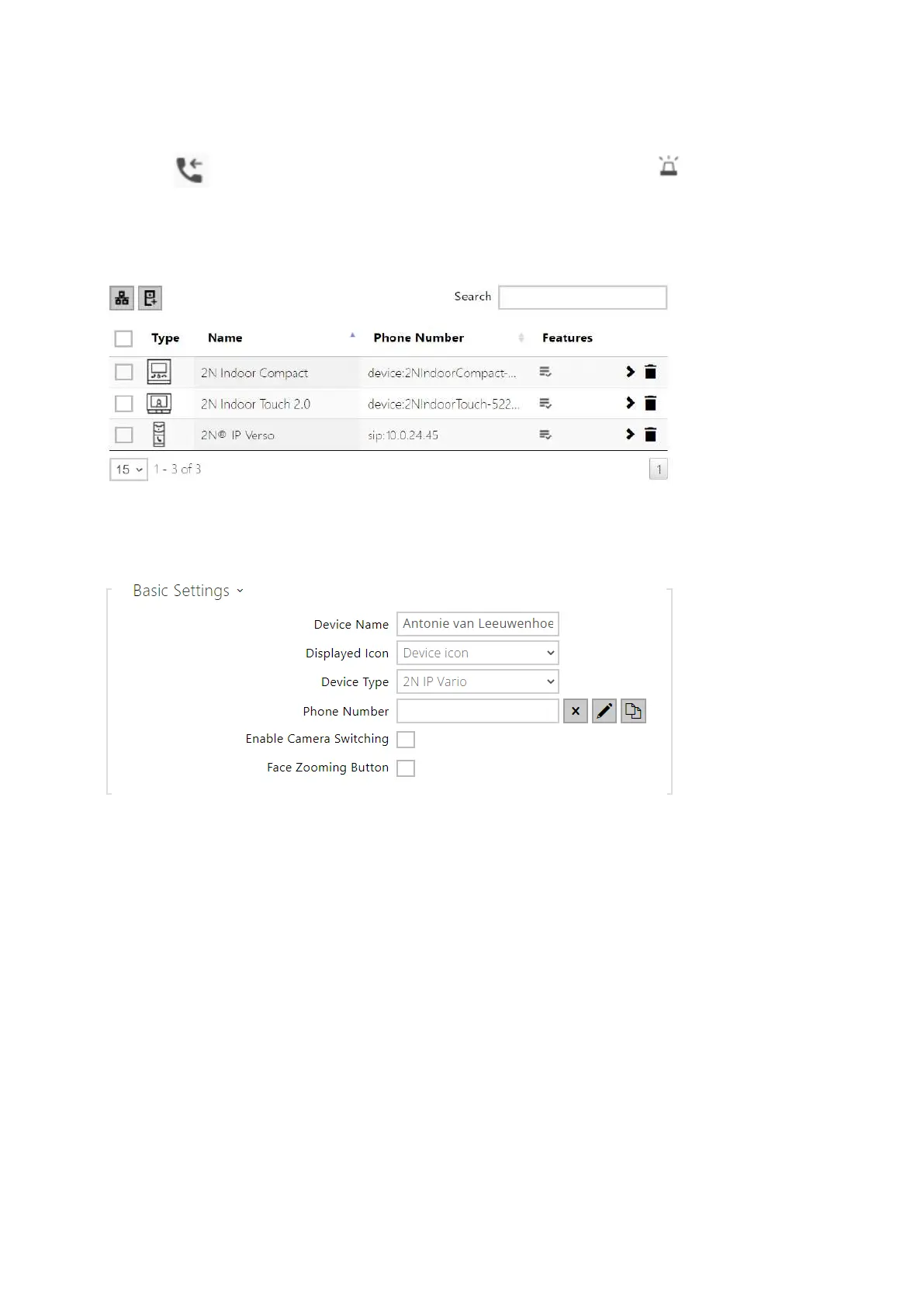
Each device list item includes the following data:
Device Name – enter the device name for the selected Phone Book position. This
parameter is optional and helps you find items in the Phone Book more easily.
Displayed Icon – display the reception desk symbol or a standard symbol.
Device Type – set this parameter manually or automatically using the search for
registered devices in the directory.
Phone Number – enter the phone number of the station to which the call shall be routed.
Enter sip:[user_id@]domain[:port] for Direct SIP calling, e.g.: sip:200@192.168.22.15 or
sip:name@yourcompany.Enter device:device_name for calls to the 2N
®
IP Mobile
application. Set the device name in the mobile application. Enter/1 or/2 behind the phone
number to specify which SIP account shall be used for outgoing calls (account 1 or 2).
Enter /S or /N to force an encrypted or unencrypted call respectively. The account and
encryption selections can be combined into the suffix /1S, for example.



 To Next Page