2N® Indoor View User Manual
•
•
•
•
•
•
•
•
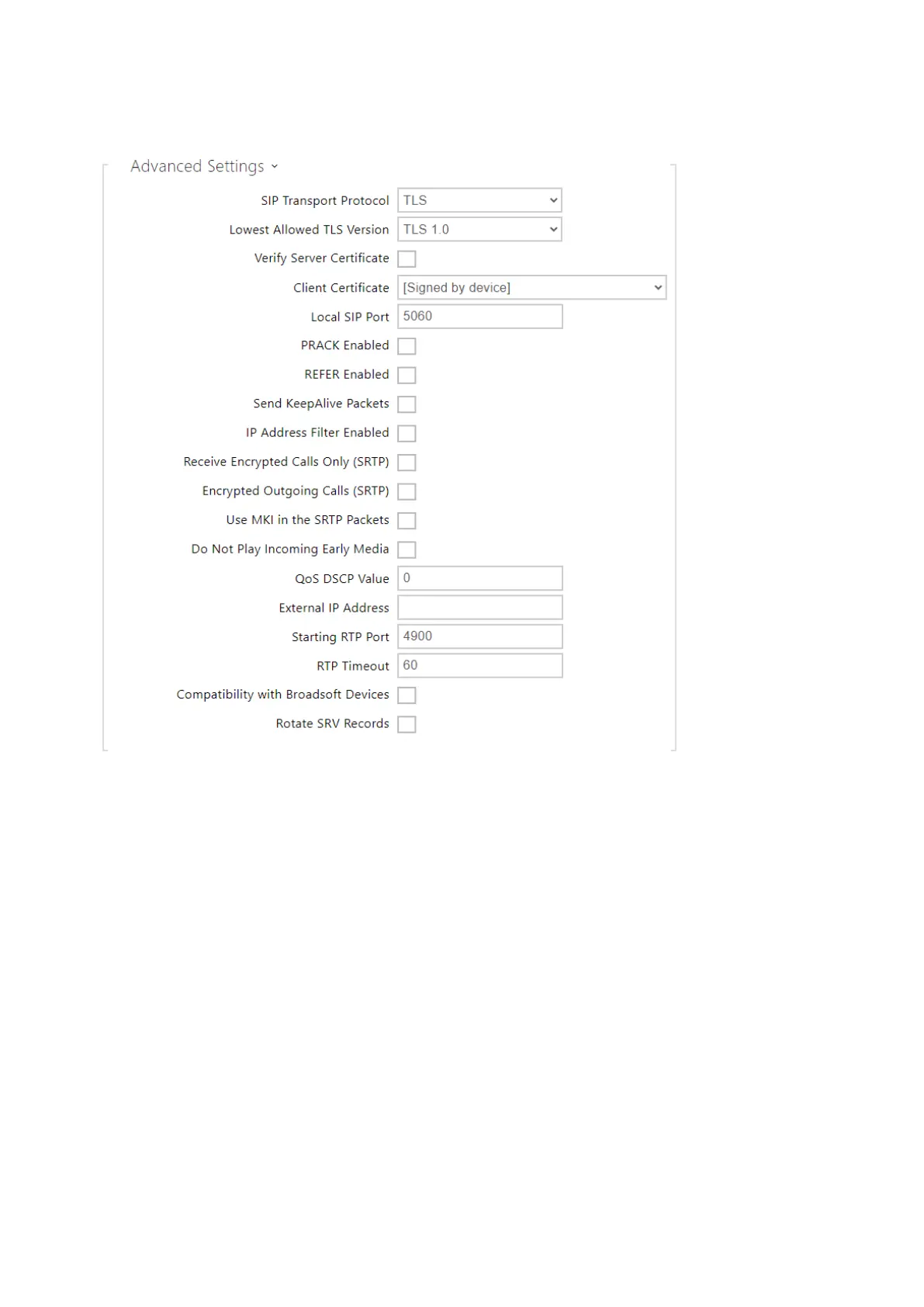
SIP Transport Protocol– set the SIP communication protocol: UDP (default), TCP or TLS.
Lowest Allowed TLS Version– set the lowest TLS version to be accepted for device
connection.
Verify Server Certificate– verify the SIP server public certificate against the CA
certificates uploaded in the device.
Client Certificate– specify the client certificate and private key used for verifying the
intercom’s authority to communicate with the SIP server.
Local SIP Port– set the local port for thedevicefor SIP signaling. A change of this
parameter will not be applied until thedeviceis restarted. The default value is 5060.
PRACK Enabled– enable the PRACK method for reliable confirmation of SIP messages
with codes 101–199.
REFER Enabled– enable call forwarding via the REFER method.
Send Keep Alive Packets– set that thedeviceshall inquire periodically about the state of
the called station via SIP OPTIONS requests during the call (used for station failure
detection during the call).



 To Next Page