2N® Indoor View User Manual
•
•
•
•
•
•
•
•
•
•
•
•
Proxy Address – set the SIP Proxy IP address or domain name.
Proxy Port – set the SIP Proxy port (typically 5060).
Backup Proxy Address – set the backup SIP Proxy IP address or domain name. The
address is used where the main proxy fails to respond to requests.
Backup Proxy Port – set the backup SIP Proxy port (typically 5060).
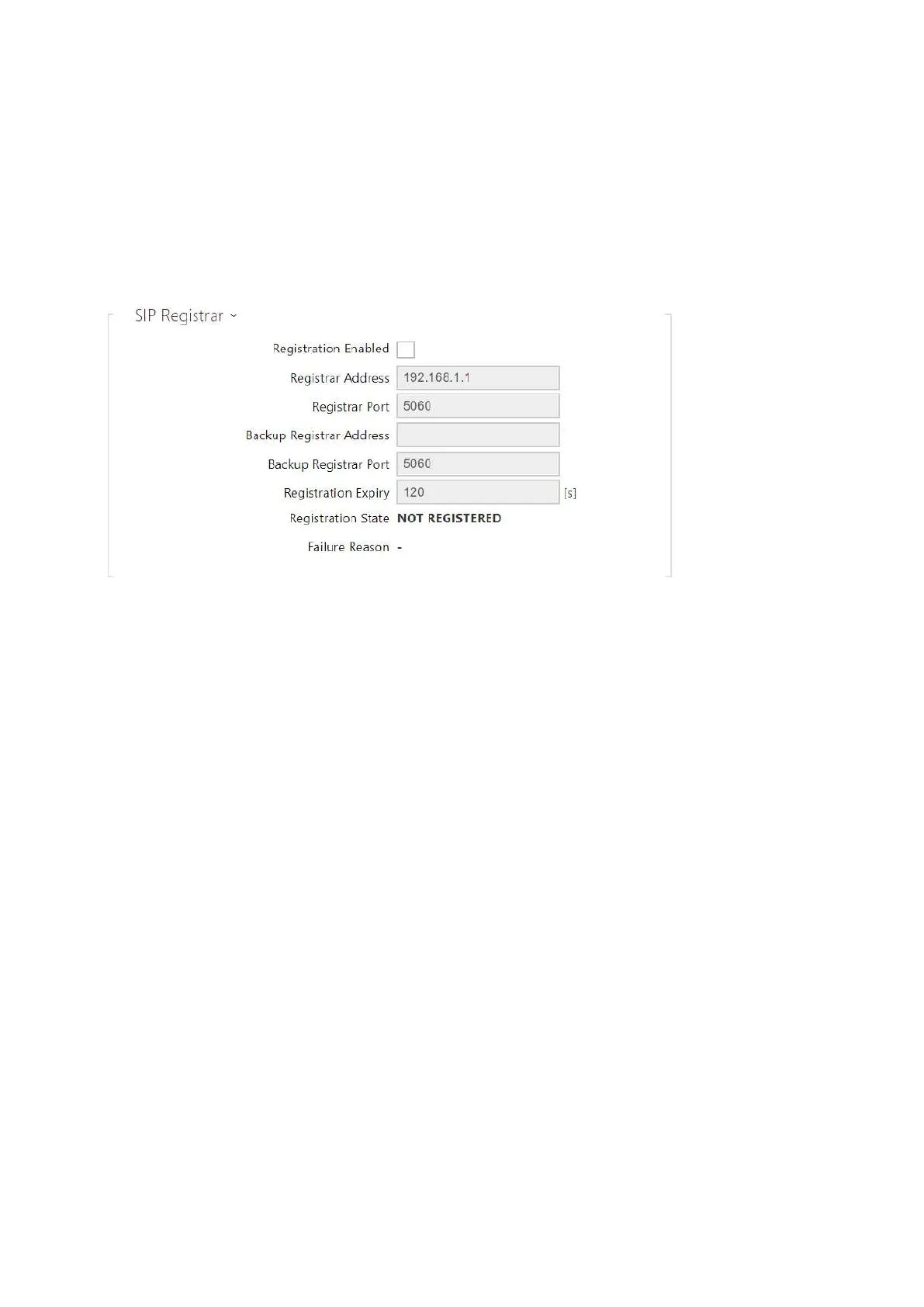
Registration Enabled – enable device registration with the set SIP Registrar.
Registrar address – set the SIP Registrar IP address or domain name.
Registrar Port – set the SIP Registrar port (typically 5060).
Backup Registrar Address – set the backup SIP Registrar IP address or domain name. The
address is used where the main registrar fails to respond to requests.
Backup Registrar Port – set the backup SIP registrar port (typically 5060).
Registration Expires – set the registration expiry, which affects the network and SIP
Registrar load by periodically sent registration requests. The SIP Registrar can alter the
value without letting you know.
Registration State – display the current registration state (Unregistered, Registering...,
Registered, Unregistering...).
Failure Reason – display the reason for the last registration attempt failure: the registrar’s
last error reply, e.g. 404 Not Found.



 To Next Page