2N® Indoor View User Manual
•
•
•
•
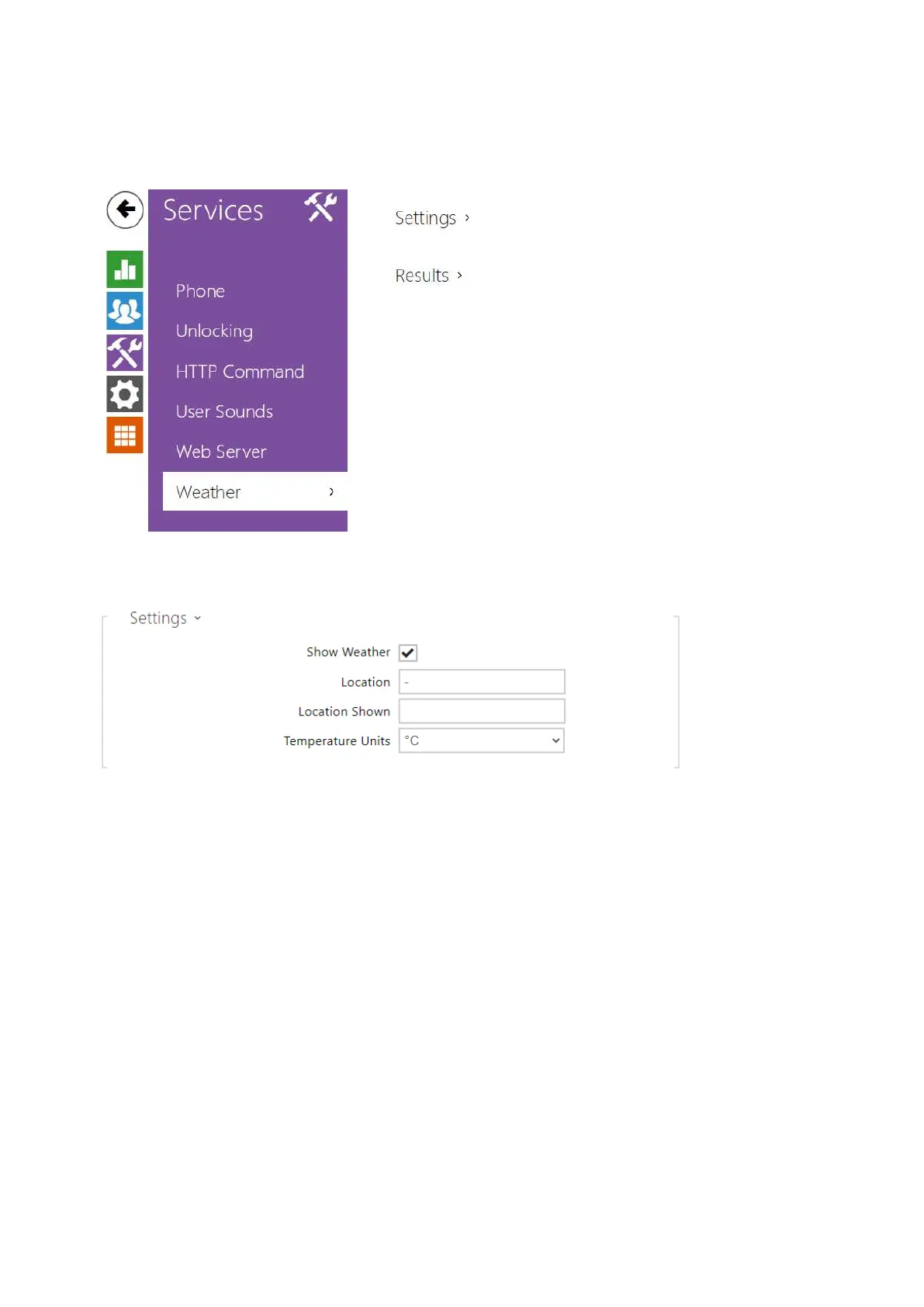
3.2.3.6 Weather
The Weather service displays the current weather information for the selected location on the
2N
®
Indoor Viewhome screen.
Show Weather – allow the device to display the current weather information.
Location – set the device location for weather forecast. If Show Weather is enabled and
the Location parameter is empty, Prague will be displayed by default. Otherwise, the
weather and Location values will be hidden.
Location Shown – complete the location name to be shown on the device display. If not
completed, the weather forecast location is displayed.
Temperature Units – select the temperature units to be displayed.



 To Next Page