Pannoramic 1000 1.2 – User’s Guide 4 Software and Work-flow
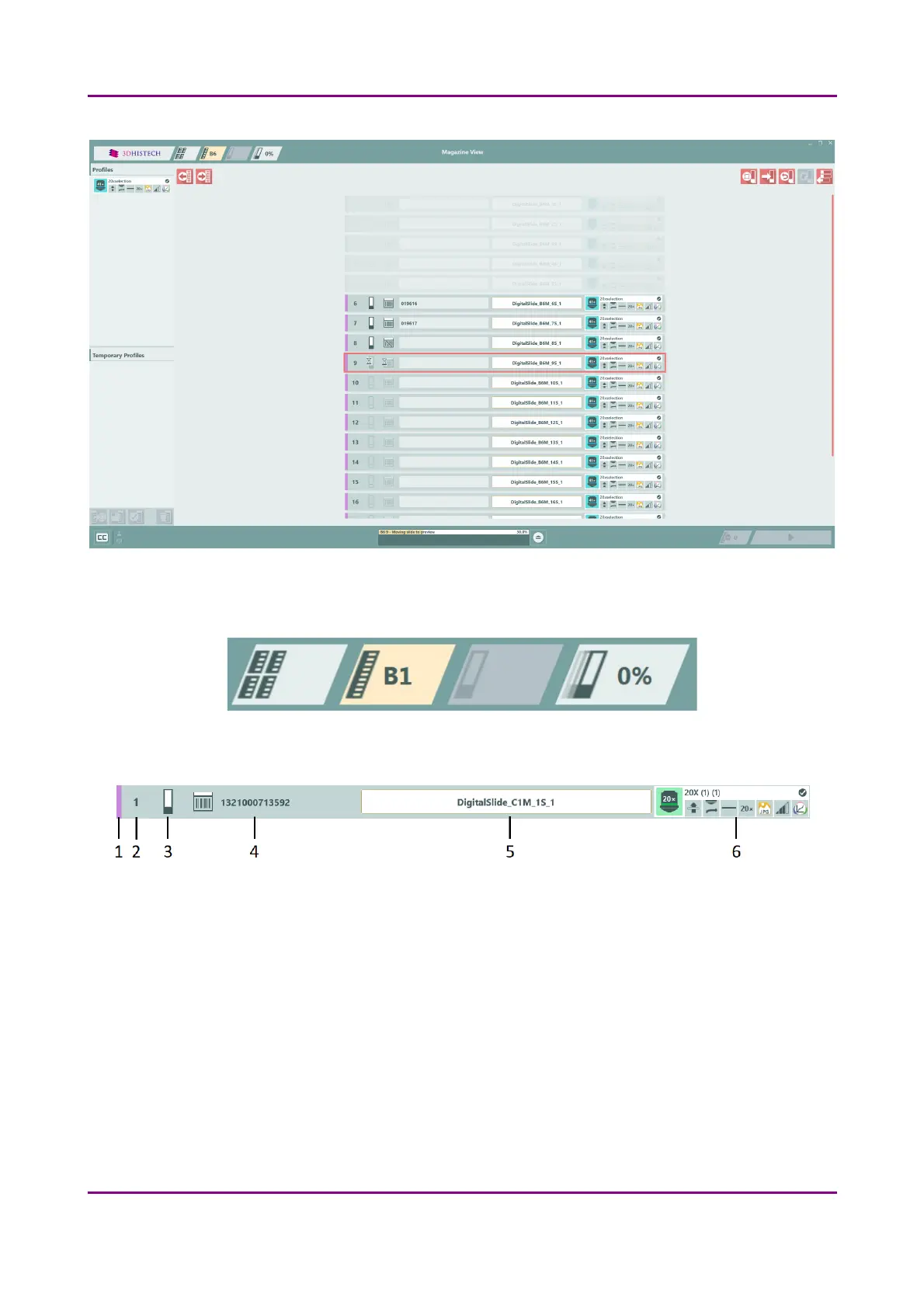
Figure 13 – Magazine View
Magazine number is displayed on the tab of the Magazine View.
Slide information bar includes the following data:
Figure 14 – Slide information bar
1. Status
◦ Purple – Slide is involved in a process
◦ Green dims – Slide is being processed
◦ Green – The processing of the slide is finished
◦ Red – Some type of error has occurred during the process
◦ Grey – Slide is either have been removed from the processing queue by the user, or there
is not slide in the magazine in that position, or the slide in that position is placed into the
safety container. For more information on the reasons why a slide is placed into safety
container, see section 6.2 Troubleshooting.
March 19, 2019 - Rev. 2 3DHISTECH Ltd.
34(78)



 To Next Page