Pannoramic 1000 1.2 – User’s Guide 4 Software and Work-flow
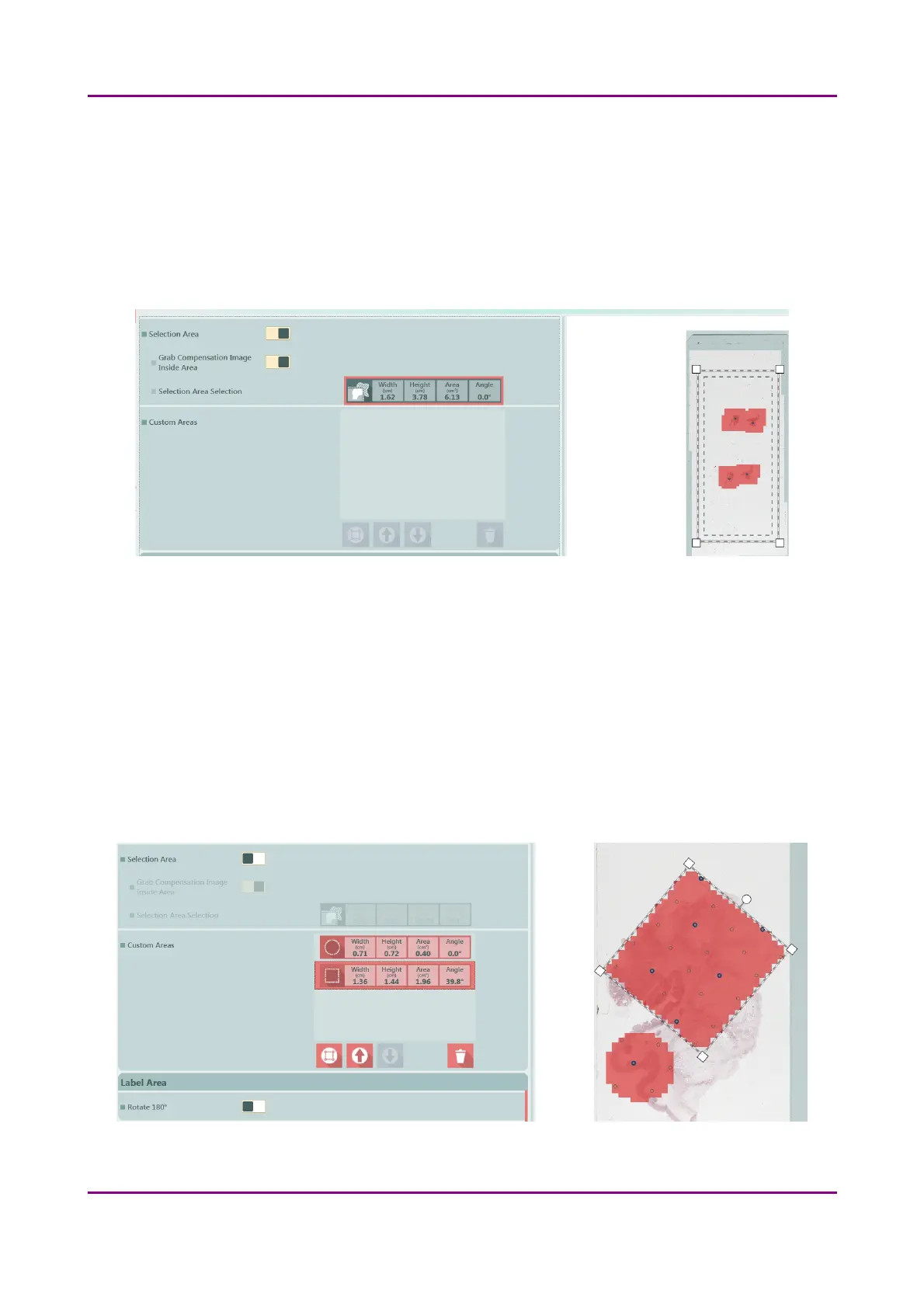
• Preview Areas – The preview image shows the area to be digitized with a light coral colored
mask.
◦ Coverslip Area
▪ Coverslip Mode – Select Auto or Manual
▪ Coverslip Selection – can be selected in Manual mode only (Width / Height / Area /
Angle)
Figure 20 – Selection box on the Preview image
◦ Selection Area – If selected, only the area inside the box is scanned. It is useful if you only
want to scan the area that is equivalent with the size of the coverslip, so external specks
will not be scanned.
▪ Grab Compensation Image Inside Area – On/Off
▪ Selection Area – Manual settings: Width / Height / Area / Angle
◦ Custom Areas – Enable manual selection options. If several objects are laid on each
other, the layer order can be modified if necessary by clicking the up or down arrow
buttons. Manual selection can be used as well – area size is displayed.
Figure 21 – Custom area selection on the preview
March 19, 2019 - Rev. 2 3DHISTECH Ltd.
41(78)



 To Next Page