10
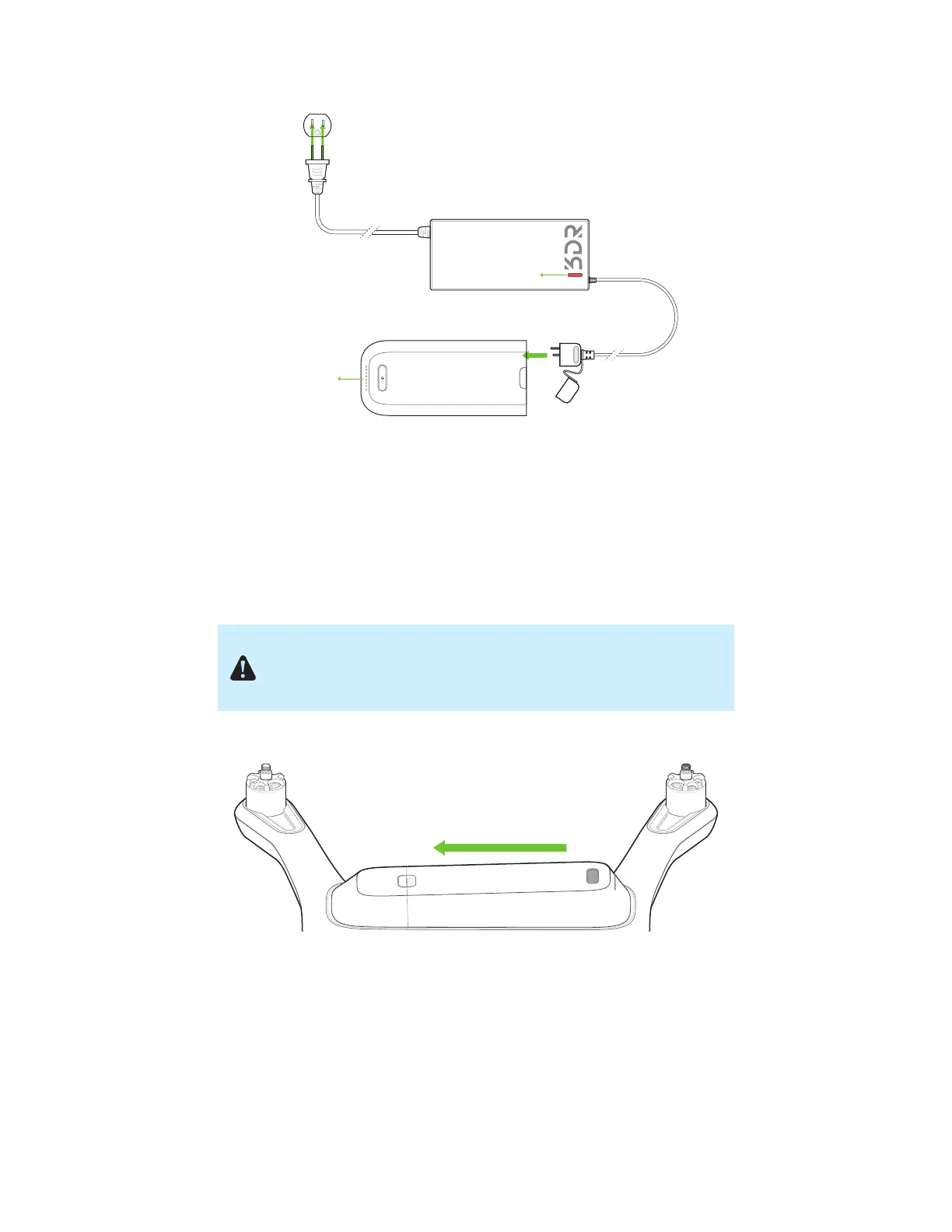
Figure 2.2.1: Charge Solo Battery
Powering
To power Solo, insert the battery into Solo’s battery bay and slide the battery forward until it clicks into place. Press
and hold the battery power button to turn on Solo. When Solo power on, the battery will display an LED animation
and you will hear the startup tone. Only power Solo using the designated 3DR Solo Smart Battery; using a different
battery can permanently damage Solo.
Figure 2.2.2: Insert Solo Battery
Charge indicator
Charge indicator
Make sure Solo is level before powering on and keep Solo still during
power up and while the sensors initialize. Moving Solo during this
process causes the sensors to calibrate incorrectly and can create a
preflight error or affect in-flight performance.




 To Next Page