29
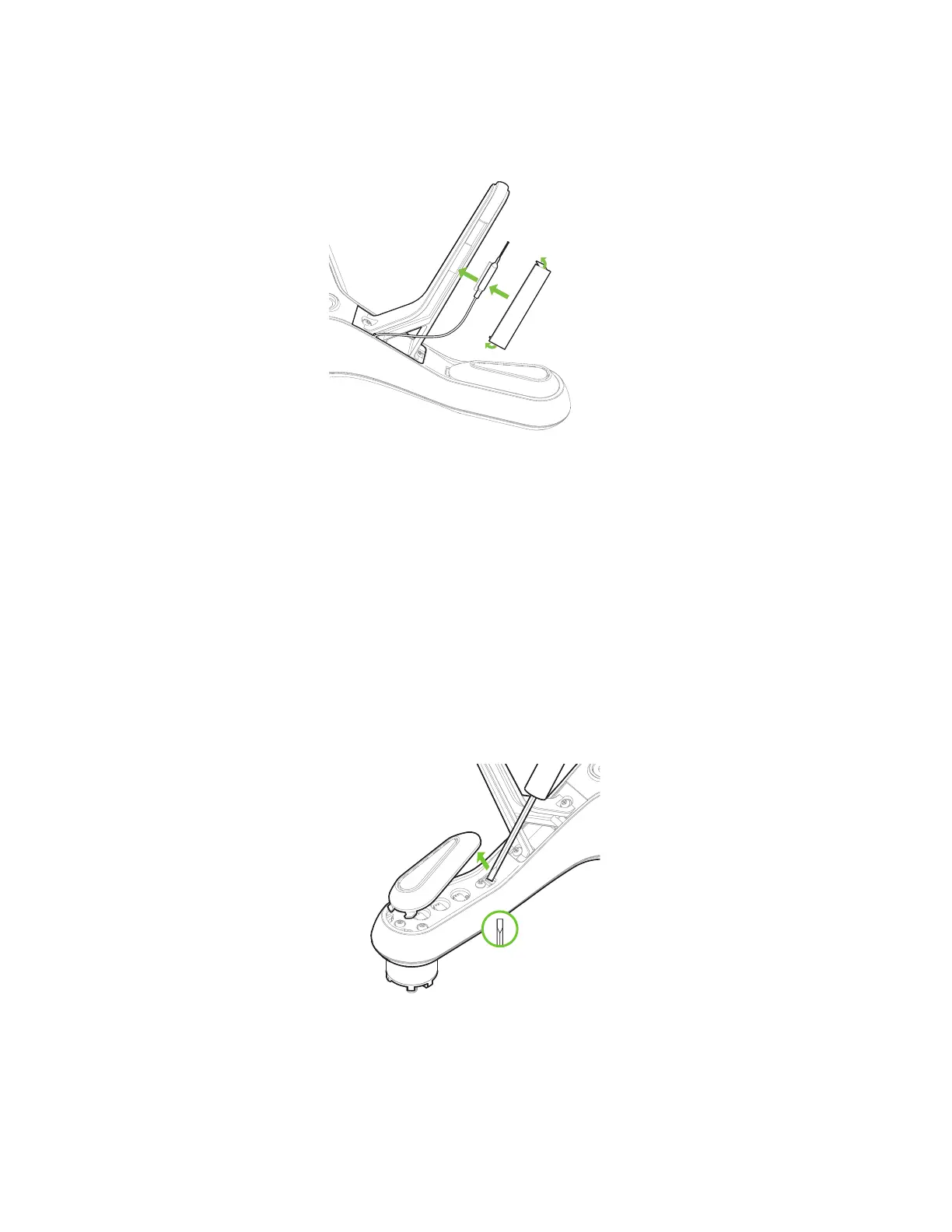
1 Affix the antenna to the inside of the leg.
2 Fold the ends of the new plastic sheet at right angles.
3 Remove the adhesive backing and stick the plastic sheet to the leg so it secures the antenna in place.
Figure 5.1.3: Leg Replacement Process 3
Replacing the Right-Rear Leg
Solo’s right-rear leg (arm #04) contains the compass module. To replace the right-rear leg, purchase a Solo
Replacement Leg with Compass from store.3dr.com or an authorized retailer.
5.2 Motors
Replacement motors are available as clockwise and counterclockwise motor pods. Use a counterclockwise motor
pod to replace motors on arms #01 and #02, and use a clockwise motor pod to replace motors on arms #03 and
#04.
First, use a small, flat prying tool to remove the LED cover form the underside of the arm.
Figure 5.2.1: Motor Pod Replacement Process 1
Use a #2 Phillips screwdriver to remove the four screws securing the pod to the arm. (Figure 5.2.2 not to scale.)
4
3
2





 To Next Page