30
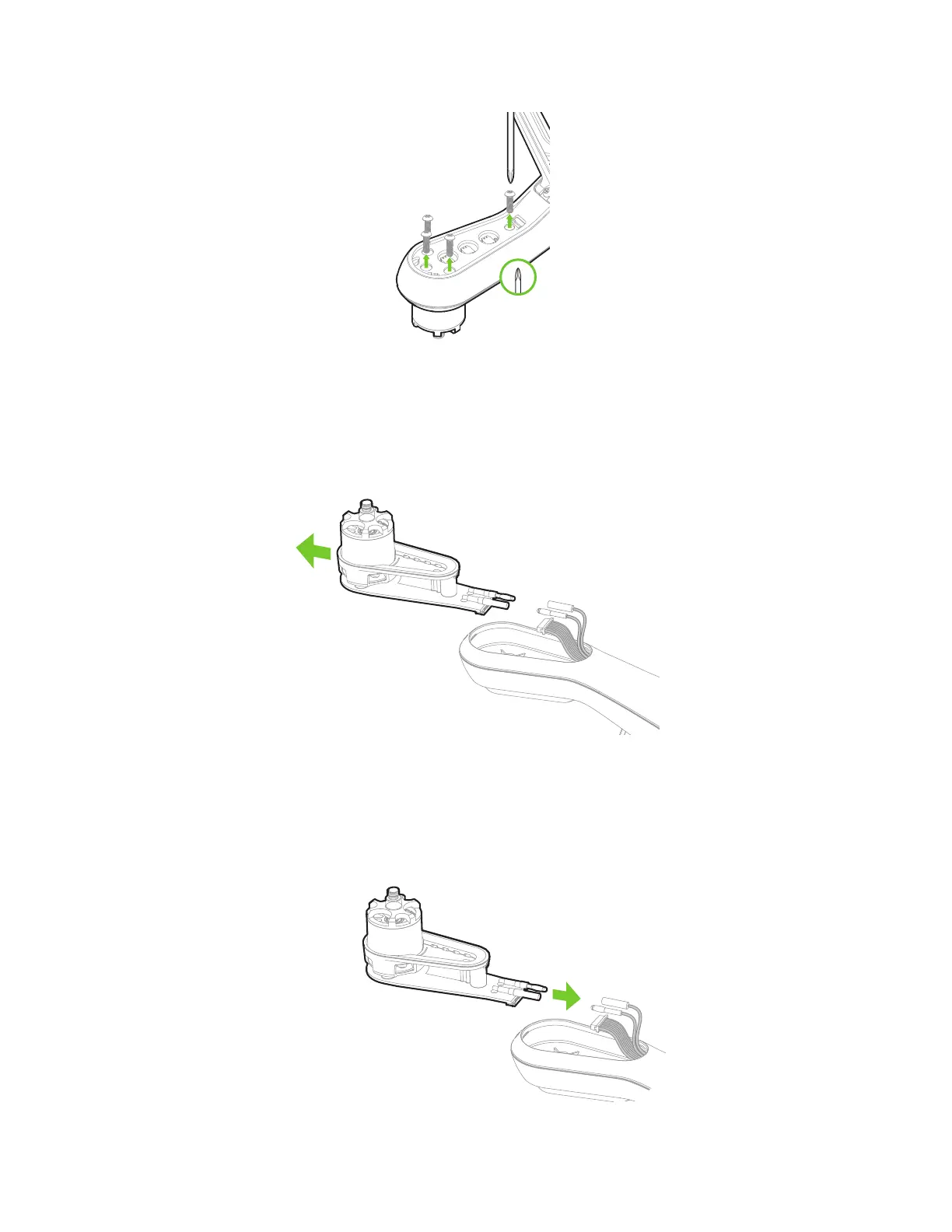
Figure 5.2.2: Motor Pod Replacement Process 2
Disconnect the wide beige connector, the red wire and the black wire to remove the old motor pod. To remove the
wide beige connector, carefully lift the edges of the connector away from the pod until they pop out then remove the
connector. Don’t pull on the wires! The connector can break easily if force is used to remove it.
Figure 5.2.3: Motor Pod Replacement Process 3
Connect the 3 cables from the arm to the new motor pod. Tuck cables inside the arm, and set the pod into place.
Figure 5.2.4: Motor Pod Replacement Process 4





 To Next Page