28
5 Maintenance
Solo’s components are designed to absorb impact from hard landings and protect the core electronics. If damage is
sustained to Solo’s legs or motors, replace them with official 3DR parts from store.3dr.com or an authorized retailer.
5.1 Legs
To replace one of Solo’s legs, purchase a Leg Replacement Set form store.3dr.com or an authorized retailer.
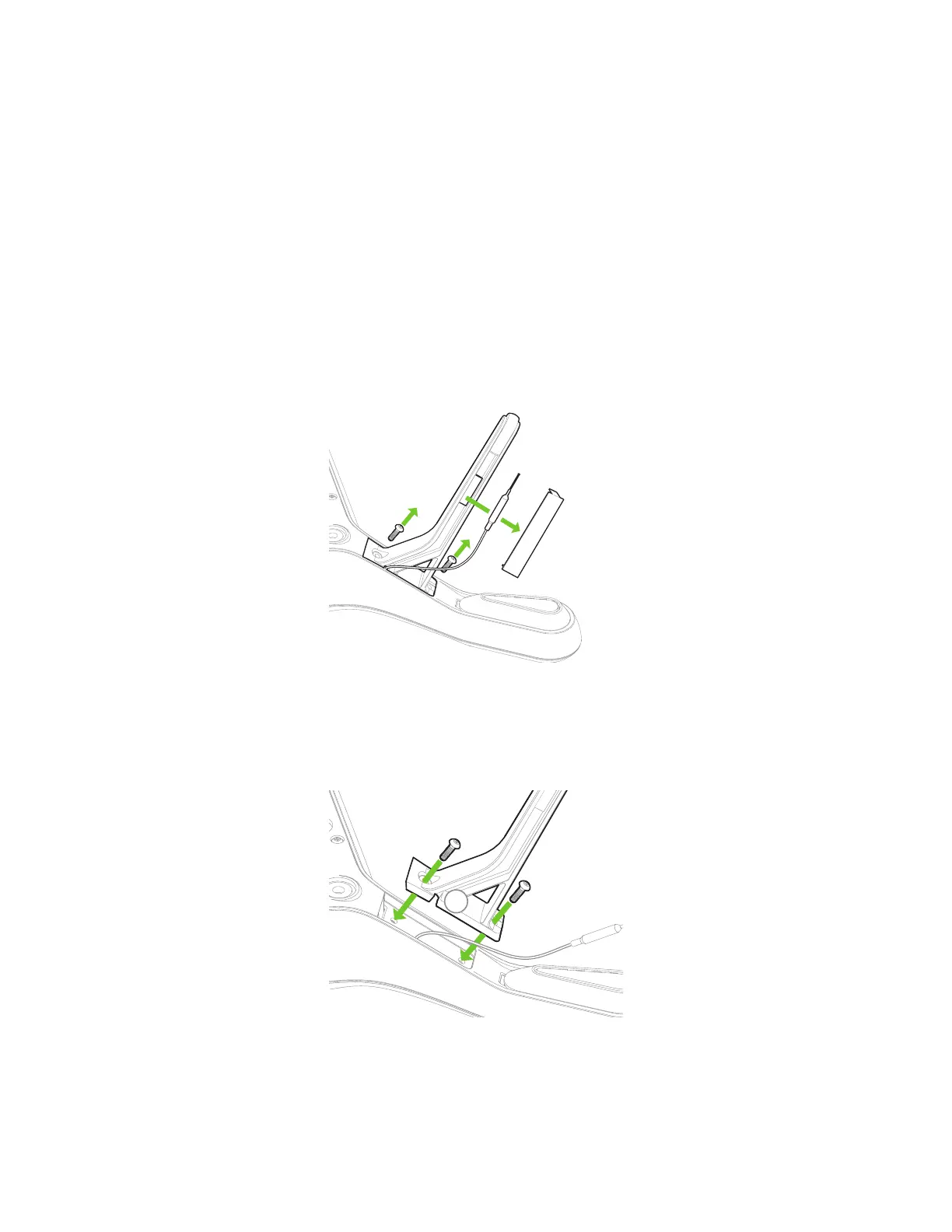
1 Remove the plastic sheet from the leg.
2 Detach the antenna.
3 Use a #2 Phillips screwdriver to remove the two screws and detach the old leg.
(For legs without an antenna module, remove the two screws and replace the leg only.)
Figure 5.1.1: Leg Replacement Process 1
1 Thread the antenna cable through the notch in the new leg. Be careful not to crush the cable.
2 Secure the leg using the two screws.
Figure 5.1.2: Leg Replacement Process 2
2
1





 To Next Page