23
Manual Land
For manual landing, move the left stick slightly below center, and slowly decrease Solo’s altitude. When it is a
few inches above the ground, hold the left stick fully back. Continue to hold the left stick fully back and hold the
controller’s Fly button until the props stop spinning.
4.4 In-Flight Data
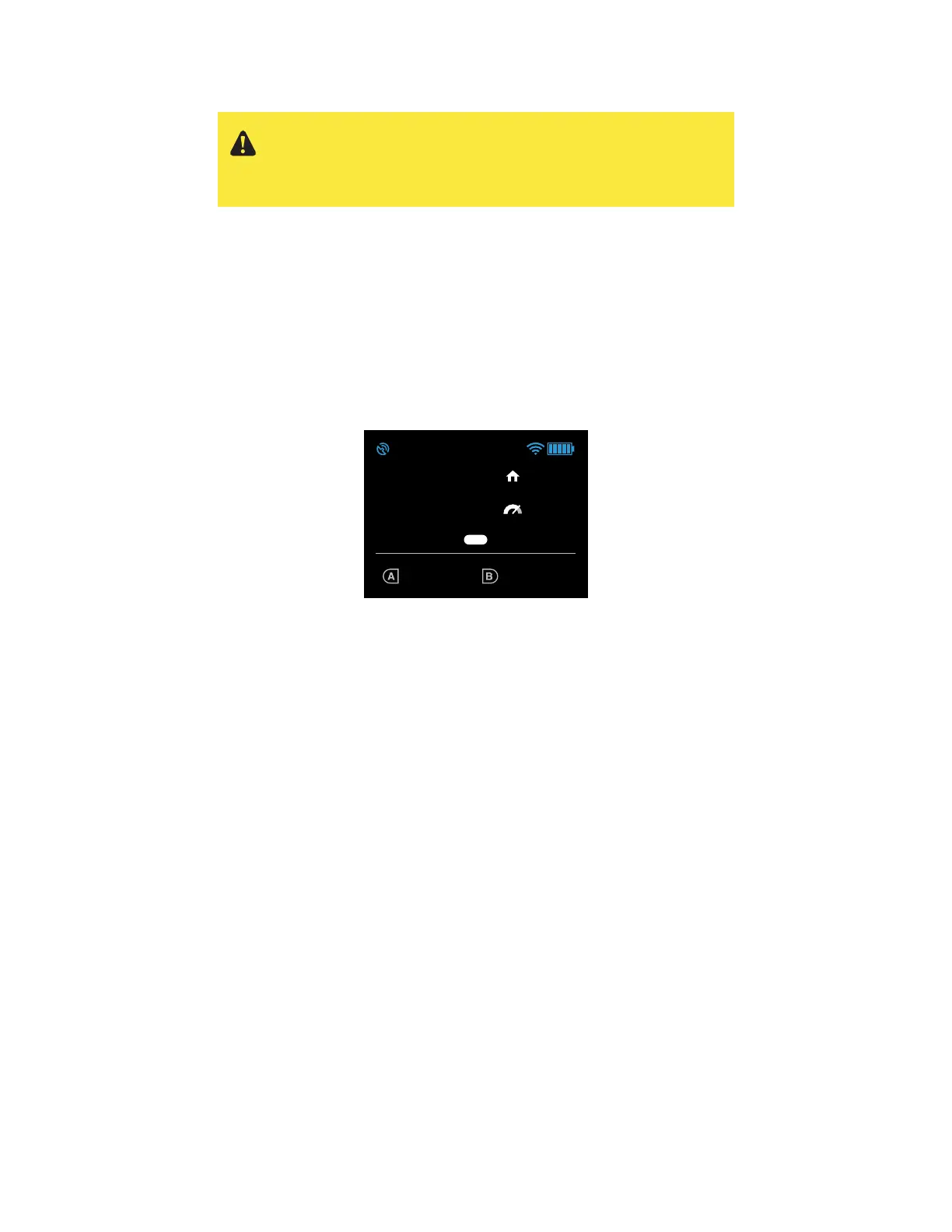
Use the controller’s main data display to monitor Solo’s status in flight.
Figure 4.4.1: Controller In-Flight Data Display
1 Current altitude in feet
Keep Solo below 400 feet at all times. Solo returns to home if flown higher than 400 feet from home.
2 GPS signal status
Icon illuminates to indicate active GPS lock. GPS flight, pause, return to home, selfie and cable cam
modes require GPS lock. Solo automatically switches to manual flight when no GPS lock is available.
3 Percentage of Solo battery remaining
The controller provides notifications at 20% and 10% to end your flight. At 0%, Solo automatically
lands at the current position.
4 Signal strength between Solo and controller
Solo returns to home if the signal between Solo and the controller is lost during flight.
5 Controller battery level
The controller provides a notification to end your flight when the controller battery is low. When the
controller battery reaches 0%, Solo automatically returns to home.
6 Current distance from the home point in feet
Keep Solo within 2,000 feet from home at all times. Solo return to home if flown farther than 2,000 feet
from home.
7 Current speed in miles per hour
8 Current mode
9 Currently assigned functions of controller A and B buttons
Never approach Solo while the propellers are spinning. After an
auto-landing or return-to-home, always wait until the propellers stop
before approaching or touching Solo. For a manual landing, hold the
Fly button until the propellers stop before handling Solo.
TAKEOFF PART 2
Auto-takeo
User holds “Fly” to initiate auto-takeo.
“Fly” button LED blinks on Artoo when motors
are on. LED becomes solid white when takeo
begins.
Telemetry
Back on telemetry screen after auto-takeo.
Auto-takeo message
During auto-takeo, target altitude message is
displayed.
Message times out after 3000 milliseconds.
005
Spot lock Rewind
ALTITUDE
000
003
FLIGHT
BATTERY
100%
LOITER
AUTO-TAKEOFF
003
Spot lock Rewind
ALTITUDE
004
002
FLIGHT
BATTERY
100%
Spot lock Rewind
FLIGHT
BATTERY
100%
FLY
Hold for auto-takeoff
555656
GOING TO 5 FT ALTITUDE
Auto-takeo
User holds “Fly” to initiate auto-takeo.
“Fly” button LED blinks on Artoo when motors
are on. LED becomes solid white when takeo
begins.
Haptic: press and hold feedback is given.
Spot lock Rewind
FLIGHT
BATTERY
100%
FLY
Hold for auto-takeoff
555656
Auto-takeo
Green bar returns to zero progress position
on transition.
User holds “Fly” to initiate auto-takeo.
“Fly” button LED blinks on Artoo when motors
are on. LED becomes solid white when takeo
begins.
Spot lock Rewind
FLIGHT
BATTERY
100%
FLY
Hold for auto-takeoff
555656
FLY
FLY
FLY
FLY
Banner height
65 px height (from bottom)
or starts at 0,175
136,92
48,92
98,86
2
3 4 5
6
7
8
9
1





 To Next Page