13
2.5 Camera
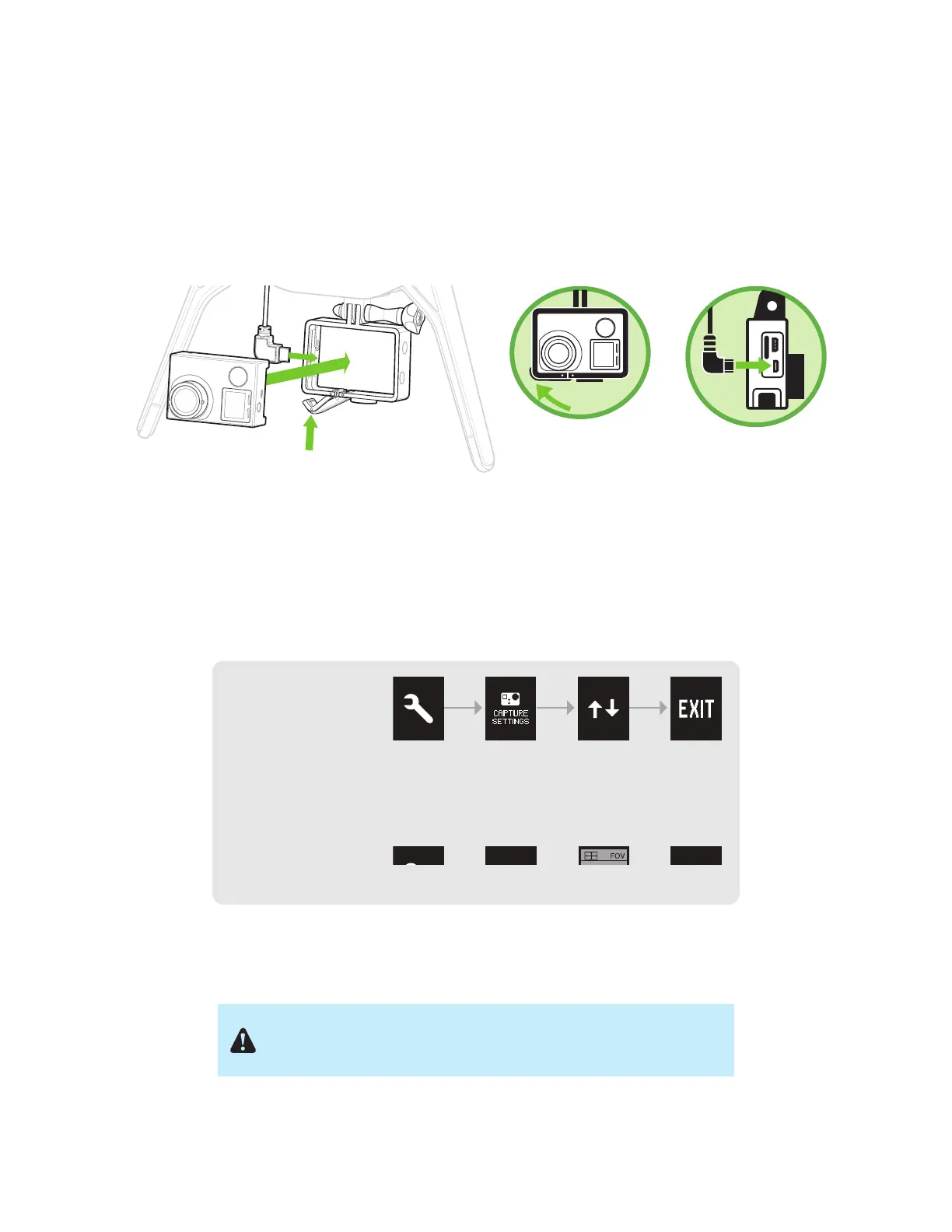
Solo includes a fixed GoPro® The Frame™ mount for your GoPro® HERO 3, 3+ or 4.
Attaching
To attach the camera to the GoPro® The Frame™ fixed mount, insert your GoPro® upside down and connect the
Solo HDMI cable to the camera.
Figure 2.5.1: Attach Camera
Settings
For best results, adjust the camera settings for inverted orientation and medium field of view. (Setting the field of
view to medium ensures that you won’t see the propellers in the frame.)
Figure 2.5.2: Camera Configuration Process
Make sure that the Wi-Fi on your GoPro® is turned OFF. It can
interfere with Solo’s communication signals and cause unexpected
behavior.
GoPro
®
The Frame
™
Your GoPro
®
HERO 3, 3+ or 4
Mount your GoPro
®
upside down.
Connect the HDMI
cable.
Set the GoPro
®
to
inverted orientation:
Set the GoPro
®
to
medium field of view:
GoPro
®
Settings
GoPro
®
Settings
Camera
Orientation




 To Next Page