20
●Continuous shooting of still picture
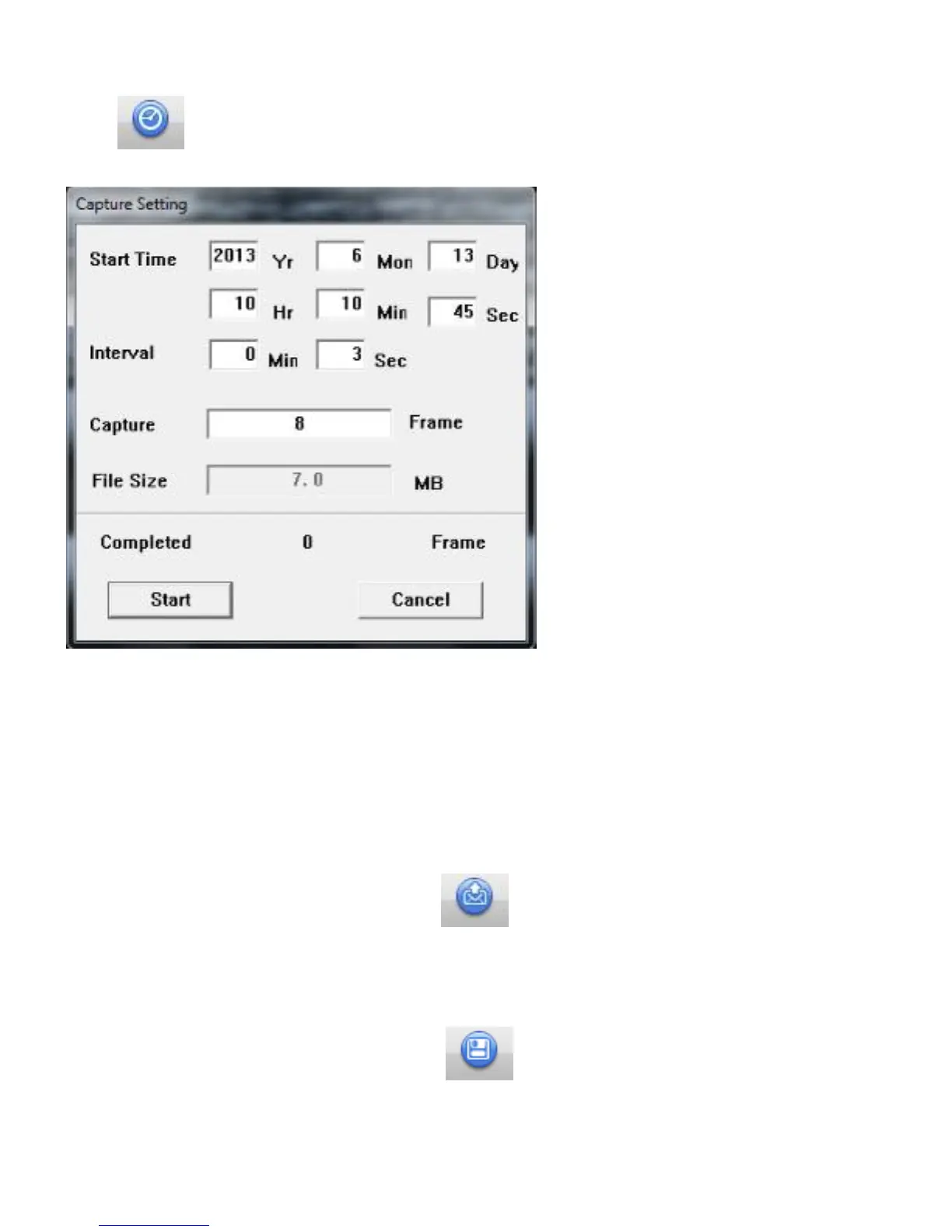
You could use this function to shoot still pictures continually.
Click to display window (Setting menu) as an image below. Press ‘Start’ to start photographing
after finish setting each option.
Start Time・・・Set start later year, month, day, hour ,minute, second by now
Interval・・・Setting shooting time interval in seconds. Next shooting will be done in time you have
set after current shooting.
Capture・・・Set how many pictures you want to take and save.
File size・・・It shows the size of pictures based on your settings.
●Attach to Email
Select thumbnail of images or movies and press this icon, or choose 「Attach to email」 from
Menu bar. After that, the defaults Email software in your PC will be opened automatically with selected
data adjust.
●Saving
Select thumbnail of images or movies and press . The window for saving will be shown so you
could resave data in any file you want. Press same icon when you want to save edited data.



 To Next Page