26
Attention
※ The figures are calculated based on shooting magnification at top right side of the Main window.
If you want to obtain more accurate numerical value, please see page 26 or page 27 (Additions and
Corrections).
※ You might need to click more than twice depend on some specific measurement.
●Additions and Corrections
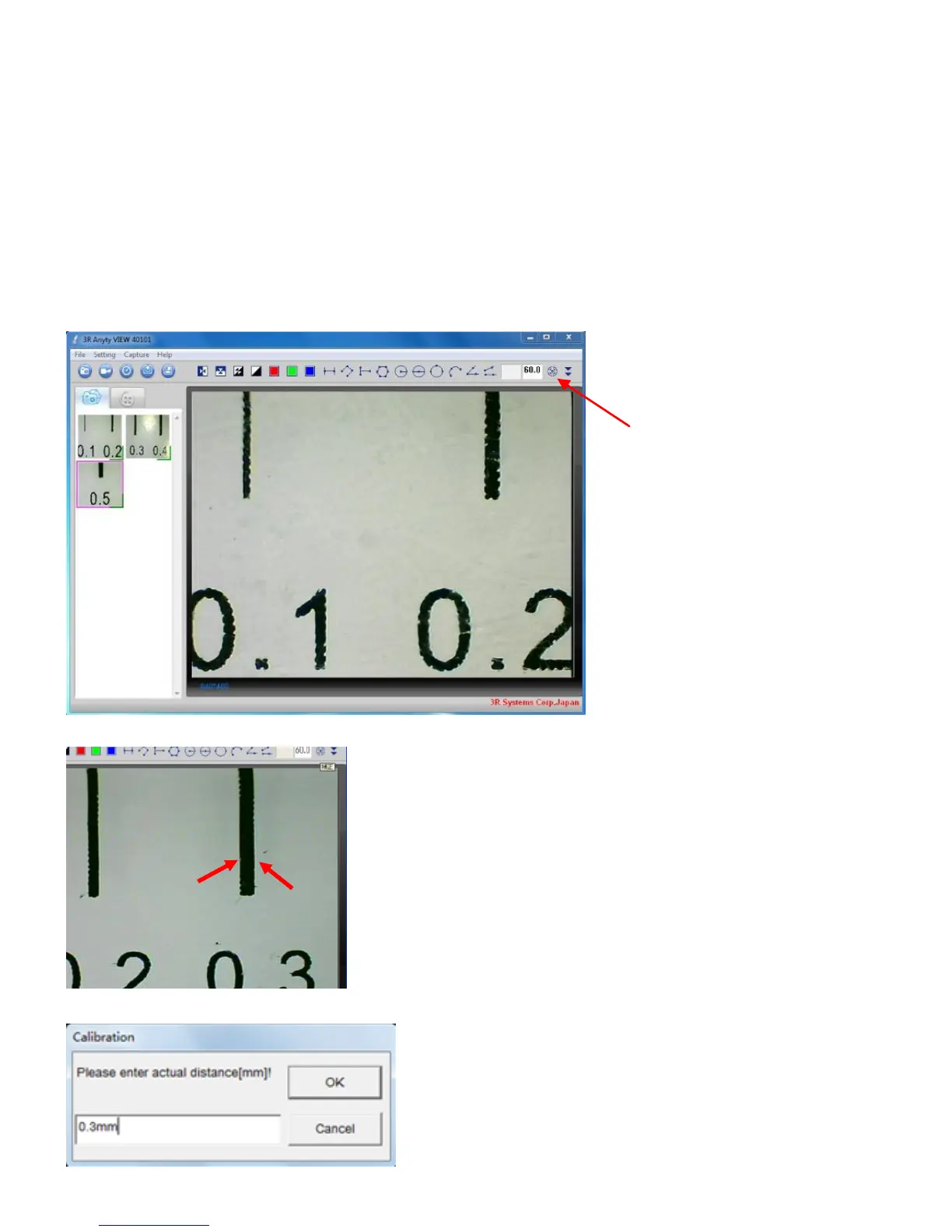
Use ‘Additions and Corrections’ to calculate more accurate value. Steps are shown below.
①First, capture attached simple scale ore micro meter with Microscope. Then, click the icon on top
right side as picture shows below.
②Next, please click two side of the scale that already clear of size (same as calculate Linear size).
③The window shows as below will be displayed. Please enter the size and click ‘OK’.



 To Next Page