27
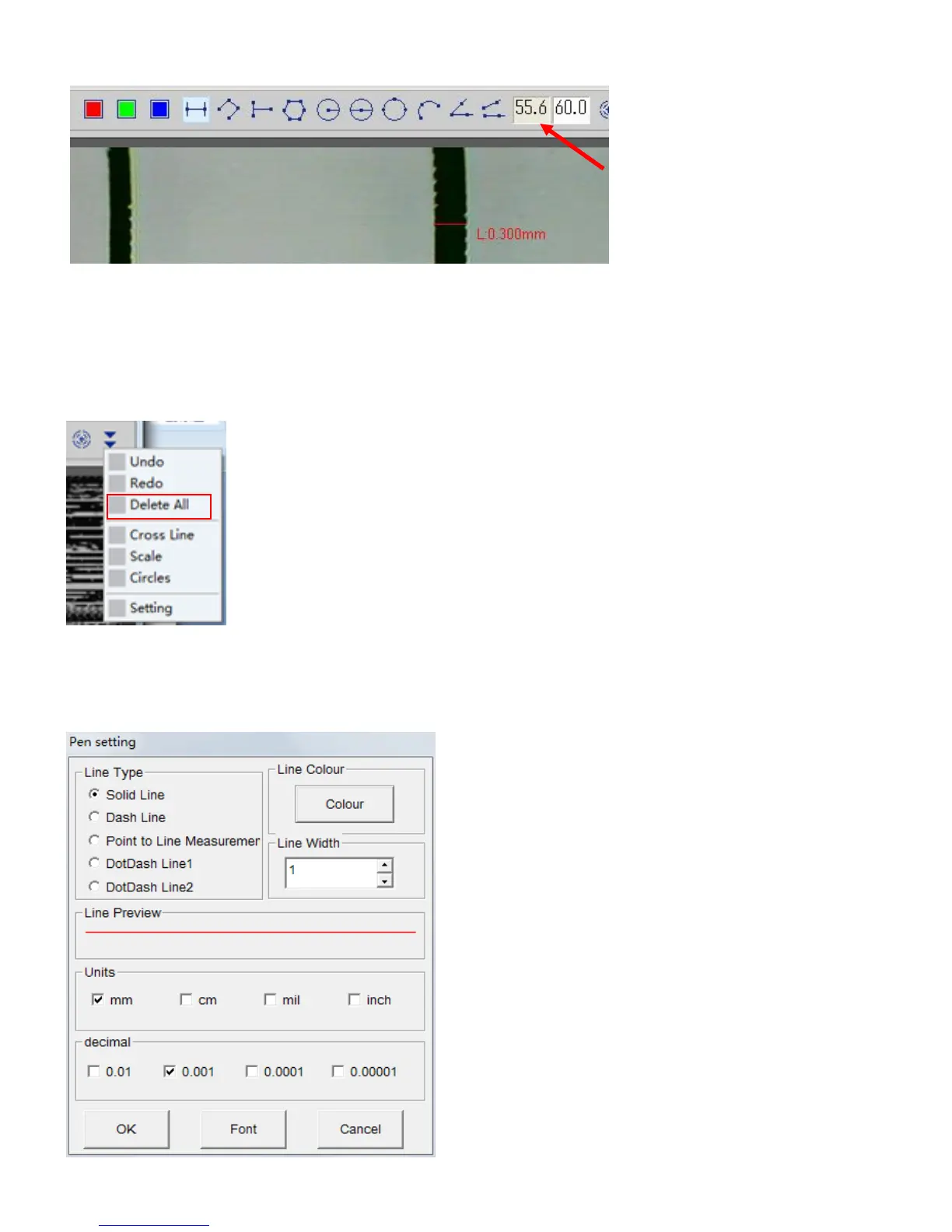
④Value will be filled in left side of ‘magnification’. From then on, the measurement will be done based
on the calibration value.
●Clear the measurement function
If you want to renewal the measurement or delete it, please click the icon at right side of correction
icon’▼’. Click ‘Undo’ to delete previous measurement. Also, click ‘Delete All’ to delete all value you
have entered.
●Pen settings(Setting of measurement functions)
Click ‘Setting’ in setting on menu bar or click setting in ▼ icon to display Pen setting menu. You
are able to set font of letter (Linear size. etc).



 To Next Page