Installation Instructions
www.3ware.com 103
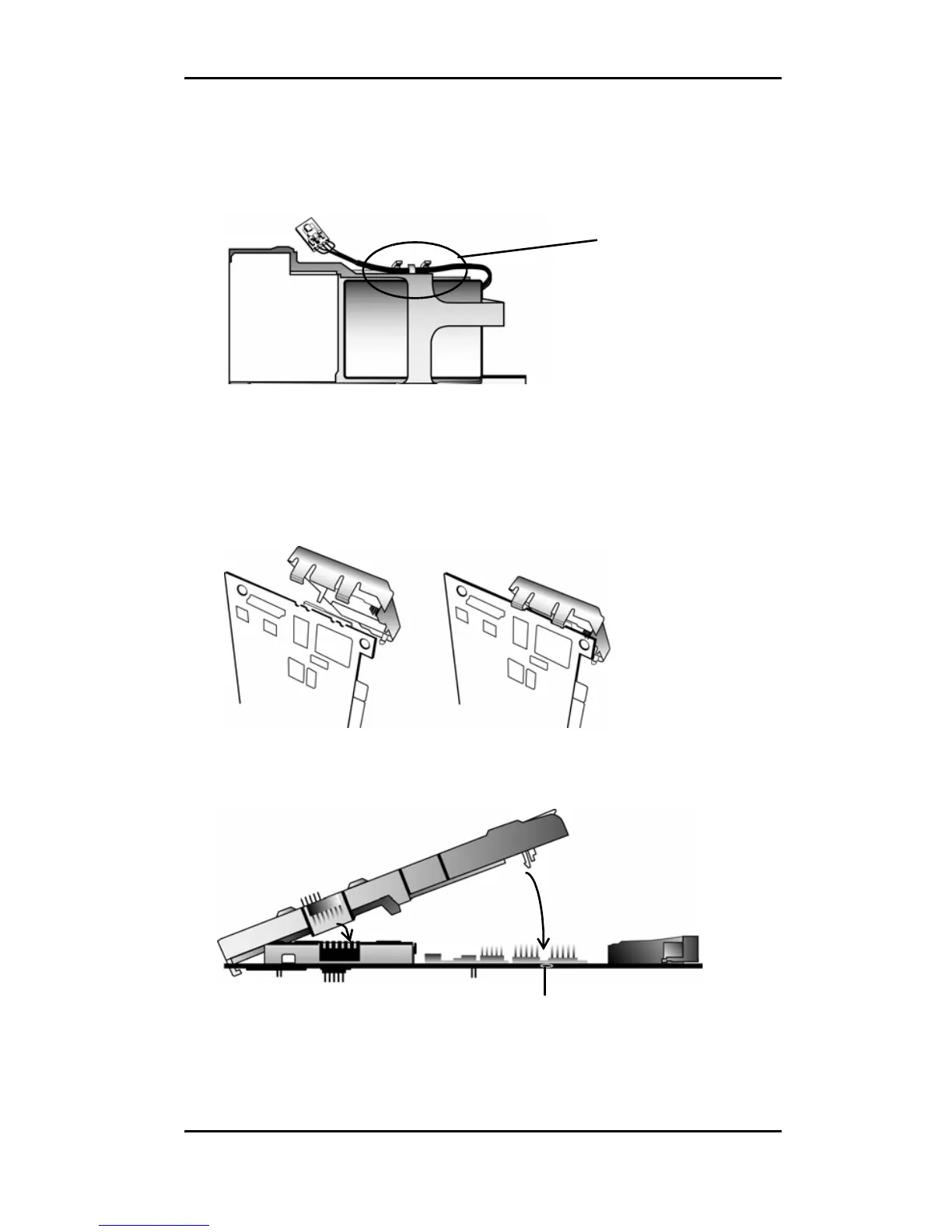
4 Make sure the battery cable is fastened under the cable
management clips, as shown in
Figure 5.
Figure 5. Battery cable inserted through cable management clips
5 Match the clips on the end of the BBU to the slots on the edge
of the controller to create a hinge and rotate the BBU to
position it over the card, as shown in Figures 6 and 7.
Figure 6. Clips on the BBU match to slots on the controller
Figure 7. BBU rotates into position on the controller
Cable
management
clips
Hole for post



 To Next Page