Chapter 9. Maintaining Units
140 3ware Serial ATA RAID Controller User Guide
Enclosure LED Status Indicators
If you use an enclosure that has an integrated AMCC/3ware CCU (chassis
control unit), the LEDs on your enclosure also provide some status
information. The chassis should come with a cable which attaches to the I
2
C
port on the controller.
Unit Statuses
The following is a list of unit statuses you may see in 3DM:
•
OK. The unit is optimal and is functioning normally.
•
Rebuilding. The unit is in the process of writing data to a newly added
disk in a redundant unit, in order to restore the unit to an optimal state.
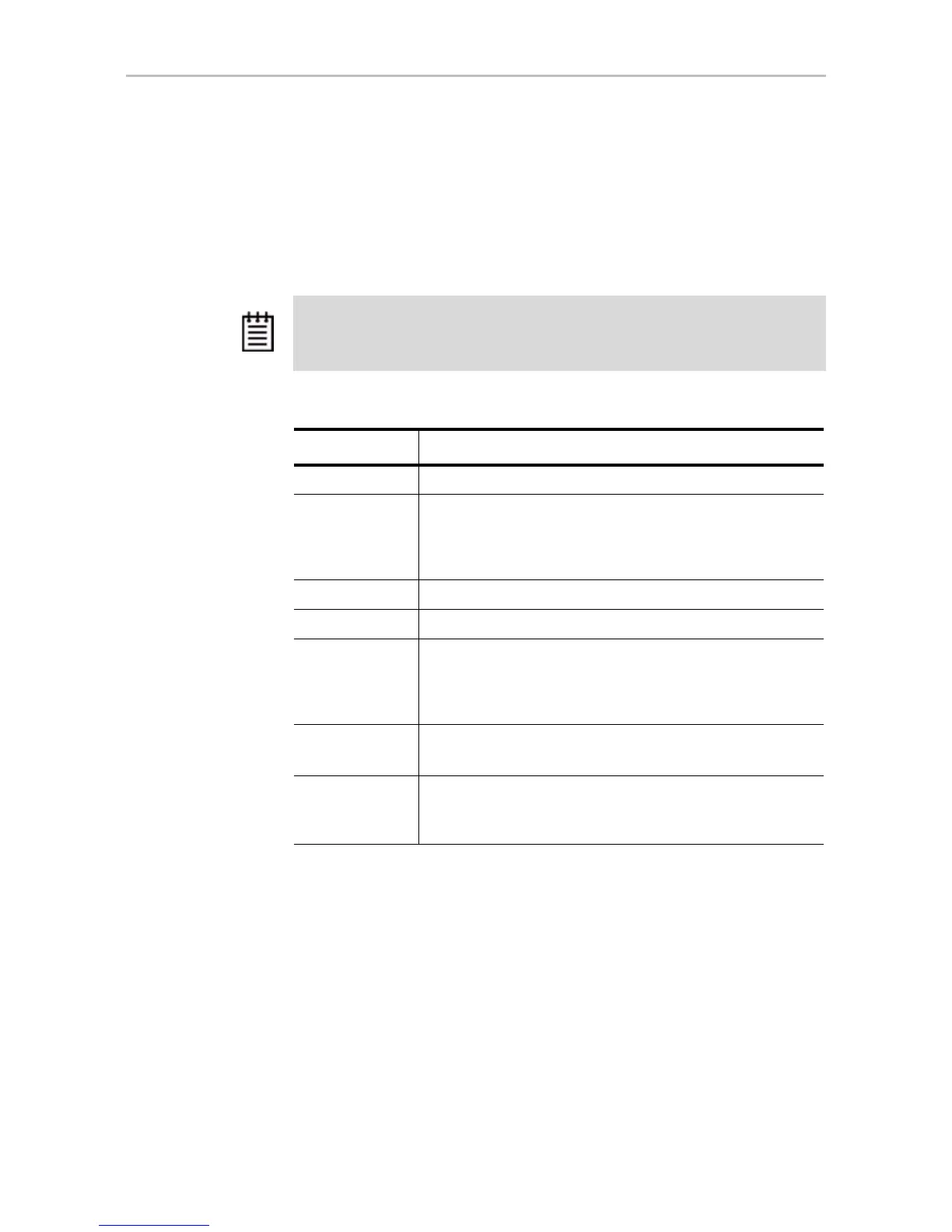
Note: The following table is an example only. Check with your chassis
documentation for more details. Not all features may be supported or implemented
in the same way.
Table 11: Meaning of LED Colors and Behavior
Color Drive Status
Solid green OK
Blinking green Identify
This occurs when you have used the Identify command in 3DM
to locate a particular drive or unit. (See “Locating a Drive by
Blinking Its LED” on page 166.)
Black No drive
Solid Amber Hot spare
Blinking amber Rebuilding
The drive in this slot is part of a RAID unit that is currently
rebuilding. You can continue to use the unit. For more
information, see “Rebuilding Units” on page 155.
Solid red Drive fault
This drive has failed. You should replace it and rebuild the unit.
Blinking red Predicted drive fault
3ware software predicts that this drive will fail soon. You may
want to replace it.



 To Next Page