Chapter 10. Maintaining Your Controller
176 3ware Serial ATA RAID Controller User Guide
Updating the 3ware Driver Under Windows XP
If you prefer, you can update the 3ware driver through the Windows Device
Driver Manager, instead of using the Update Utility described above.
To update the 3ware driver under Windows XP
(Note that during this process, you will step through driver installation
wizards twice.)
1 Download and extract the driver files, as described under “Updating the
Driver and Firmware” on page 169.
2 Backup any critical data prior to updating the 3ware driver.
3 Log in to your system as system administrator.
4From the Start menu, open the Control Panel window.
5In the Control Panel window, double-click on the System icon.
6 Click on the Hardware tab and then click on the Device Manager tab.
7 Open the SCSI and RAID Controllers selection.
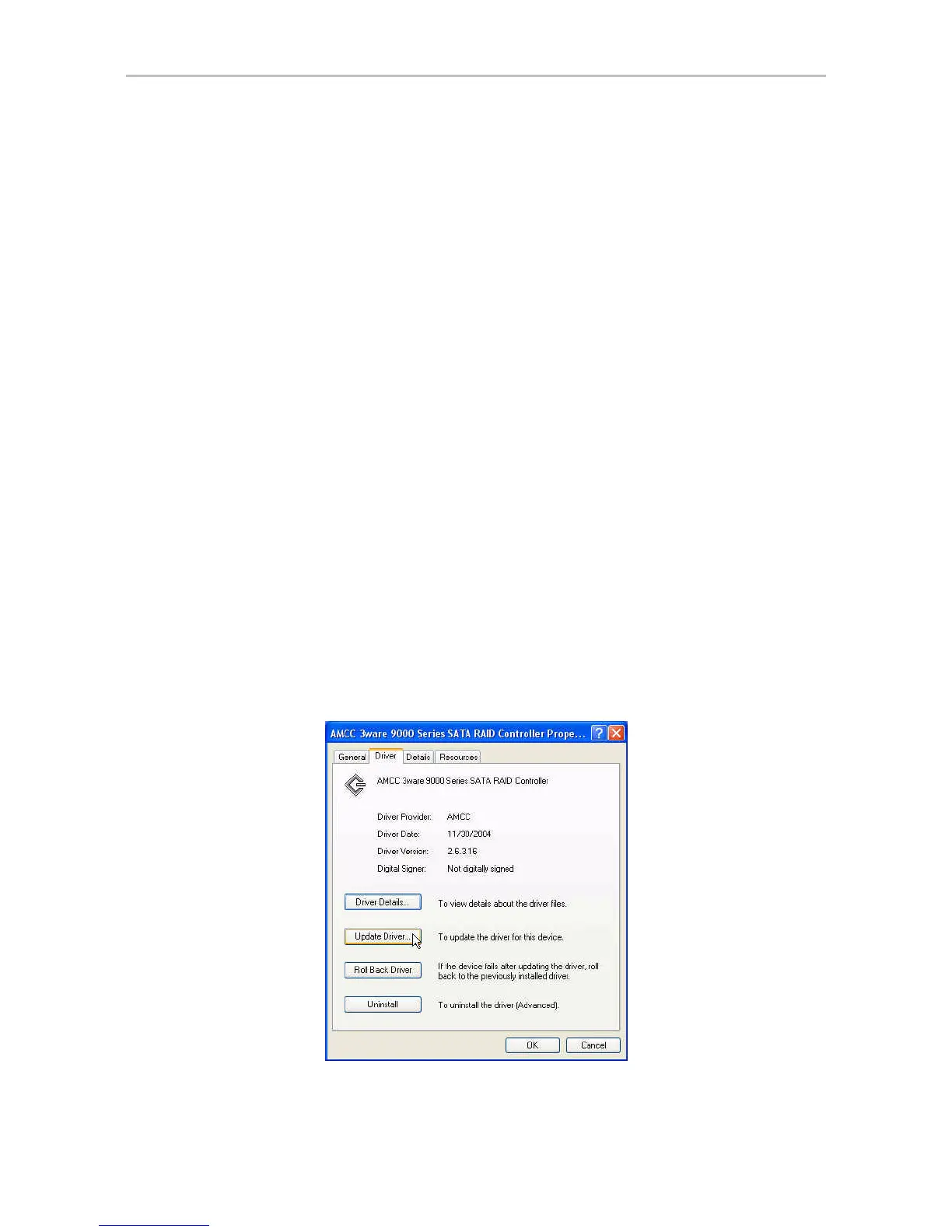
8 Locate and double-click on the applicable 3ware Serial ATA RAID
Controller. The 3ware 9000 Series ATA RAID Controller Properties
dialog box appears.
9 Click the Driver tab.
Figure 77. 3ware Serial ATA RAID Controller Properties Dialog



 To Next Page