Updating the Driver and Firmware
www.3ware.com 177
10 Click the Update Driver… button.
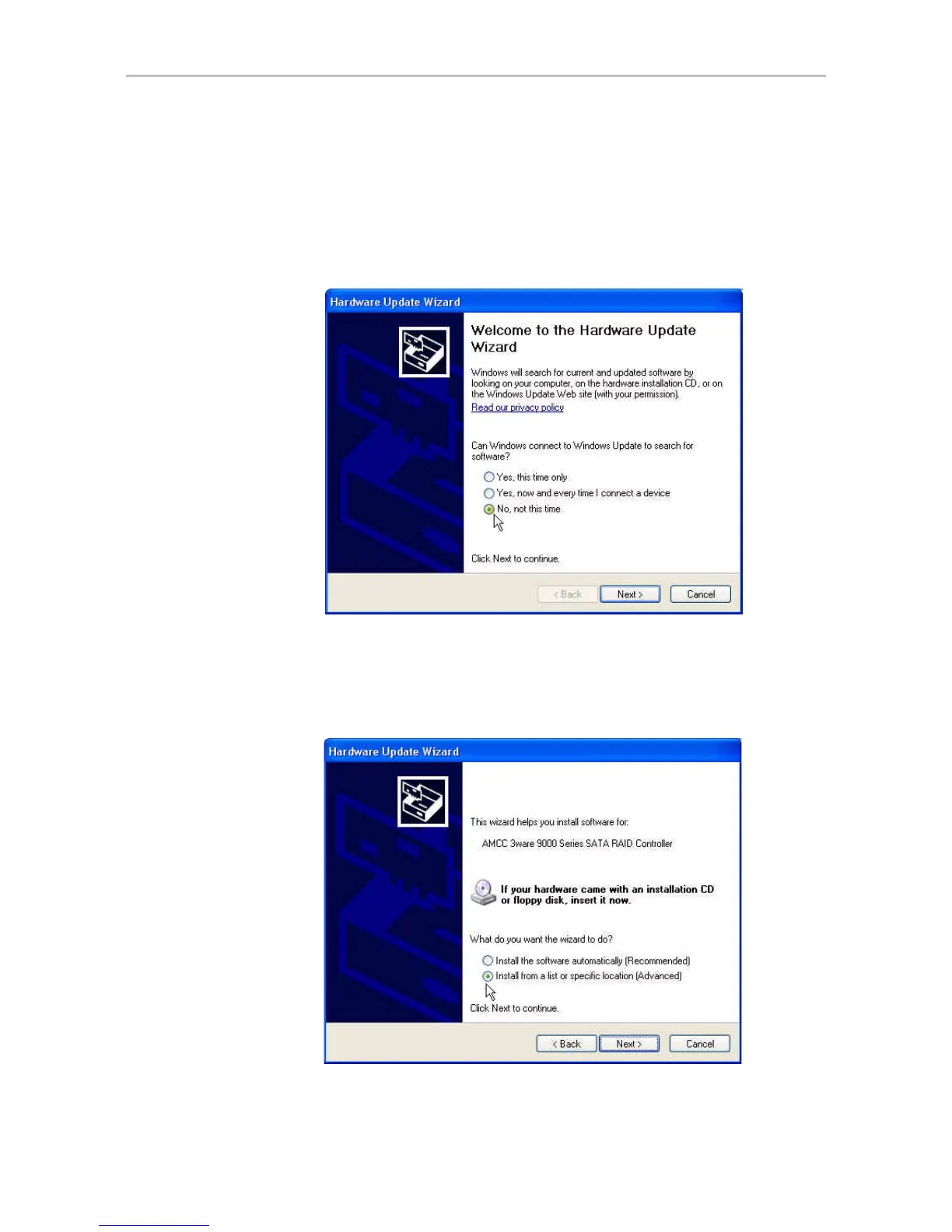
11 If your system has Windows XP Service Pack 2, the first screen asks
whether you want to connect to Windows Update.
Select “No, not this time” and click Next.
Figure 78. Windows XP Service Pack 2 Windows Update Query
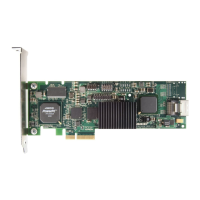
12 When you reach the Hardware Update Wizard screen shown below,
select “Install from a list or specific location (Advanced)” and then click
Next.
Figure 79. Upgrade/Install Device Driver Wizard


 To Next Page