Chapter 10. Maintaining Your Controller
174 3ware Serial ATA RAID Controller User Guide
6 In the Action section of the dialog, make any changes to what will be
updated and click Continue to install your selections.
During the update, the driver installs on your local drive. The firmware
will first download and then will flash a new image to the controller.
You will see either one or two progress dialog boxes, depending on what
is being installed. Progress is shown during:
• Driver installation
• Firmware download and flashing of the controller
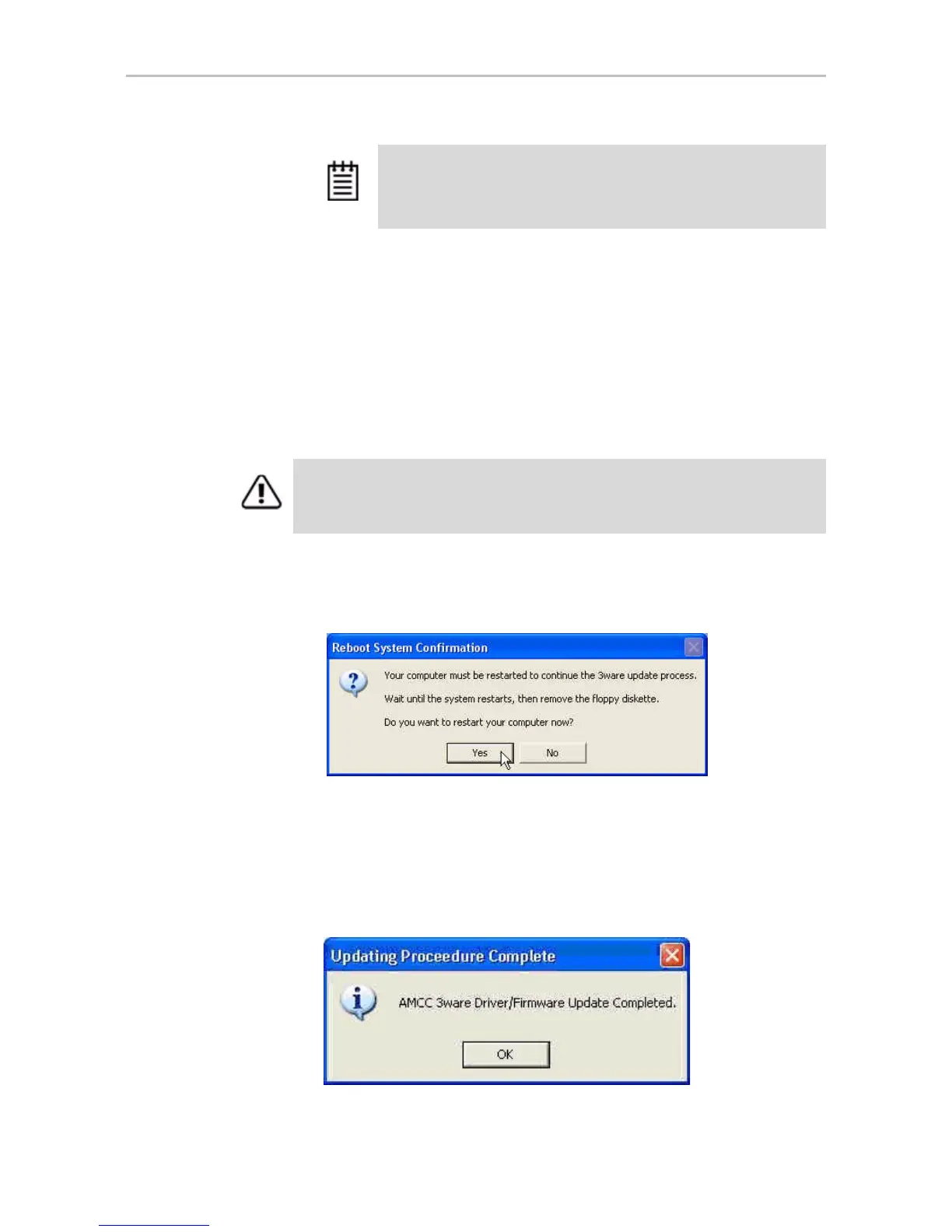
7 If a dialog box prompts you to restart your computer, click Yes to do so.
(If you were working from a driver diskette, be sure to remove the floppy
diskette before Windows reboots.)
8 If the driver you are installing is unsigned, you will receive a message to
that effect.
To complete the installation with an unsigned driver, click OK.
9 If a final message box confirms that the process is complete, click OK.
(This message appears if you do not need to restart your computer.)
Note: If you have multiple controllers in your system, your screen will
look slightly different, so that you can update the firmware for one or
all controllers. For details, see “Using the Update Utility With Multiple
Controllers” on page 175
Warning: Do not power off the system while the firmware is being flashed. Doing
so will render the controller unusable.


 To Next Page
 Loading...


