Appendix B. Software Installation
276 3ware Serial ATA RAID Controller User Guide
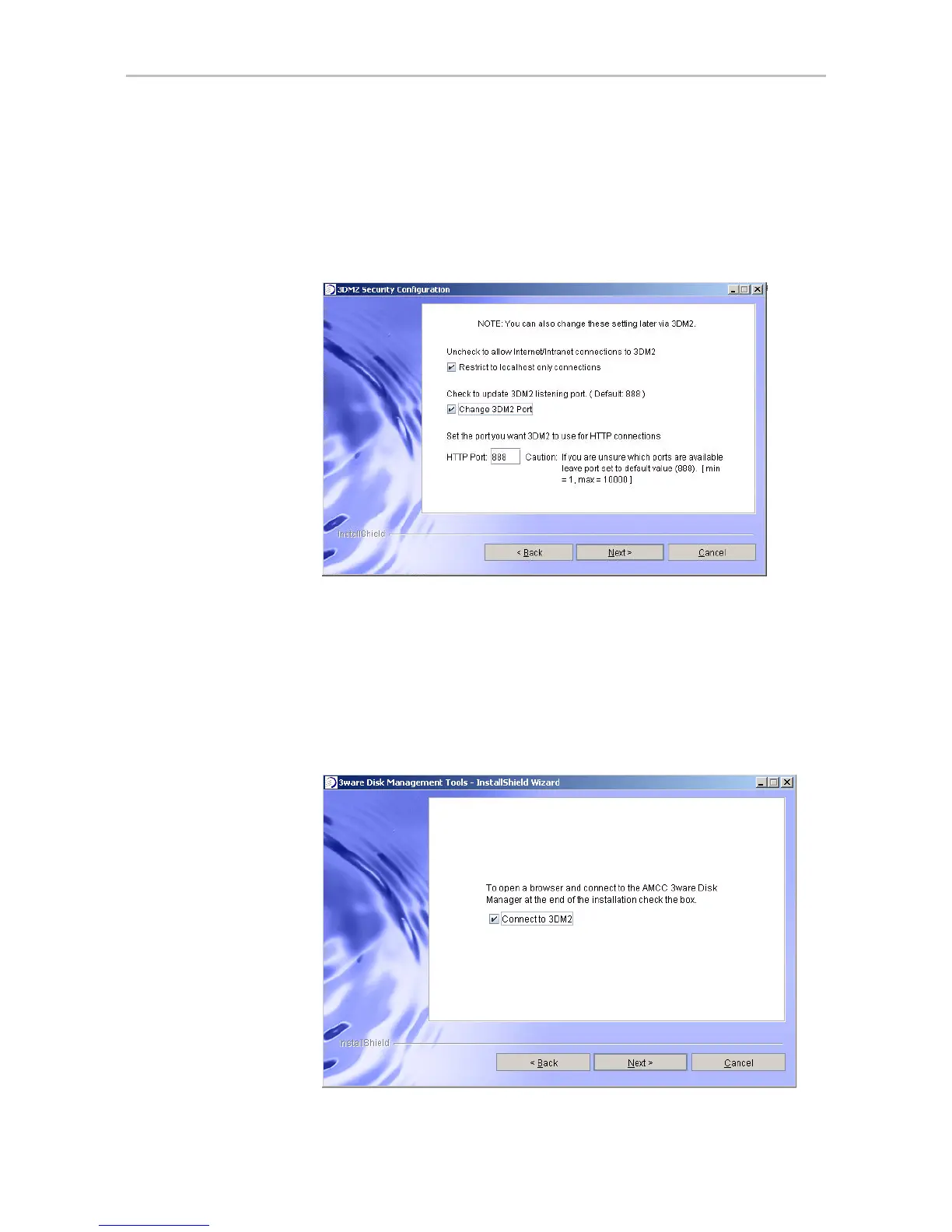
10 [Optional] On the same 3DM 2 Security Configuration screen, you can
specify a different listening port than the default (888), if appropriate.
For more about this feature, see “Setting the Incoming Port #” on page 79.
When you are ready, click
Next to continue.
Figure 111. 3DM2 Specify Listening Port
11 If you want the Installation Wizard to connect to 3DM 2 after you finish
the wizard, check the
Connect to 3DM2 box. This allows you to log into
3DM and configure a RAID unit right away.
If you do not want to connect to 3DM 2 at this time, leave the box
unchecked.
When you are ready, click
Next to continue.
Figure 112. Final Installation Screen



 To Next Page