4 CARE AND MAINTENANCE HoloSea S7
3.5.2 Tips for Optimal Hologram Acquisition
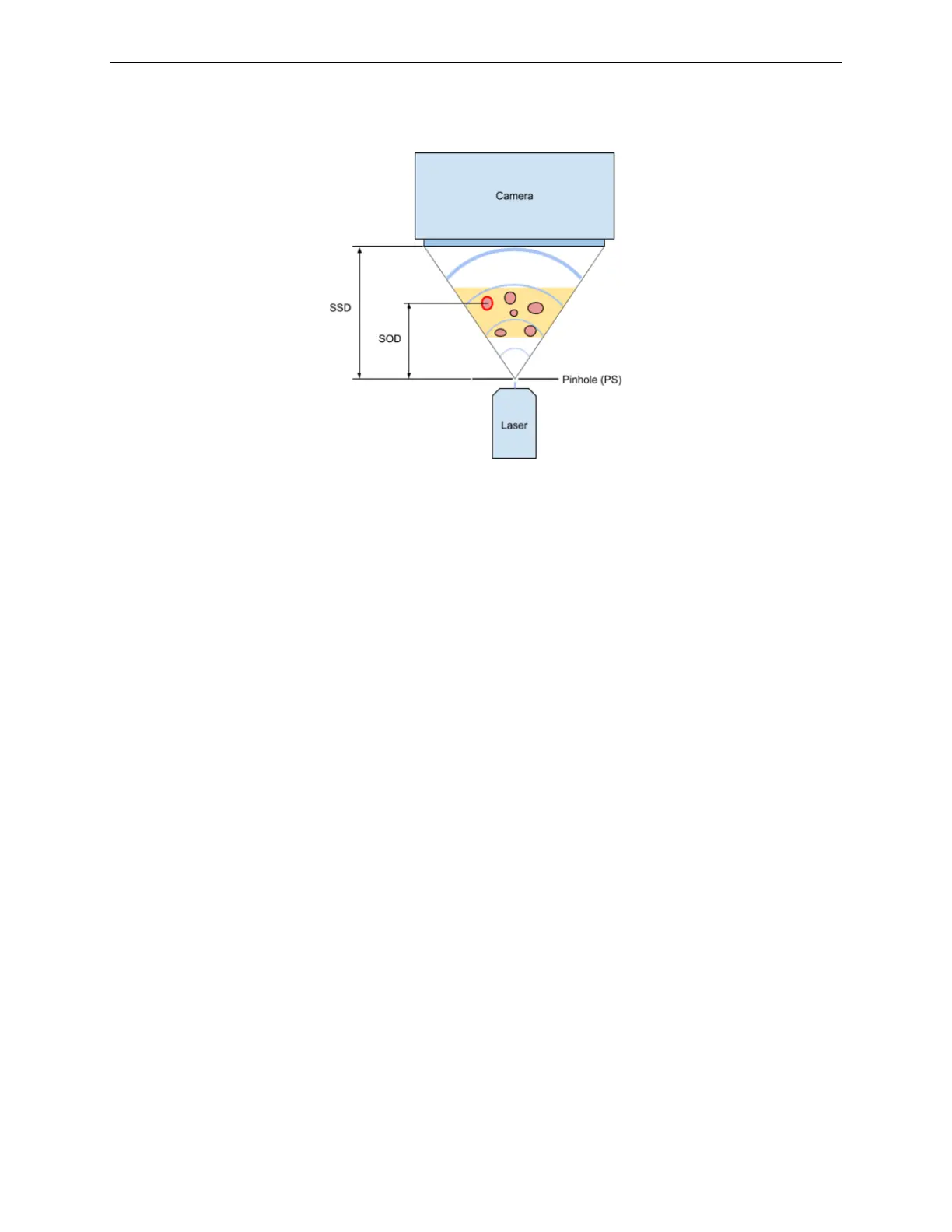
Image resolution is dependent on the SOD (Source to Object Distance). As this distance de-
creases, the resolution and the magnification increase. Maximum resolution is obtained by placing
the sample/object as close as possible to the point source. However, keep in mind that as the SOD
distance decreases, the field of view becomes smaller.
The distance between the camera sensor and the point source - Source to Screen Distance (SSD)
in the HoloSea is fixed, based on the configuration of the microscope. The standard configuration
provides 54 mm SSD, and offers 15 mm of imageable space. Contact 4Deep for the development
of custom configurations for special applications.
In order to achieve accurate images, inline holography requires that a reasonable amount of the
reference wave (unscattered light) reaches the camera sensor. Too many objects between the
point source and the camera can reduce the amount of reference wave reaching the camera and
will therefore result in poor reconstructions.
For moving objects, keep the exposure time of the camera as short as possible while still maintain-
ing a visible image. Long exposure times will result in blurry or smeared images. The exposure
can be adjusted in the camera control of the Octopus software.
The point source does not produce a large amount of light; therefore background light from external
sources must be reduced in order to obtain optimal images. Excessive background light can wash
out the images and produce low contrast reconstructions.
If possible, always obtain a background image (a hologram containing only the light from the
point source, without a sample/object causing scatter). A good background image will allow for
background subtraction when reconstructing holograms, producing higher contrast reconstructions
while reducing noise.
4 Care and Maintenance
While the maintenance of your HoloSea is minimal, some cleaning is required.
16



 To Next Page