LEREF "Verzeichnis Ueberschrift" \* MERGEFORMAT Index
Fehler! Verwenden Sie die Registerkarte 'Start', um Verzeichnis Ueberschrift
dem Text zuzuweisen, der hier angezeigt werden soll.Contents
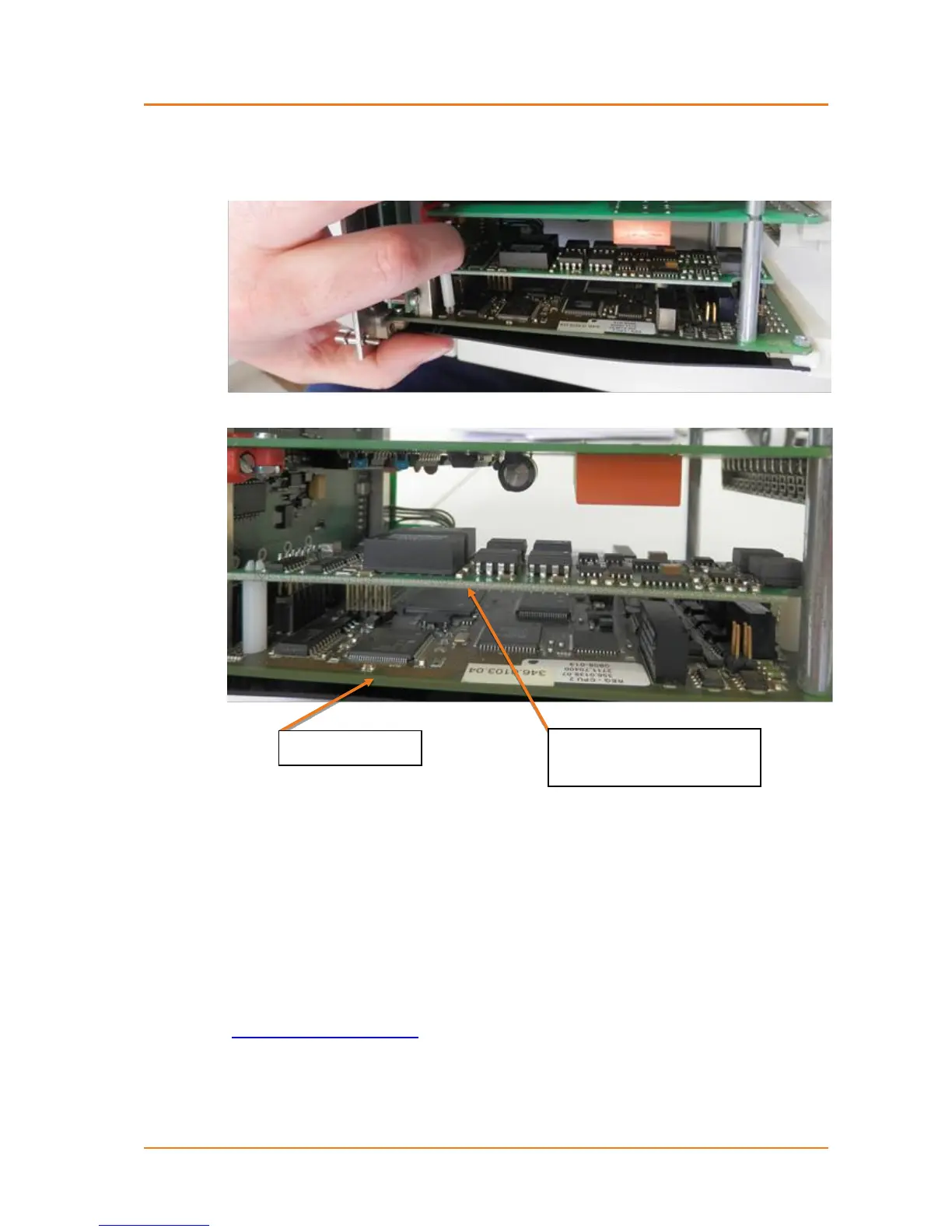
In addition to the connectors, the modules are also connected to the CPU board with two
pluggable plastic spacers. Please also note correct placement here.
After plugging the analogue modules, the REG-D™ can be reinserted into the housing.
The analogue channels are automatically detected by the firmware after you restart the de-
vice, and can then be configured via the menu "Setup -6-\General\Analog..", or the
configuration software WinREG (in future AE Toolbox).
Please note that the analogue channels can only be used directly as of firmware version
2.00. With older firmware versions, a background program is necessary.
For questions regarding this matter, please contact the A. Eberle REGSys
TM
support team
(regsys-support@a-eberle.de, +49(0)911/628108-101).


 To Next Page