HW © 2015 Aaronia AG, DE-54597 Strickscheid, www.aaronia.com, mail@aaronia.de
16
Manual RF Signal-
Generator
6.4.1. Program Editor
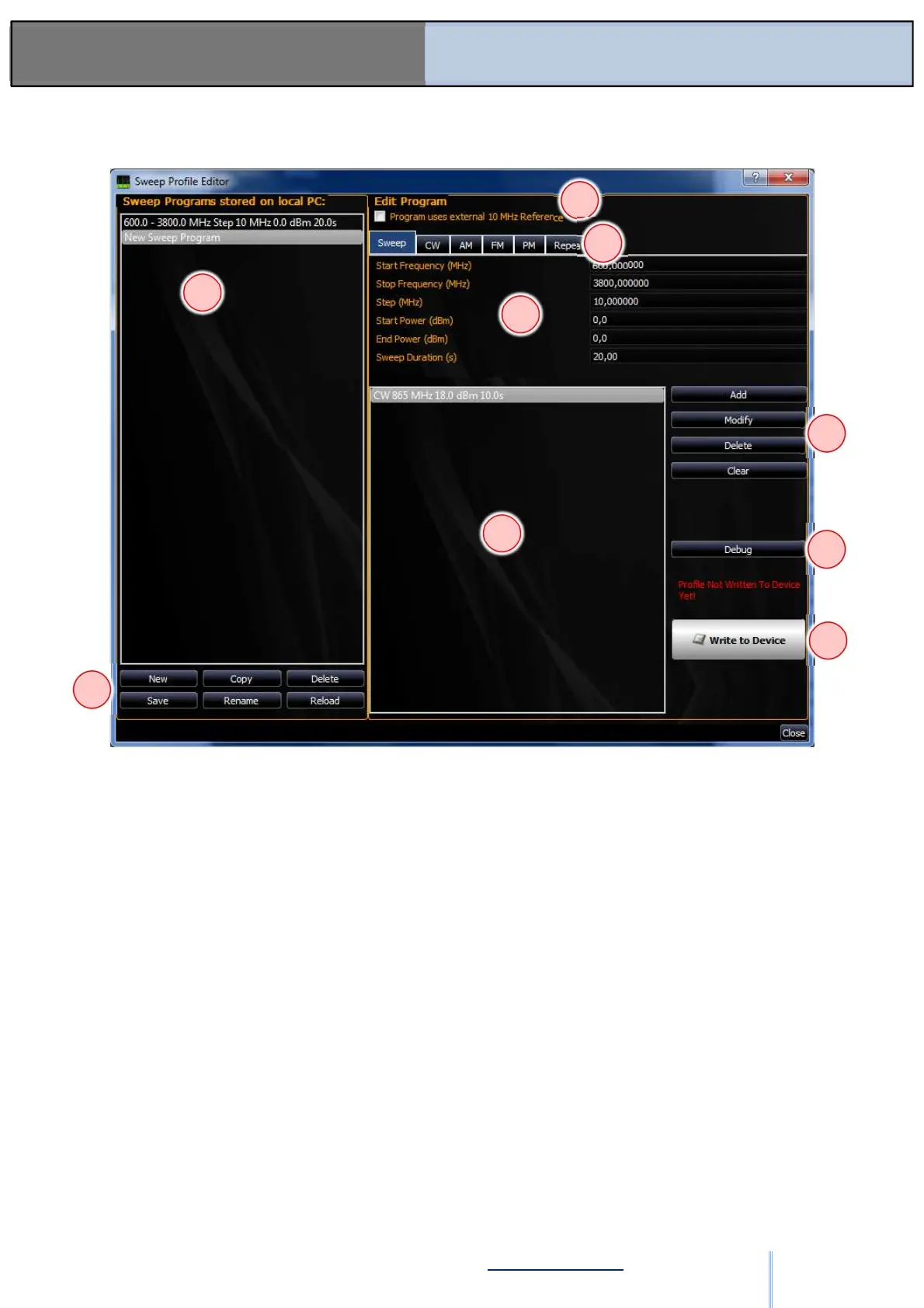
Figure: SW-05
(1) The list of batch programs. When one is selected, it is displayed on the right-hand side.
When the dialog is opened, the current program of the generator is selected.
(2) Create a new empty program using the “New” button.
Create a copy of the selected program using the “Copy” button.
Delete the selected program using the “Delete” button.
Save all programs using the “Save” button.
Rename a selected program using the “Rename” button.
Refresh all programs using the “Reload” button.
(3) An external reference of 10 MHz can be selected here.
(4) Mode of the program part. See also the explanation of each individual mode (refer to
6.4.2.).
(5) The data of the current program part. See also the explanation of each individual mode.
(6) List of program parts. Usually you will only have one program. But you can combine
different sweeps, in which case there is a duration time of how long the program part remains
active for each sweep. A duration time of 0 is interpreted as infinite.
(7) The “Add” button adds the settings from (4) or (5) as a new program part.
The “Modify” button saves the current settings for the selected program part. This is done
automatically if the program is changed (1), saved (2), sent to the device (9).
The “Delete” button deletes the selected program part.
The “Clear” button deletes all program parts from the list.
1
2
3
4
5
6
7
8
9
ООО "Техэнком" Контрольно-измерительные приборы и оборудование www.tehencom.com


 To Next Page