Handling Calls
76 41-001522-00 REV00 – 04.2014
Conferencing Calls
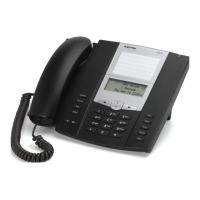
The 6863i IP phone offers two methods of conferencing:
• Local conferencing (default method).
• Centralized conferencing (for Sylantro and BroadSoft call managers - Administrator must enable this method).
Local Conferencing
The 6863i phone supports up to 3 parties (including yourself) in a conference call. This is called Local Conferencing and is
the default method of conferencing on the 6863i.
The following screen illustrates a connected local conference screen:
In a local conference call, you use the up and down arrow keys to scroll to a party on the list, the
4Drop key to drop a
selected party and the
3 Leave key to leave the conference.
Using Local Conferencing
Use the following procedure to create a conference call using local conferencing.
Note:
Your System Administrator can set your Conference key to speed dial a specific number. Contact your System Admin-
istrator for more information.
IP Phone UI
1. When you begin a conference, you are the first party in the conference (Party 1). Pickup the handset or press the
key. A line opens up.
2. Call Party 2 by dialing their number (or answer an incoming call of a Party).
3. Wait for Party 2 to answer. When Party 2 answers, you can consult with them before adding them to the conference.
4. Press the programmed Conference key.
5. Enter the phone number of Party 3.
Note:
Users are able to edit the destination number by pressing the
3 navigation key, which acts as a Backspace key.
6. Wait for Party 3 to answer. When Party 3 answers, you can consult with them before adding them to the conference.
1
1. Martha Gold
2. François Dupont
Leave Drop
1
1. Martha Gold
2.
Dial
1
1. Martha Gold
2. François Dupont
Drop



 To Next Page