+33 4 7642 9550 www.aaton.com Cantar-X User Manual v2.26 (r13) 2009 April 27
p.4
p.4
Permanently accessible faders
The Cantar interface is the easiest to use under the most
technically demanding conditions: • It offers the largest
display surface of all portable recorders, which simulta-
neously shows every critical recording parameter. • The
custom designed high contrast displays remain viewable
under bright light (sun, sand, sea, snow, storm), and at
very low temperatures too. • The swiveling front panel
always provides the best viewing angle for both on cart
and over the shoulder work. • The large twelve position
MainSelector eliminates diving into sub-menus. • The
three-crown turret gives instant access to all recording
and monitoring configurations while wearing heavy win-
ter gloves. • Nine rotary faders (analog inputs) plus six
linear faders (mixdown) devoted to one specific task are
faster to handle than multi-function knobs. • An important
consideration for desert or high seas work: all of the me-
chanical actuators (faders, sliders, buttons, selectors) are
sandproof and waterproof.
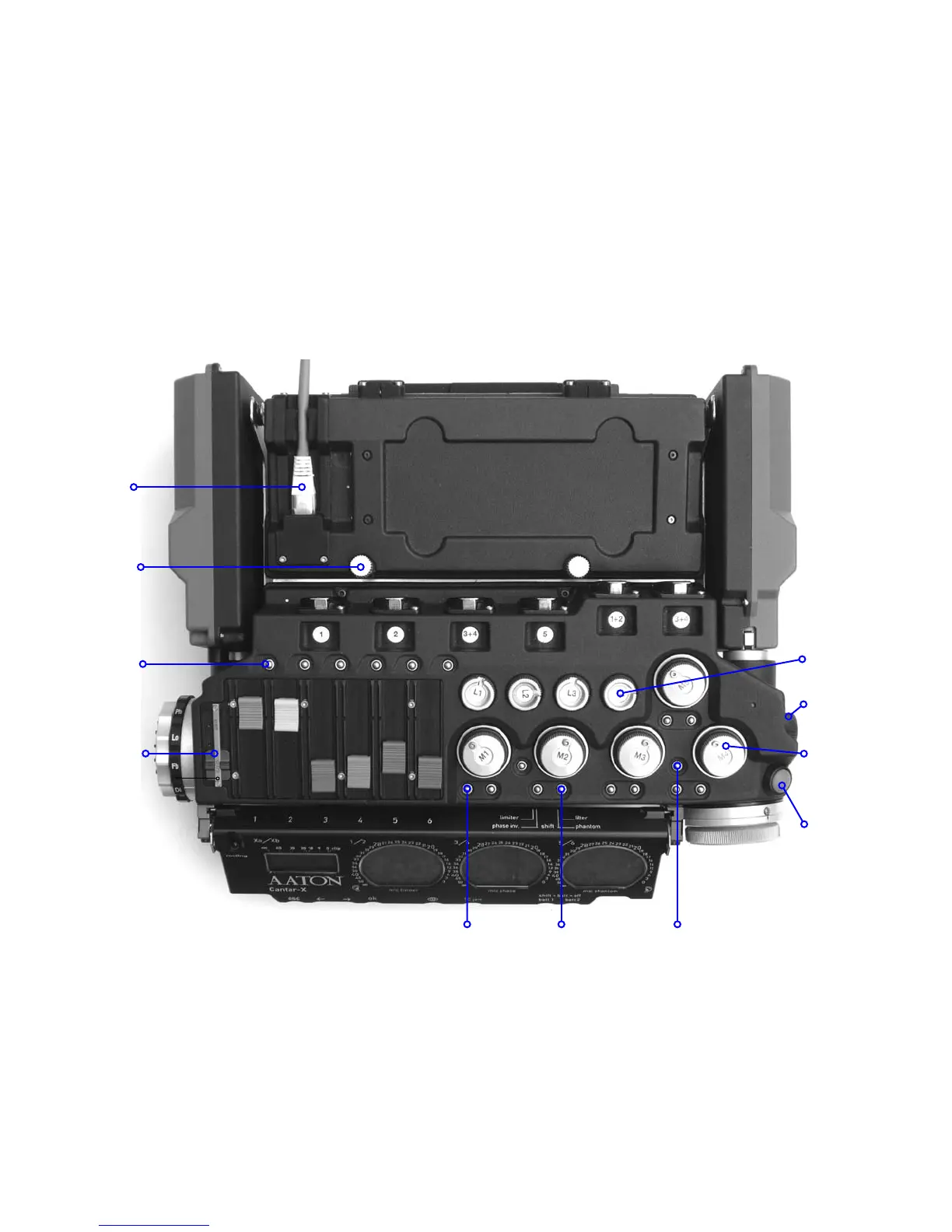
DESCRIPTION 1, TOP VIEW
1 [lim-inv] Analog limiter ON/OFF.
[shift] [lim-inv] Input signal inversion.
2 [so-fil-tom] Solo & Filter. Balance access.
[shift] [so-fil-tom] Phantom 48V ON/OFF.
3 [link-lock] Leftside (un)locks Mixer faders
Rightside (un)locks mic/line faders.
[shift] [link-lock] Links mics.
[SoloMixPan] pushed to the bAttery side:
[routing] displays the inputs to trAcks.
[track-solo] (end of fader button) shows pAn-pots.
[SoloMixPan] pulled to the Operator side:
[routing] displays the outputs to mOnitors.
[track-solo] (end of fader button) activates track sOlo.
Track
(dis)arming
& solos
HDD
access
Five mic
faders
Four line
faders
SoloMixPan
in & out
routings
Limiter/inverter 1 Solo/lter/phantom 2
Shift
Ethernet
RJ-45
Link/lock 3
Headphones
fader



 To Next Page