+33 4 7642 9550 www.aaton.com Cantar-X User Manual v2.26 (r13) 2009 April 27
p.53
p.53
Connections
If the Cantar motherboard is CM 2.6
+
(the ID appears under
the white sheet in the HDD housing, and in TECHSET.23
‘Hardwr IDs’), the CantaRem to Cantar ASCII connection is
insured through the Cantar's SubD15 pin-2. Use a 'SubD15
to Lemo8' cable (ref. 594 4090).
If the motherboard is earlier than CM 2.6, the SubD15 pin-2
is not internally connected to the ASCII port; you must use a
'SubD 15 to Lemo 8+Lemo 5' Y cable (ref. 594 4191), and
connect the Lemo 5 plug to the Cantar timecode-in Lemo5
socket.
• To gang two CantaRems, use the Fischer 4-Lemo 8 cable
(ref. 594 4092). The Fischer 4 plug goes to the first Canta-
Rem, the Lemo8 plug goes to the second one.
A Lemo 5 ASCII – LTC In/Out
B USB PS2 keyboard
C Fischer 4 PDA power (or CantaRem '1' to '2')
D Lemo 8 Connection to Cantar (or CantaRem '2' to '1')
• The CantaRem USB socket (max: 80mA, +5V) can't power
a PDA; it is made to feed a PS2 keyboard only. But you can
use the +12V delivered by the Fischer 4 socket: terminate the
PDA car-lighter +12V to +5V voltage converter cable with a
Fischer4 plug (pin-1: Gnd, pin-4: +12V).
RemFaders' assignment
• If AUDIO/TC.20 'CantaRemCom' is set to 'Inactive', AU-
DIO/TC.21–36 assignments are not accessible; to modify
them before hand, set AUDIO/TC.20 to 'Active'.
To modify assignments with CantaRem, press one of the
[ctrl] keys, 'Assign' appears on the top row of the Cantar
rectangular screen, press and hold a RemFader key (1 to 8),
the RemFader's number is displayed on the middle row; use
the [jog] or [>] to browse the Cantar faders displayed on the
bottom row:
unused, mic1, mic2, mic3, mic4, mic5, line1, line2, line3,
line4, track1, track2, track3, track4, track5, track6, line-
out, foldback. The assigned fader is the one displayed just
before releasing the key.
note: Cantarem no longer links lines1-2 or lines3-4; a great-
er choice is offered in AUDIO/TC.09.
• To control several mic or line input faders from the same
actuator, link them in the usual Cantar way (see AUDIO/
TC.08-09) and assign the actuator to the master only. The
slaved mic faders can be used for the 'balance', whereas
the slaved line faders, totally deactivated, duplicate the gain
of the master.
• The last assignment of a CantaRem RemFader previously
linked to another Cantar fader cancels the former link. All
Cantar physical faders are re-enabled as soon as CantaRem
is disabled by setting AUDIO/TC.20 'CantaRemCom' to 'In-
active', or by unplugging the cable. Stored assignments are
displayed on AUDIO/TC.21 to 36.
• To activate the solo monitoring of a mic, line or track,
press the key of the RemFader controlling it
• The 0.6 second delay of Cantar's line faders is more ap-
parent when they are driven by linear actuators which, un-
like the Cantar onboard faders, can be swept from 0 to
-60dBFS in a wink.
• Put Cantar's [MainSelector] on STOP to initialize its clock
by ASCII from an OriginC.
• Cantar remote: [MainSelector] on PPR, set AUDIO/TC.20
'CantaRemCom' to 'Active'. Press both [ctrl] keys, and press
[2]: TEST, [3]: PPR or [4]: REC. When 'CantaRemCom' is set
to 'Forced', [1]: STOP is also available.
Design considerations
• Since Cantar is the only audio recorder featuring a wire-
less PDA link, there is no need for a 'replica' display nor a
built-in keyboard on CantaRem.
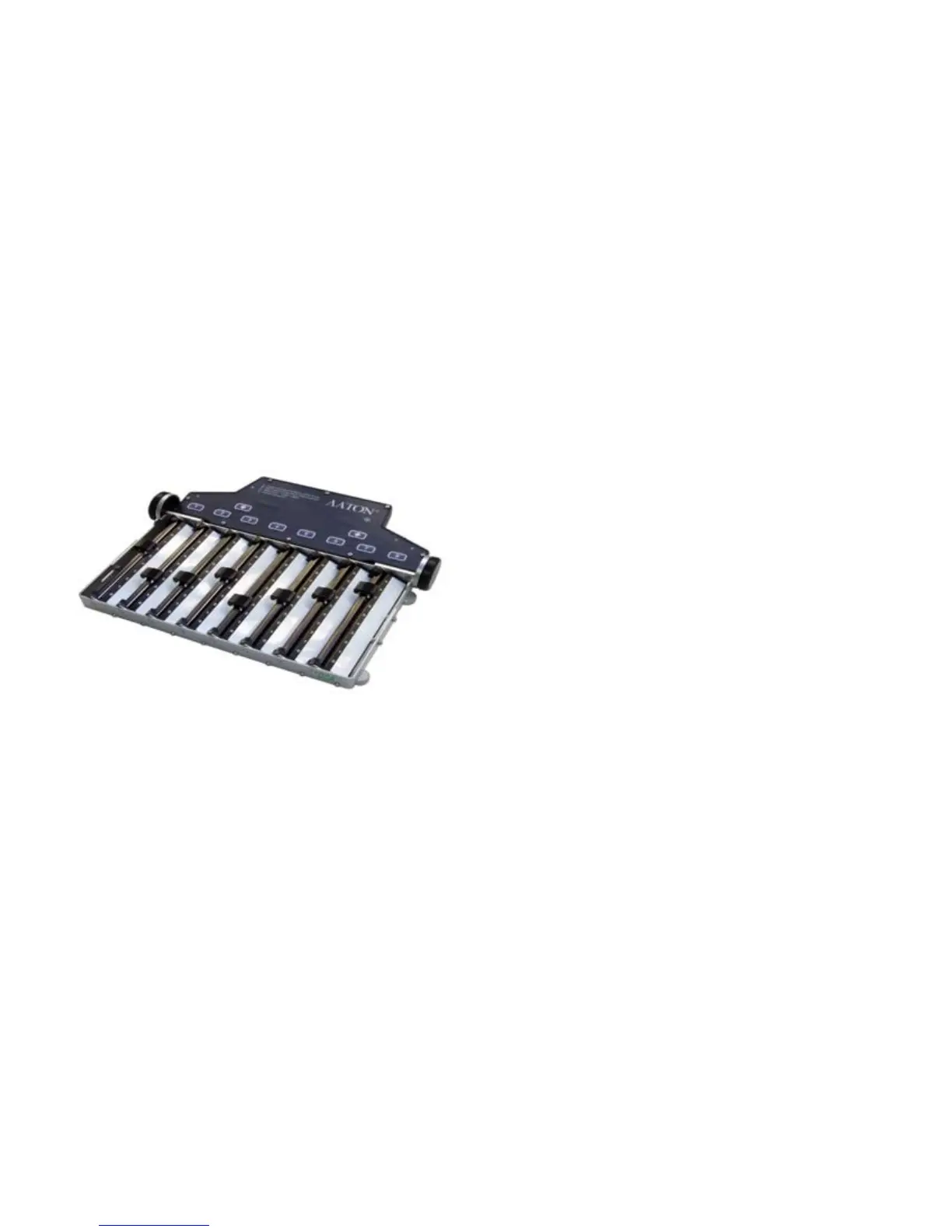
• CantaRem's Penny+Gilles faders are feather-smooth, but
not as resistant to the elements as Cantar's magnetically driv-
en faders. That is why CantaRem is built with structural trans-
parency, allowing sand and water to freely flow through.
• The precise gain value of each fader is displayed on Can-
tar's rectangular screen, the actuators' 0 to 9 scale is only a
quick positioning aid.
COMPANIONS CANTAREM



 To Next Page