P. 43 - Chap. 7 Start-up and operation
G
B
This menu can also be accessed with the compressor running.
If no key is pressed, the main screen page is redisplayed automatically after 60 seconds.
It is possible to return to the main screen page from any point of the menu by holding down the
K4-ESC key
ESC
7.4.2
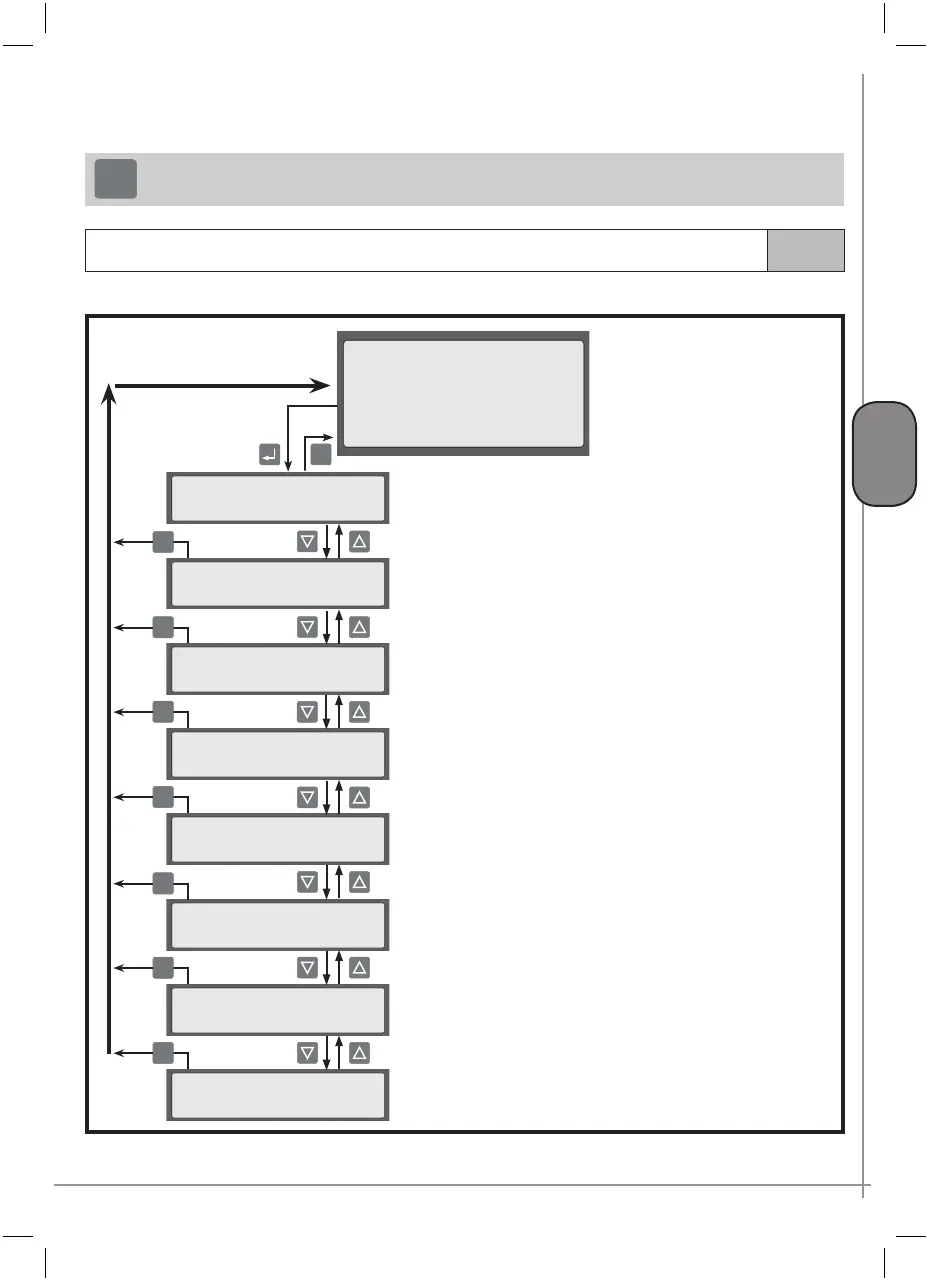
Menu tree (control and programming)
This is the structured menu used to carry out all compressor control and programming operations.
ESC
MAIN SCREEN PAGE
ESC
Menu B
Pressure XX.X bar
Temperature XXX °C
Ready for start
hour-date
(ref. paragraph 7.4.2.2)
(ref. paragraph 7.4.2.3)
>MAINTENANCE <
...
>GENERAL SETTINGS <
...
>NETWORK SETTINGS <
...
>OPERAT. PARAMETERS <
...
>PROGRAMMING <
...
>DIAGNOSTICS <
...
>PASSWORD <
...
>INFORMATION <
...
ESC
ESC
ESC
ESC
ESC
ESC
(ref. para
graph 7.4.2.4)
visible only if the
CAN-BUS interface has been installed
(ref. paragraph 7.4.2.5)
(ref. paragraph 7.4.2.6)
(ref. paragraph 7.4.2.7)
(ref. paragraph 7.4.2.1)
(ref. paragraph 7.4.2.8)
The options and setting in the various menu can be:



 To Next Page