P. 38 - Chap. 7 Start-up and operation
G
B
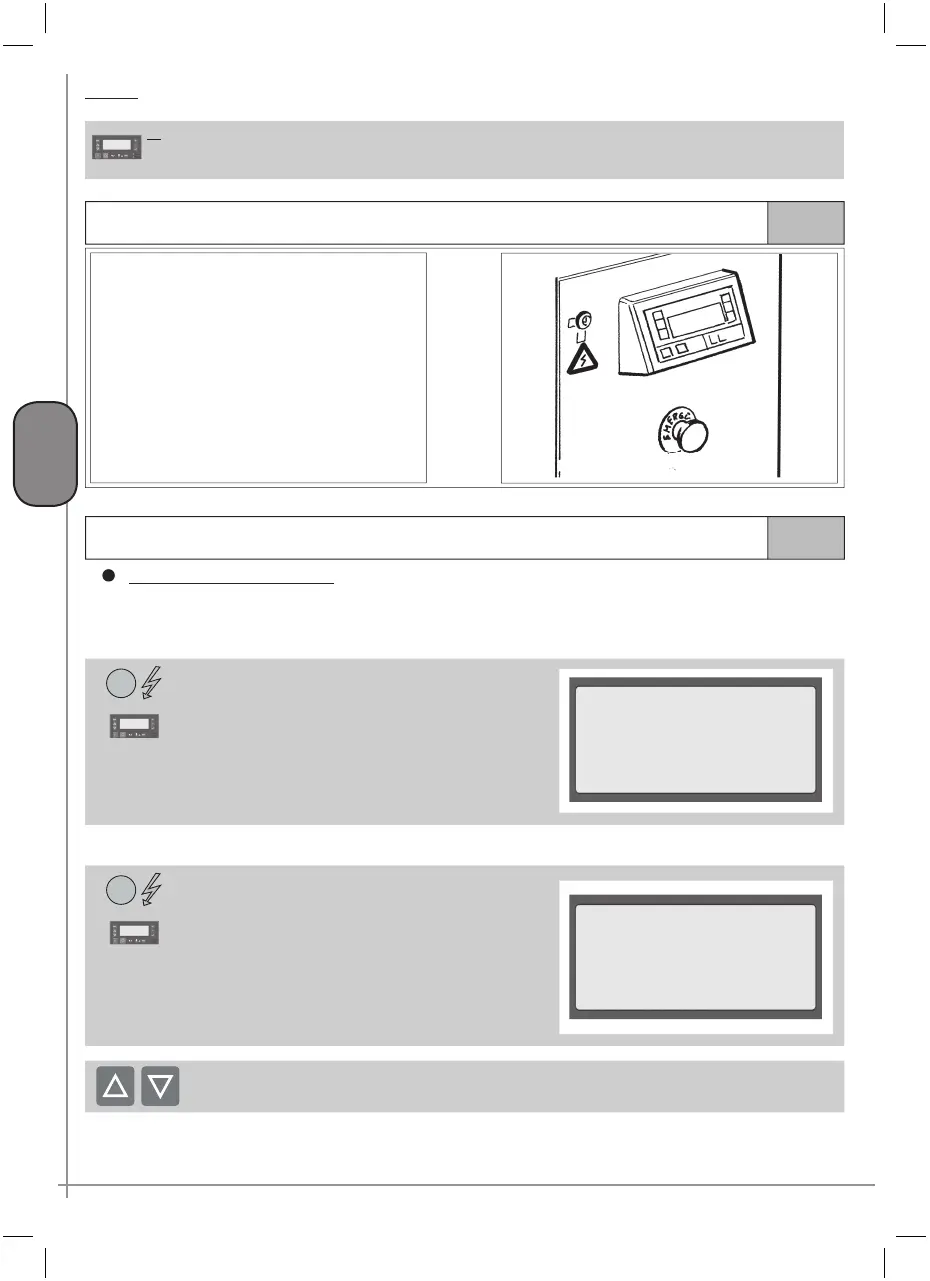
Display
DI DI Multi-function display
Back-lit LCD display with four lines of twenty characters each: shows compressor operating conditions and is used
to carry out all programming and control operations
7.2.2
Emergency stop button
Fig.36
The red EMERGENCY STOP button PE (
ref.
figure 36) stops the machine immediately.
Use this button for emergencies only
in conditions which appear hazardous
for the operator or for the machine (see
“Compressor emergency STOP
” below).
7.3
Starting and stopping the compressor
STARTING the compressor
When the machine is switched on (powered) the control unit starts the initial sequence and prepares to control the
compressor.
According to the sequence, with the LP led ON steadily, the following screen page must be shown on display DI:
This screen page indicates:
LINE 1 name of the compresso
LINE 2 /
LINE 3 software version which may differ from that
indicated
LINE 4 serial number of control unit, different for each
machine
1
<<<<mc
2
>>>>
Ver s . S o f t . : 1 . 0 . 0 . 1
S/N: 000-00-01-00001
After a few seconds, the display shows the main screen page:
This screen page indicates:
LINE 1 indication of network pressure
LINE 2 indication of compression temperature of air-
oil mixture
LINE 3 messages about operating conditions
LINE 4 hour and date, informations menu access,
tree menu access, quick language change
message
2
Pressione XX.X bar
Temperatura XXX °C
Pronto all’avvio
10:40 DOM 25/05/2003
To change the language, use the
K5 and
K6 keys
If the compressor is operating, LINE 1 and LINE 2 always show the above information.
Particular indications (error messages), additional information or the information of the management
menu are displayed on LINE 3 and on LINE 4.



 To Next Page