P. 44 - Chap. 7 Start-up and operation
G
B
CONFIRMED
pressing the K9-ENTER key
10
OPERATION
COMPLETED
CANCELLED
pressing the K4-ESC key
OPERATION
ABORTED
ESC
Each time a parameter is modified, the factory-set (default value) can be restored for the selected
compressor pressing the K3-RESET key
RESET
7.4.2.1
PASSWORD menu
Used to enter a password to enable particular functions (e.g. AUTORESTART) or to access protected
menus.
For enabling of the AUTORESTART function, contact the Manufacturer’s Customer Service
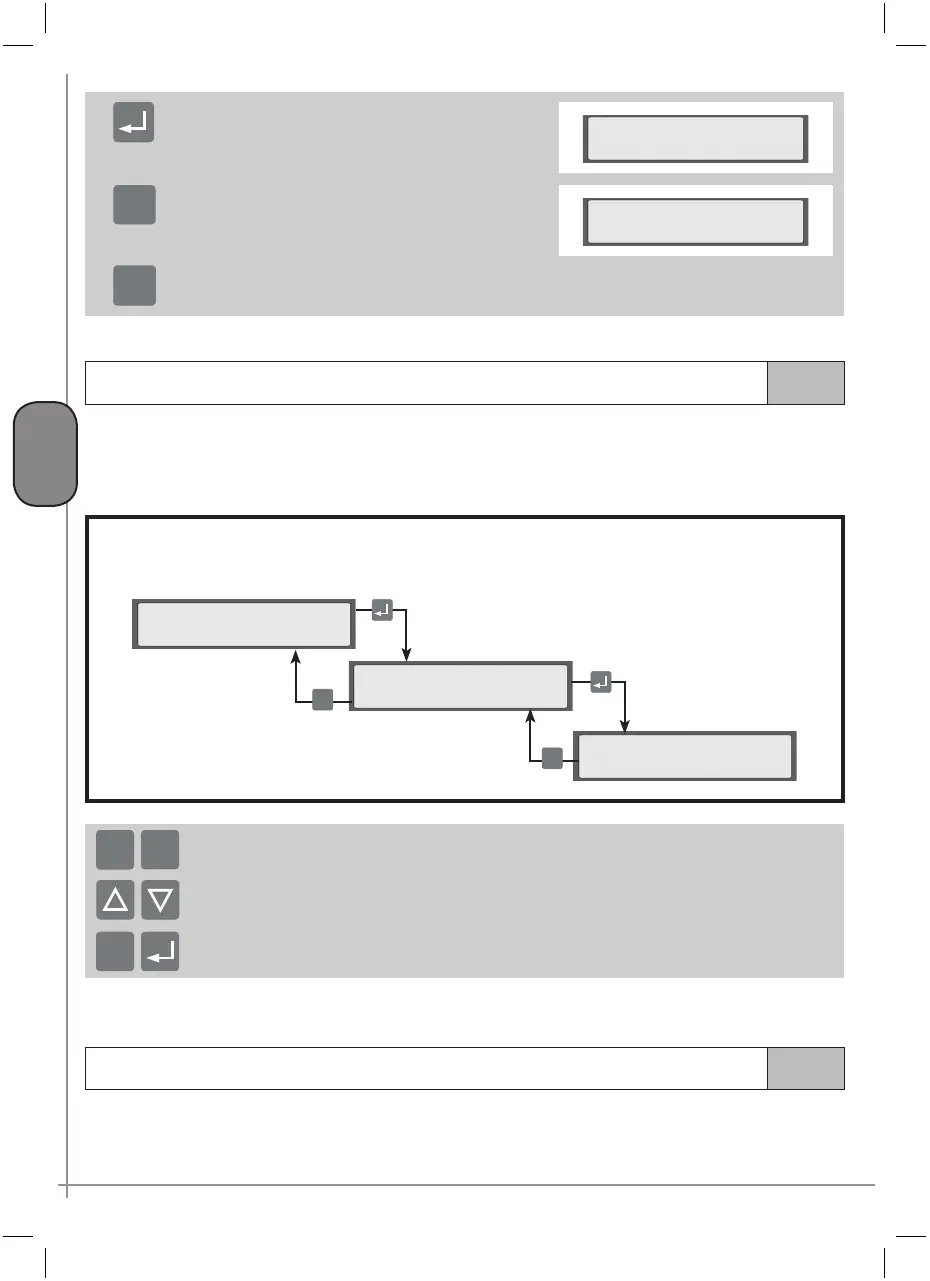
The password is inserted using:
Menu C
>PASSWORD <
>Enter password <
Enter password:
0000
ESC
ESC
keys K7 and K8 to modify the flashing character; numbers and letters are displayed subsequently
the K5 and K6 keys to move to modification of the previous / next character
After inserting the password, this can be confirmed with the
K9-ENTER key or cancelled with the K4-ESC
key
ESC
+
-
If no other key is pressed, the password entered “expires” after five minutes with possibly display of a re-entry prompt.
7.4.2.2
MAINTENANCE menu
This menu is used to display short-term maintenance operations, the remaining service life of each component,
to reset the life counters of each component (where this function is enabled), to display compressor hours
of operation.



 To Next Page