7-4 User Permissions
7.3 Logging In
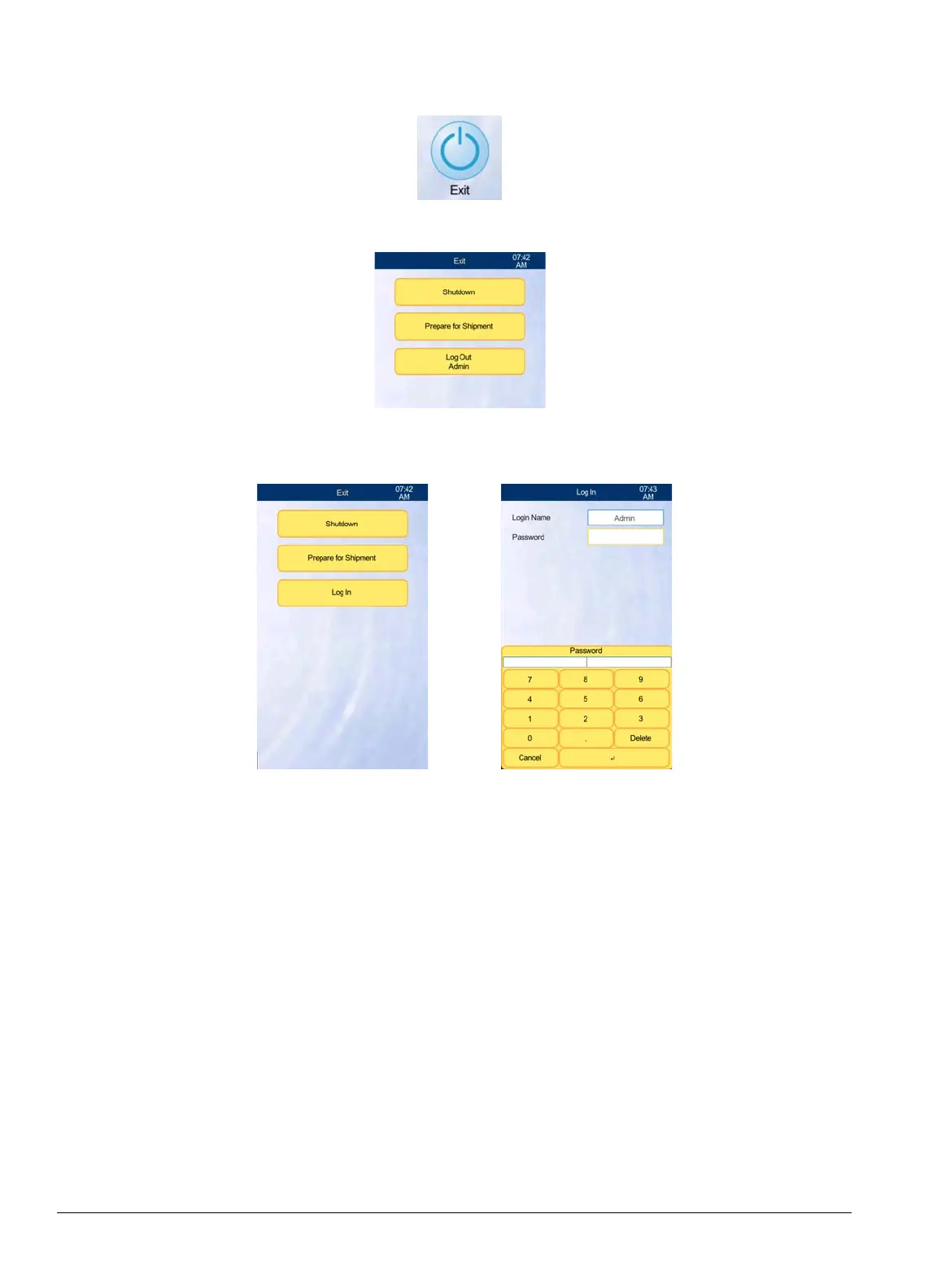
Log into the HM5 as follows.
1. From the Home screen, select Exit.
2. Select
Log Out Admin
.
3. Select
Log In
, then enter your login name and password.
4. When the advanced or admin-level maintenance is complete, be sure to
Exit
and
Log Out
again to return the analyzer to its basic mode.
7.4 Automatic Login Set
Automatic login set allows the VetScan HM5 to revert to a specific user whenever rebooted.
1. Select Settings > Admin Setting > User Management.
2. Select
Automatic Login Set
and select the default user.



 To Next Page