142 ACS 400 User’s Manual
Example on Using the Control Word
The following example shows how to use the Control Word to start the drive. When the power is
connected for the first time, the state of the drive (see the state machine in Figure 58) is
NOT READY
TO SWITCH ON. Control Word is used to step through the state machine states until OPERATING state
is reached, meaning that the drive is running and follows the given reference.
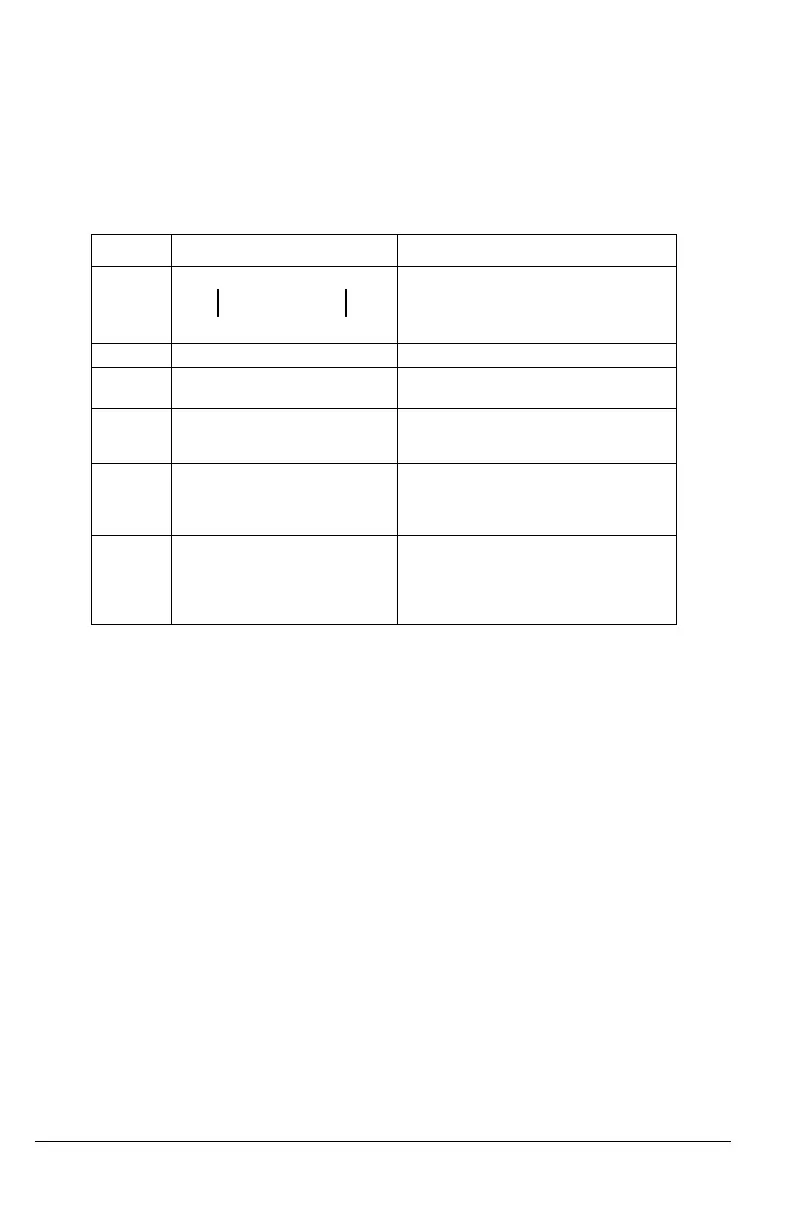
Table 23 Using the Control Word.
This example assumes that the ACS 400 is in remote control, that external control place 1 (EXT1)
is the active control place (as selected by parameter 1102), and that EXT1 start and stop
commands are received through serial communication (parameter 1001).
Control Word Value Description
Step 1 CW = 0000 0000 0000 0110 When this value is written, the drive state
changes to
READY TO SWITCH ON.
Step 2 Wait at least 100 ms before proceeding.
Step 3 CW = 0000 0000 0000 0111 When this value is written, the drive state
changes to
READY TO OPERATE.
Step 4 CW = 0000 0000 0000 1111 When this value is written, the drive starts,
but will not accelerate. Drive state changes
to
OPERATION ENABLED.
Step 5 CW = 0000 0000 0010 1111 When this value is written, the ramp
function generator (RFG) output is
released. Drive state changes to
RFG:
ACCELERATOR ENABLED.
Step 6 CW = 0000 0000 0110 1111 When this value is written, the ramp
function generator (RFG) input is released.
The drive state changes to
OPERATING. The
drive will accelerate to the given reference
and will follow the reference.
bit 0bit 15
http://nicontrols.com



 To Next Page