Need help?
Do you have a question about the ABB Adam DYN-Info M12-5 and is the answer not in the manual?
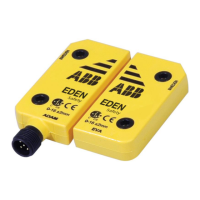
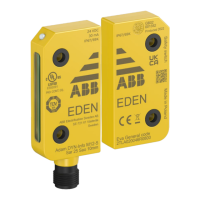
Describes the non-contact coded digital safety sensor Eden DYN for installation and operation.
Document intended for authorized installation personnel.
Assumed knowledge for readers: ABB safety products, machine safety.
Highlights warnings, cautions, and important notes within the document.
Safety precautions to be followed during installation, operation, maintenance, and troubleshooting.
Overview of Adam and Eva models and their communication via DYNlink.
Details Adam DYN models: Info, C Info, Reset, and Status.
Details Eva models: General, C General, Unique, and C Unique codes.
Details the M12-5 connector pinout and wiring for Adam DYN-Info.
Details the M12-5 connector pinout and wiring for Adam DYN-Reset.
Details the M12-5 connector pinout and wiring for Adam DYN-Status.
Explains connection using female M12 C01 and male M12 C02 connectors.
Describes parallel connection of Eden devices for muting/bypass functions.
Details the information output signal on pin-5 of Adam DYN-Info/Status.
Explains connecting a reset button to Adam DYN-Reset for monitored reset.
Illustrates serial connection of multiple Adam DYN-Reset units.
Shows examples of connecting Adam DYN-Info to Vital 1 with auto/manual reset.
Illustrates serial connection of multiple Adam DYN-Info units to Vital 1.
Shows serial connection of Adam DYN-Status to Pluto using StatusBus/Info.
Illustrates serial connection of Adam DYN-Status to Pluto using M12-3S for StatusBus.
Details the M12-3A, M12-3B, and M12-3S Y-connectors.
Important precautions for safe and correct installation of the Eden sensor.
Explains calculation of minimum safety distance based on EN ISO 13855.
Describes detection ranges and distances between Adam and Eva units.
Details mounting procedures, including use of distance plates and cable management.
Step-by-step guide for mounting the sensor, including torque specifications.
Procedure for programming Adam to accept a new Eva's code.
Steps to remove previously learned codes from the Adam sensor.
Instructions for replacing an Eva unit and teaching the new code.
Procedure for setting the StatusBus address for Adam DYN-Status.
Steps to reset Adam DYN-Status to factory default settings.
Precautions and regular testing guidelines for maintaining safety functions.
Table of common faults, causes, and corrective actions for Adam sensor LEDs.
Information on ordering accessories, spare parts, and cables separately.
Information on where to find CAD models for Eden products.
 General
| Brand | ABB |
|---|---|
| Model | Adam DYN-Info M12-5 |
| Category | Security Sensors |
| Language | English |

 To Next Page