EasyManua.ls Logo

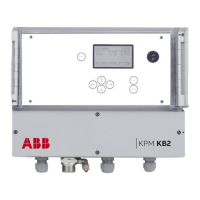
ABB KPM KB2 - User Manual

ABB KPM KB2
44 pages
Print Icon
To Next Page IconTo Next Page
Loading...
—
KPM KB2
Sheet Break Detector
Quick Guide
Question and Answer IconNeed help?

Do you have a question about the ABB KPM KB2 and is the answer not in the manual?

Summary

SAFETY INFORMATION

Quick Start-up Guide

Preparing installation

Steps for preparing the installation of the sheet break detector system.

Sensor unit installation

Instructions for installing the sensor unit and its components.

Display unit installation

Guidance on installing the display unit for the detector.

Start-up and tuning

Initial setup and calibration procedures for the detector.

Final tuning

Procedures for fine-tuning the detector under running conditions.

Description

System components

Overview of the components that make up the KPM KB2 system.

Operating principle

Explanation of how the KPM KB2 sheet break detection system works.

Installation

Delivery limits

Lists the components supplied with the KPM KB2 system.

Display unit installation

Instructions for installing the display unit of the detector.

Sensor head installation

Details on how to assemble and install the sensor head.

Fiber optic cable installation

Steps for routing and connecting the fiber optic cable.

Wiring

Wiring and fiber optic cable connection

General wiring and fiber optic connection guide for the unit.

KPM KB2 with 110-230 VAC + power supply

Wiring diagram and information for 110-230 VAC power supply.

KPM KB2 with +24 VDC + power supply

Wiring diagram and information for +24 VDC power supply.

Fiber optic cable and optional 4-20 mA connections

Details on fiber optic connections and analog output.

Operation and configuration

Display and operating keyboard

Explanation of the display layout and keyboard functions.

Menu structure

Overview of the system's menu hierarchy and options.

Configuration

Settings for detecting breaks, alarms, and auto-limit.

Set-up

Configuration of light source, time, language, and outputs.

Maintenance

Monitoring signals, datalog, events, and alarms.

Factory Settings

Procedures for accessing and managing factory settings.

Parameters

Details on configurable parameters for the detector.

Start-up

Tuning sensor position

Steps to align the sensor head for optimal signal detection.

Reference values for Paper and Break

Teaching the unit reference values for paper and break conditions.

Auto Limit = Configuring KPM KB2 for break detection

Process to automatically calculate break detection parameters.

Auto Alarm

Steps to configure automatic alarming based on signal levels.

Maintenance

Regular maintenance

Information regarding the lack of required regular maintenance.

Alarms

Troubleshooting guide for common alarms and their causes.

Cleaning the sensor

Procedures for cleaning the sensor head and fiber optics.

Technical Specifications

Settings and Variables

Summary

SAFETY INFORMATION

Quick Start-up Guide

Preparing installation

Steps for preparing the installation of the sheet break detector system.

Sensor unit installation

Instructions for installing the sensor unit and its components.

Display unit installation

Guidance on installing the display unit for the detector.

Start-up and tuning

Initial setup and calibration procedures for the detector.

Final tuning

Procedures for fine-tuning the detector under running conditions.

Description

System components

Overview of the components that make up the KPM KB2 system.

Operating principle

Explanation of how the KPM KB2 sheet break detection system works.

Installation

Delivery limits

Lists the components supplied with the KPM KB2 system.

Display unit installation

Instructions for installing the display unit of the detector.

Sensor head installation

Details on how to assemble and install the sensor head.

Fiber optic cable installation

Steps for routing and connecting the fiber optic cable.

Wiring

Wiring and fiber optic cable connection

General wiring and fiber optic connection guide for the unit.

KPM KB2 with 110-230 VAC + power supply

Wiring diagram and information for 110-230 VAC power supply.

KPM KB2 with +24 VDC + power supply

Wiring diagram and information for +24 VDC power supply.

Fiber optic cable and optional 4-20 mA connections

Details on fiber optic connections and analog output.

Operation and configuration

Display and operating keyboard

Explanation of the display layout and keyboard functions.

Menu structure

Overview of the system's menu hierarchy and options.

Configuration

Settings for detecting breaks, alarms, and auto-limit.

Set-up

Configuration of light source, time, language, and outputs.

Maintenance

Monitoring signals, datalog, events, and alarms.

Factory Settings

Procedures for accessing and managing factory settings.

Parameters

Details on configurable parameters for the detector.

Start-up

Tuning sensor position

Steps to align the sensor head for optimal signal detection.

Reference values for Paper and Break

Teaching the unit reference values for paper and break conditions.

Auto Limit = Configuring KPM KB2 for break detection

Process to automatically calculate break detection parameters.

Auto Alarm

Steps to configure automatic alarming based on signal levels.

Maintenance

Regular maintenance

Information regarding the lack of required regular maintenance.

Alarms

Troubleshooting guide for common alarms and their causes.

Cleaning the sensor

Procedures for cleaning the sensor head and fiber optics.

Technical Specifications

Settings and Variables

ABB KPM KB2 Specifications

General IconGeneral
BrandABB
ModelKPM KB2
CategorySecurity Sensors
LanguageEnglish

Related product manuals