34
SECURITY CODE
English
SET UP OUTPUTS
A1 Action EA
EB
noitcAmralA
noitcADEL
tupnIrof
tnioPteSevobA
noitcADEL
tupnIrof
tnioPteSwoleB
noitcAyaleR
tupnIrof
tnioPteSevobA
noitcAyaleR
tupnIrof
tnioPteSwoleB
BE NOFFOdezigrene-eDdezigrenE
AE FFONOdezigrenEdezigrene-eD
The set point band is defined as the actual value of the set point 1% of the set point
value. Alarm action occurs if the input value is above or below the set point band. If the
input moves within the set point band the last alarm action is maintained.
Continued on next page…
10.1 Range 1 (UPPER DISPLAY)
10.1.1 Access to Secure Parameters
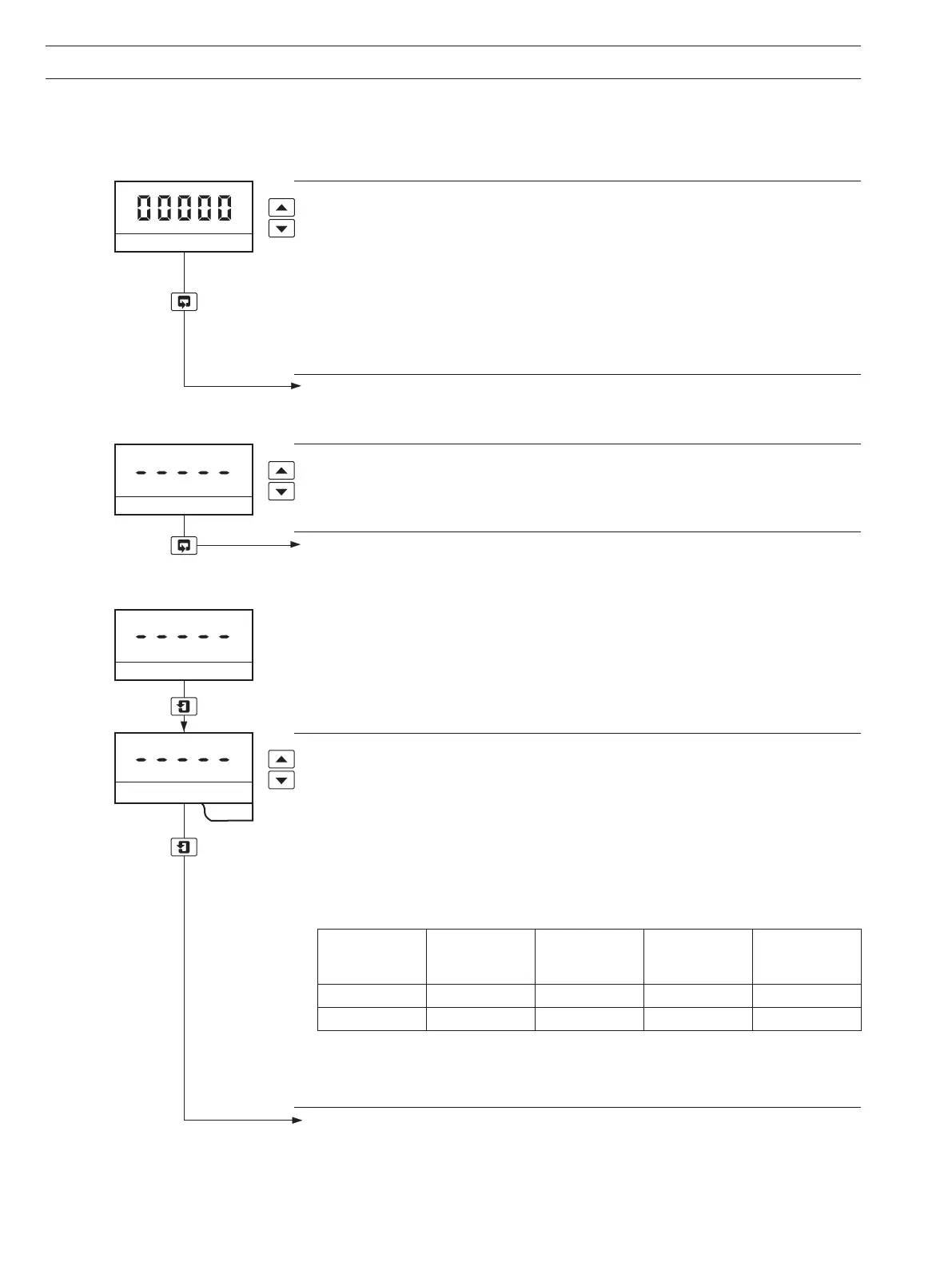
A 5-digit code is used to prevent unauthorized access to the secure parameters.
10.1.2 Language Page
Security Code
Enter the required code number, between 00000 and 19999, to gain access to the
secure parameters. If an incorrect value is entered, access to subsequent programming
pages is prevented and the display reverts to the
Operating Page.
Note. The security code is preset at '00000' to allow access during commissioning but
should be altered to a unique value, known only to authorized operators – see
Alter
Security Code parameter in Set Up Outputs Page.
Advance to Language Page.
Language Page
Select the required language for the display.
Advance to Set Up Outputs Page.
10.1.3 Set Up Outputs Page
Alarm 1 Action
For 'Fail-Safe' alarm operation the relay's alarm state must be the same as the power-
down state, i.e. the relay is de-energized.
For high alarm operation the relay must be Energized Below the alarm set point (EB).
For low alarm operation the relay must be Energized Above the alarm set point (EA).
The alarm LEDs are illuminated in the alarm condition.
Select the required alarm action from the following table:
...10 PROGRAMMING


 To Next Page