ValueDescriptionSystem option
and interface
0...4The OPC A&E client is used to connect foreign devices
to SYS 600 by means of the OPC A&E interface.
OPC A&E Client
You need one client for each server that is to be connec-
ted.
Yes/NoThe SQL Export option provides a tool and functions for
browsing the process database and exporting process
data to a relational database.
SQL Export
The export can be done either event based or cyclically.
0....10This option specify the number of Historian database the
system server will connect
Historian data-
bases
0....200 000This option specify the total number of tags the system
server will write (in all databases together)
Historian tags
0....20This option specify the number of workplaces totally in all
Historian systems the system server will write data to
Historian worksta-
tions
5.3 Computer options
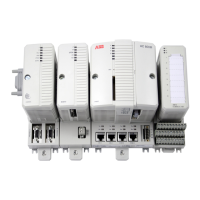
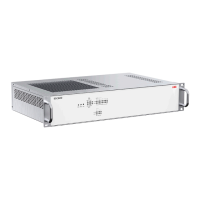
The SYS 600C computer options are presented in the following tables.
Table 5.6: Hardware
Hardware
Power Supply: 88 - 132 VAC / 45 - 160 VDC (Single or redundant)
Power Supply: 176 - 264 VAC / 200 - 370 VDC (Single or redundant)
Ethernet ports: 2 RJ45 + 4 x LC (LC 1GB only) or 6 x RJ45
Memory Disk: 30GB SSD (default), 60GB SSD (optional)
Table 5.7: Operating systems
Operating system
Windows 7 32-bit, English version
Windows 7 32-bit, Chinese version
Windows Server 2008 R2 64-bit, English version
Windows Server 2008 R2 64-bit, Chinese version
34
1MRS757729
MicroSCADA Pro
SYS 600C 2.93
Product Guide


 To Next Page