3.2 Installation activities
Main steps for installing the controller
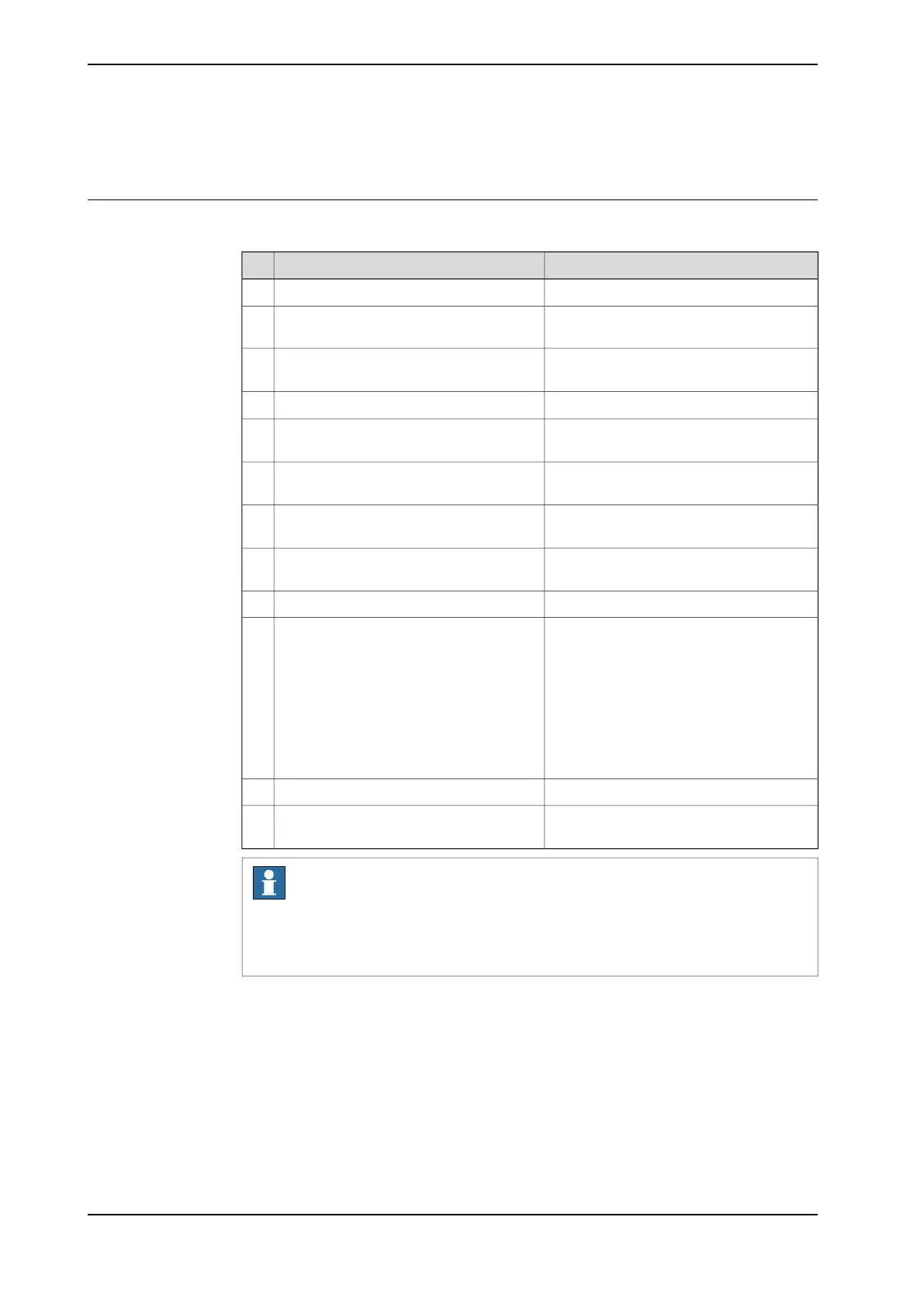
Use the following main steps to install and connect the controller.
Described inAction
Unpacking the controller on page 57.Unpack the controller.1
On-site installation on page 59.Place the controller in position and bolt it
to the ground.
2
Connecting the manipulator to the control-
ler on page 95.
Connect the manipulator to the controller.3
Attaching the FlexPendant on page 103Attach the FlexPendant to the controller.4
Connecting incoming mains and protective
earth to the controller on page 97
Install an external circuit breaker or fuse.5
Connecting incoming mains and protective
earth to the controller on page 97
Connect the cabinet to protective earth.6
Connecting incoming mains and protective
earth to the controller on page 97
Install a residual current device (RCD).7
Connecting incoming mains and protective
earth to the controller on page 97
Connect incoming mains to the controller.8
Connect safeguards to the controller.9
How to connect industrial networks, for
example PROFINET, is described in the
respective application manual.
Connect, for example, Ethernet, PC, and
other connections.
10
How to connect to a network and a PC is
described in section Ethernet networks on
OmniCore on page 104. See also Operating
manual - RobotStudio.
See also Descriptions for connectors on
page 106.
Install options and add-ons (optional).11
Initial test before commissioning on
page 175.
Initial test before commissioning.12
Note
If the controller replaces another OmniCore controller, see Operating
manual - Integrator's guide OmniCore for descriptions of how to transfer software
configurations (controller software recovery).
56 Product manual - OmniCore C30 Type A
3HAC089064-001 Revision: A
© Copyright 2024 ABB. All rights reserved.
3 Installation and commissioning
3.2 Installation activities



 To Next Page