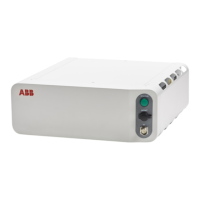
6.2.10 Controller is overheated
Required test equipment
Equipment needed for troubleshooting:
NoteEquipment
Multimeter
Insulating gloves
3HAC086302-010, 3HAC089111-009Circuit diagram - OmniCore C30 Type A, Cir-
cuit diagram - OmniCore C30 Type A for CRB
15000
Preparations
Action
Make sure that the controller is switched on.1
Wait 30 s - 1 min to enable start-up sequence.
Check the FlexPendant for errors and warnings.2
DANGER
Troubleshooting on the controller while powered on must be performed by personnel
trained by ABB or by ABB field engineers.
Recommended working procedure
If the controller seems to be overheated, use this procedure to troubleshoot what
might cause the problem.
Detailed working procedure
NoteAction
Replace malfunctioning fans, see
Replacing the standard fan on
page 209
Check that the standard fans are working.1
See Troubleshooting the power
unit on page 419 and Troubleshoot-
ing the drive unit on page 416.
If the problem remains, troubleshoot the power
unit and/or the drive unit.
2
Product manual - OmniCore C30 Type A 413
3HAC089064-001 Revision: A
© Copyright 2024 ABB. All rights reserved.
6 Troubleshooting
6.2.10 Controller is overheated



 To Next Page