34
TruONE® ATS, INSTALLATION AND OPERATING INSTRUCTION
1
2
1
3
Automatic
mode
I-position II-position
OXA_B: I - II
OXA_T: II - I
—
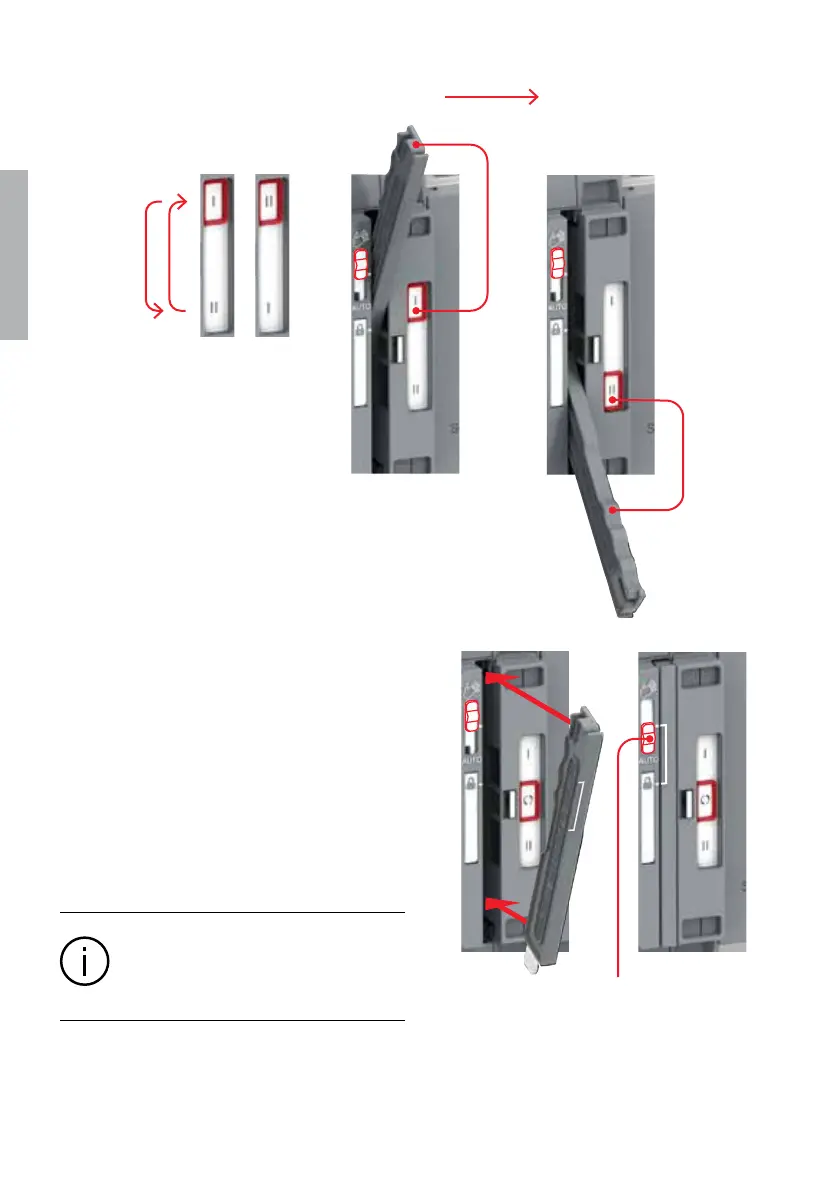
Fig. 3.5 Manual mode, operating by handle, open transition I - II (or II - I)
—
Fig. 3.6 The operating handle must set back to
standby slot before moving to the automatic mode
—
3.4 Automatic mode,
operating by HMI
When operating the automatic transfer
switch by HMI, turn the slide switch to Au-
tomatic mode (AUTO). Note! The handle
must be in the standby slot (not in use)
before turning to automatic mode.
Information
When the slide switch is moved to the AUTO
position, the automatic control mode is acti-
vated after a three second delay.



 To Next Page