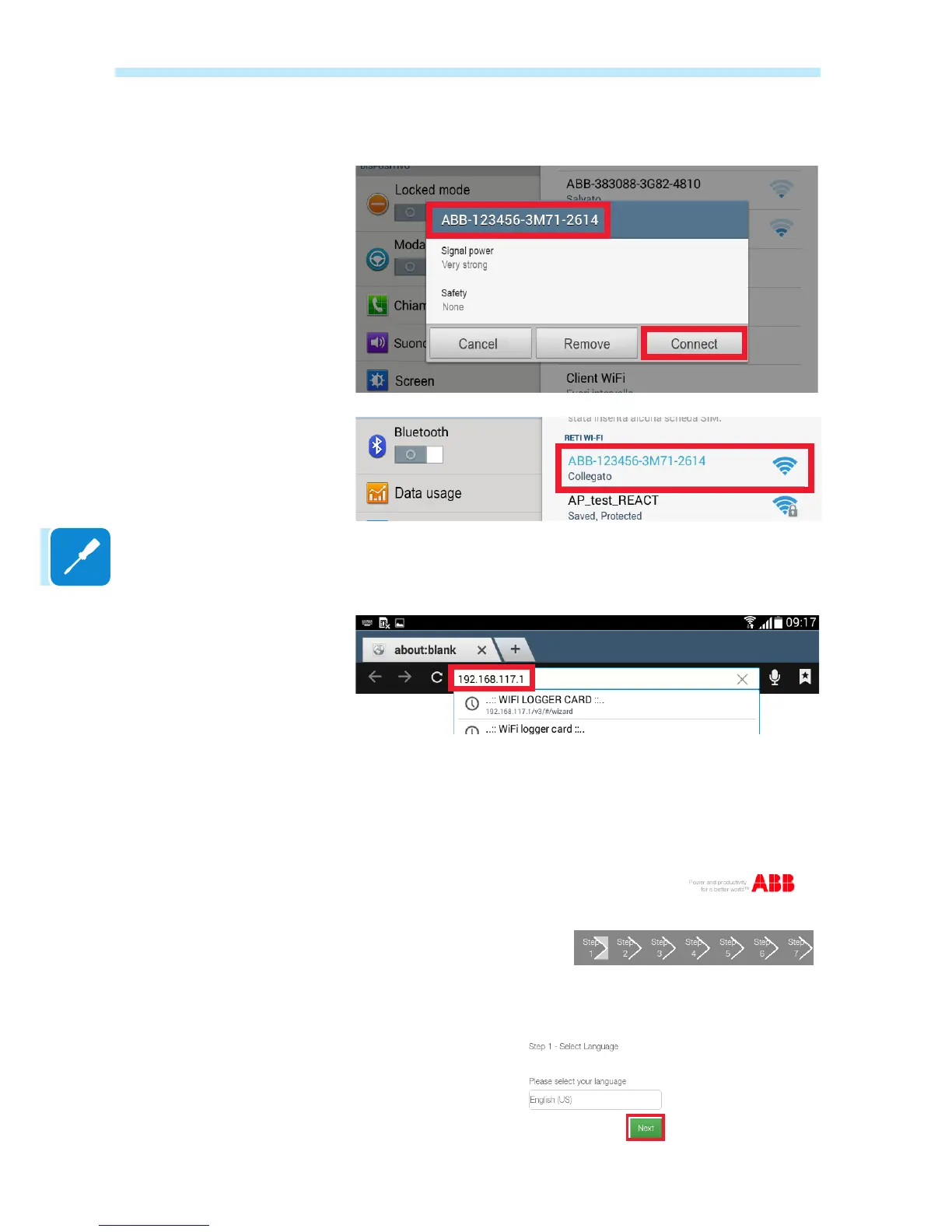
and wait for the device to complete the procedure (a password is not
required for the Wi-Fi network).
Open the internet browser and enter the pre-set IP address to access the
setup page: 192.168.117.1
A guided setup procedure will open, consisting of a sequence of screens
in which all the required elds must be completed correctly.
In the rst screen, select the required language and click on Next to
continue.


 To Next Page