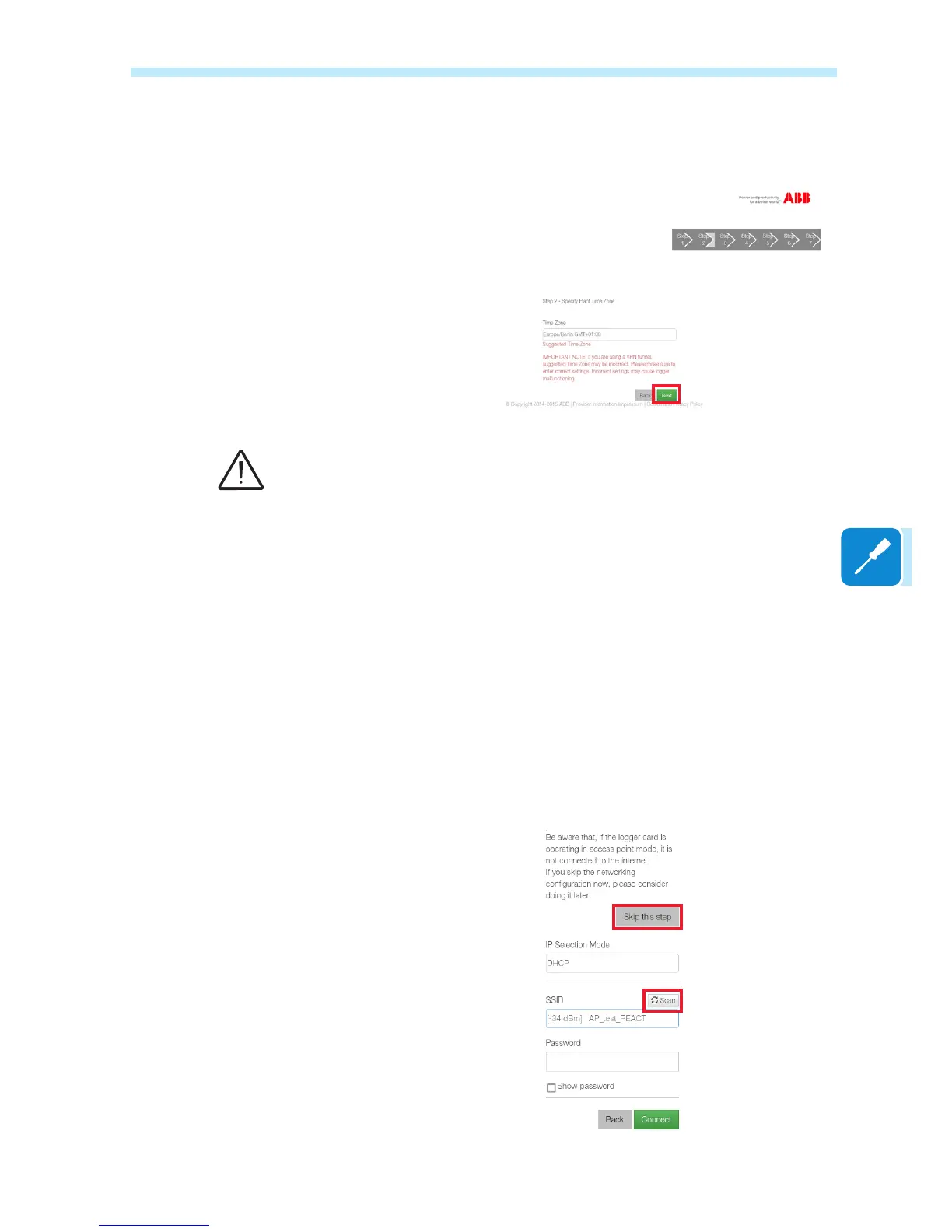
In the second screen, select the time zone of the area where the board
is installed
Click on Next to continue.
The board can operate in two different operating modes: «Station Mode»
and «Access Point Mode» (also known as «AP Mode»)
• «AP mode»: Only local monitoring is enabled in this mode; In
particular, the board acts like an «access point» generating a wireless
network to which the user can connect locally, to monitor the inverter
/photovoltaic system, using the Plant Viewer for Mobile App or direct
access to the Web user Interface (WUI) integrated in the board;
• «Station Mode»: In this operating mode, not only local but also
remote monitoring is enabled through access to the Aurora Vision®
CLOUD platform;
Click on "SCAN" and, from the drop-down menu, select the Wi-Fi
network to which the VSN300 board is to be connected (if it is to operate
in «Station Mode»); or click on "Skip this step" (if the board is to operate
in «AP mode»)
VSN300 boards with a Firmware
version prior to 1.8.x must be
connected to a Wi-Fi router.
The boards with Firmware
versions after 1.1.8.x can also be
congured in «AP Mode» without
connection to a Wi-Fi router (only
local monitoring).
Where possible, «Station Mode»
is always preferable. Thanks to
the internet connection, this mode
ensures better operation. .


 To Next Page