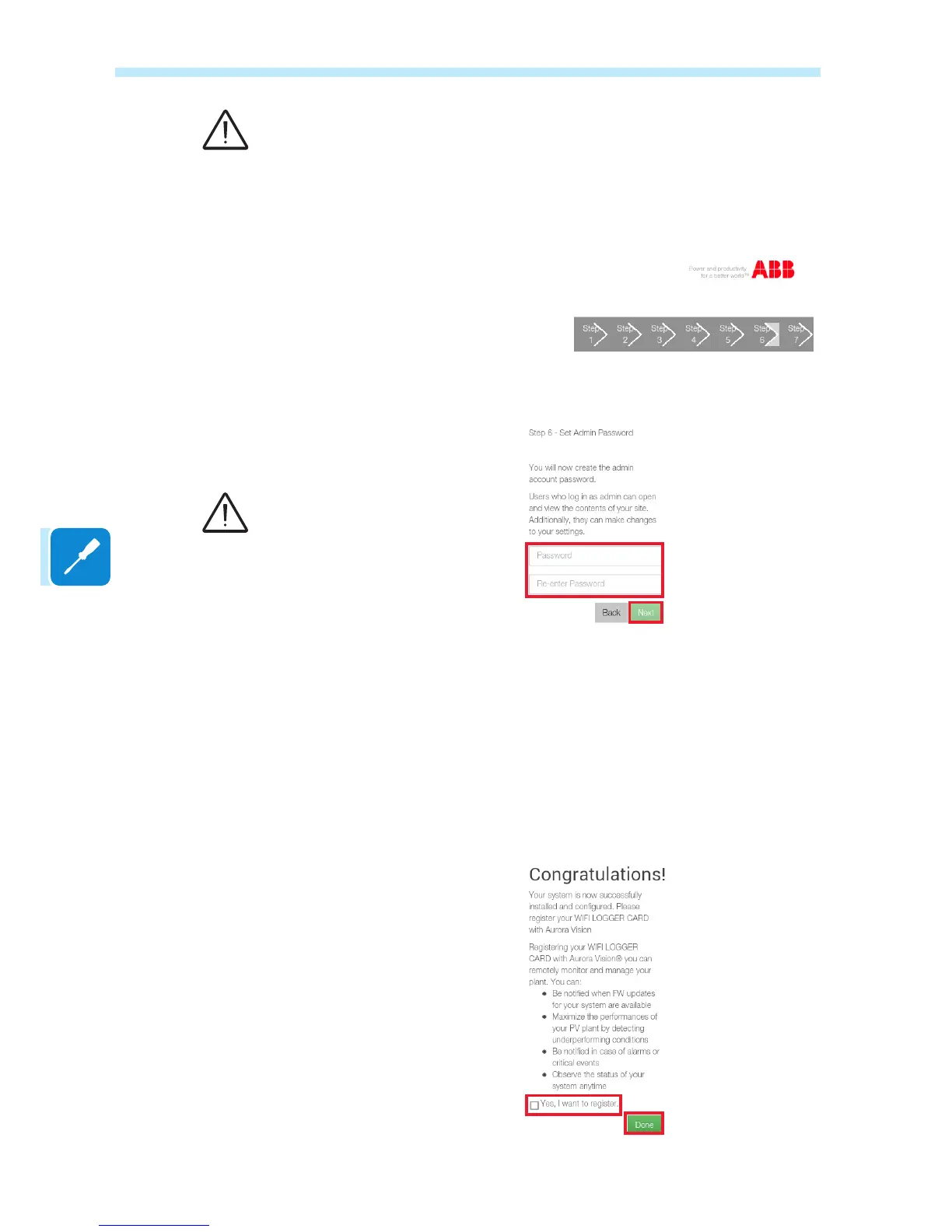
Set the password for the Admin account (mandatory in this case) by
entering it twice and conrming by clicking Next.
As the plant administrator, the Admin account will be able to read and
write data contained in the integrated Web Server page and will therefore
be the only one able to modify the plant setting parameters.
The guided setup procedure is now complete, a nal message invites
the user to activate an account on the Aurora Vision® platform in order to
allow access and plant registration on the Plant Viewer portal.
The account on the Aurora Vision® platform will allow the plant owner
to use the Plant Viewer portal and the Plant Viewer for Mobile App for
remote monitoring.
If an account is required, tick the box and conrm by clicking on Next to
be redirected to the Web registration page.
The Admin account password
must be kept safe and must not be
divulged to novice users.
Incorrect parameter setup will
compromise data transmission
and correct plant operation.
The password must contain at
least 5 alphanumeric characters
(UTF-8 code)


 To Next Page