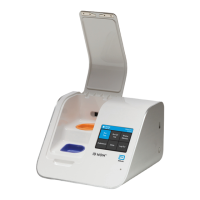
16 ID NOW Instrument User Manual
Home
User ID
30/Jan/2018
10:12am
Run
Test
Run QC
Test
Review
Memory
Preferences Setup Log Out
When initial set-up is complete, the Home screen will be
displayed, with the current time and date shown in the top
right, and User ID in top left corner of the screen.
Abbott recommends that the Admin selects Setup to
finish configuring the instrument and to add additional
users. See Section 4 for details.
Alternatively, the Admin can run a test by selecting Run Test. When an assay or
the instrument is used for the first time, or following a software upgrade, the user is
required to run both a positive and a negative successful QC test before patient testing
is allowed. See Sections 6 and 7 for details.
If not ready to continue set up or run tests, Abbott recommends that the Admin logs
out by selecting Log Out.


 To Next Page