20 ID NOW Instrument User Manual
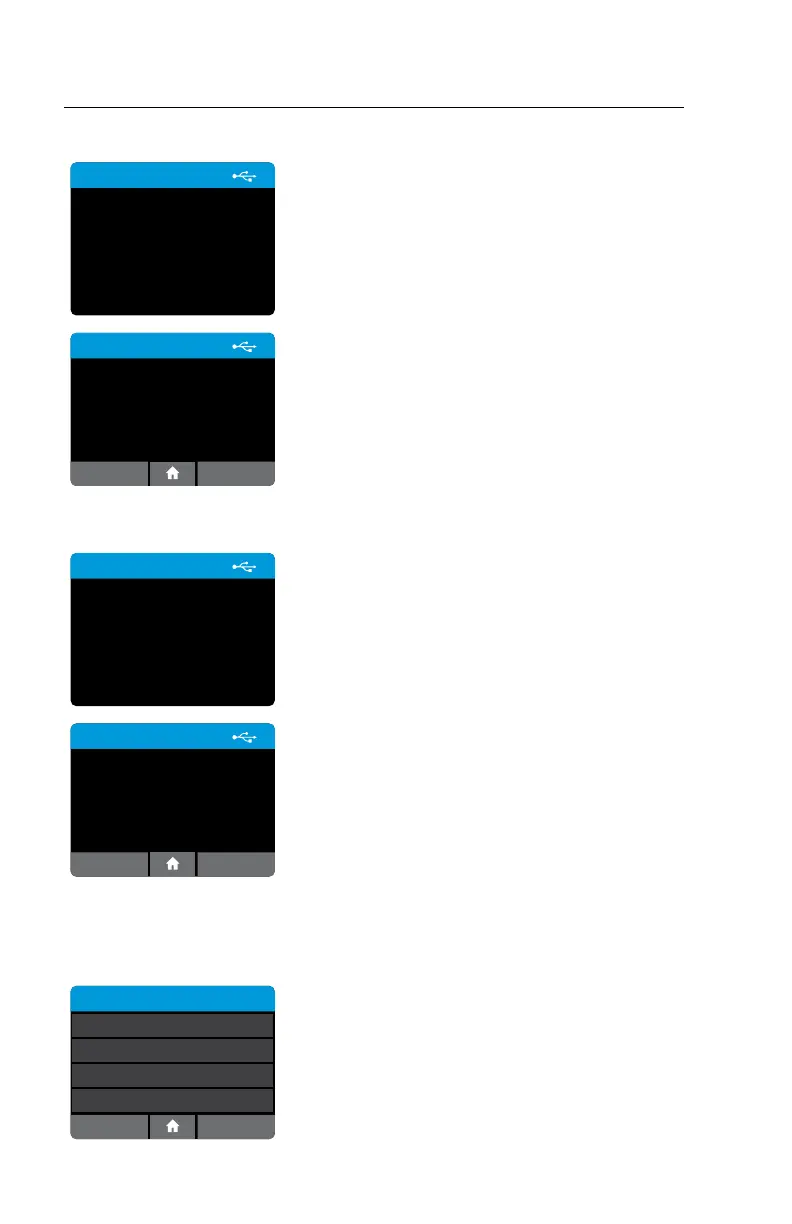
Export Users: Home>Setup>Users>Export Users
Export Users
Exporting users to USB device ...
Export all configured users to a USB drive
connected to the instrument.
This user list can then be imported to another
IDNOW Instrument, to the same instrument
following a reset to factory settings or after
software upgrades.
Press OK to return to the Users screen.
Export Users
Exported 12 users.
OK
Import Users: Home>Setup>Users>Import Users
Import Users
Importing users from USB
device...
Import a complete user list that has been exported
from an IDNOW Instrument, using a USB drive
connected to the instrument.
Press OK to return to the User screen.
Note: Only Users exported from an IDNOW
Instrument can be imported.
Import Users
Imported 8 users.
OK
4.3 Assay Preferences (Admin Access Only)
Home>Setup>Assay Preferences
Select Test
User Select
Enabled
Swab
Enabled
User Select
Enabled
ID NOW Assay 1
ID NOW Assay 2
ID NOW Assay 3
The Assay Preferences Menu allows the Admin to
enable or disable a particular assay.
The Admin can select the desired assay from the
Select Test menu.


 To Next Page