24 ID NOW Instrument User Manual
4.9 Remote Mode (Admin Access Only)
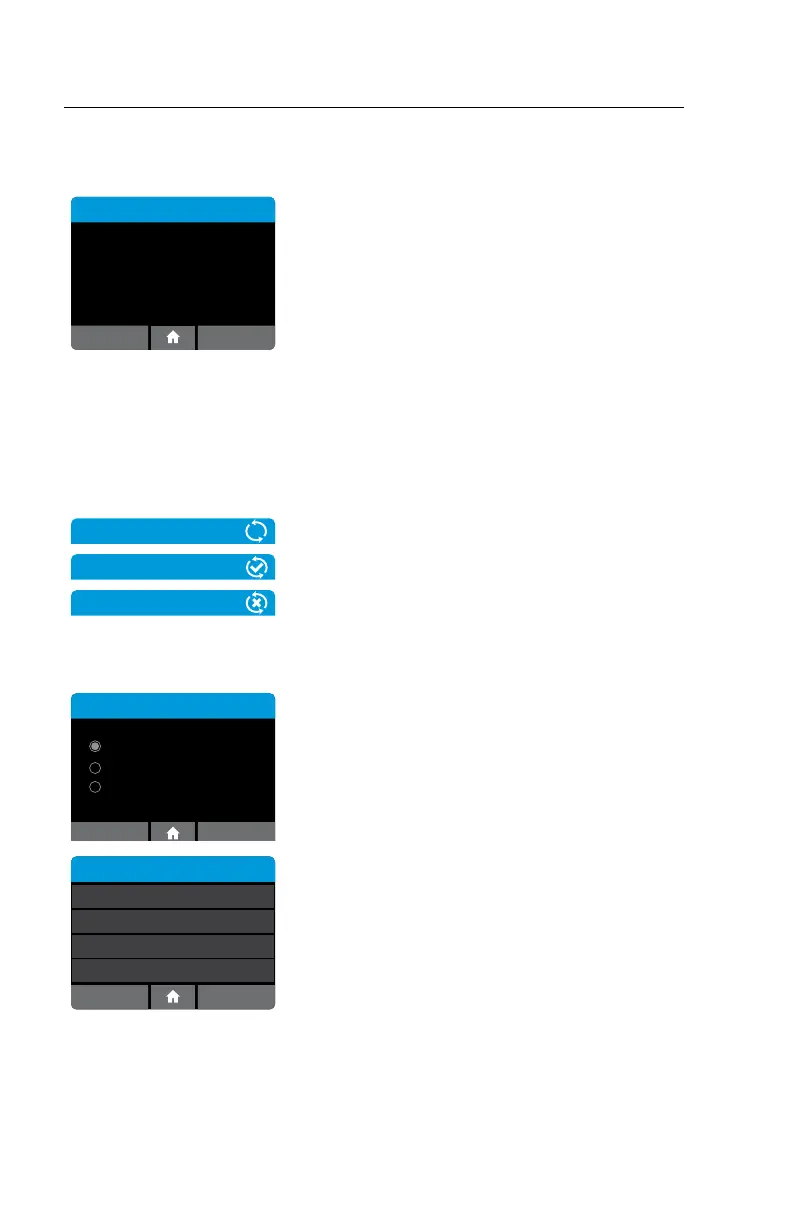
Home>Setup>Remote Mode
Remote Mode
Remote Mode Enabled
Client connections: 0
IP Address: 172.16.0.161
Cancel
Remote Mode is currently not available for use by
end users.
4.10 Connectivity (Admin Access Only)
Records may be transmitted to a Laboratory Information System (LIS) or Point of
Care Data Management System (POC DMS).
Icons
Icons appear at the upper right on certain screens
when Connectivity activity occurs.
The top icon indicates an activity is in progress.
The middle icon indicates successful completion.
The bottom icon indicates an error occurred during
a connectivity activity.
Home>Setup>Connectivity
Connectivity
ASTM LIS
HL7
POCT-1A
The Connectivity Menu allows the Admin to
configure, edit, or control sending messages to a
Laboratory Information System or the Point of
Care Data Management system via the Ethernet
network connection. Choose either ASTM LIS,
HL7, or POCT and press OK to select.
Connectivity
Setup
Status
Auto-Sending
nnn Unsent
Clear Sent History
Enabled, 5 Min



 To Next Page