ID NOW Instrument User Manual 43
Negative QC Test Results
01/Jan/2013
User ID: Abbottuser1
QC Sample ID: ########
04:32 pm
Procedural
Control Valid
Flu A/B Negative QC Pass
PrintBack
Negative QC Test Results
11:22 am
Procedural
Control Valid
Flu A/B Negative QC Pass
ActionsBack
1/Jan/2013
User ID: Abbottuser1
QC Sample ID: #######
Sent: DD/MMM/YYYY hh/mm am/pm
Examples of
QC Test Results,
viewed in the
instrument memory.
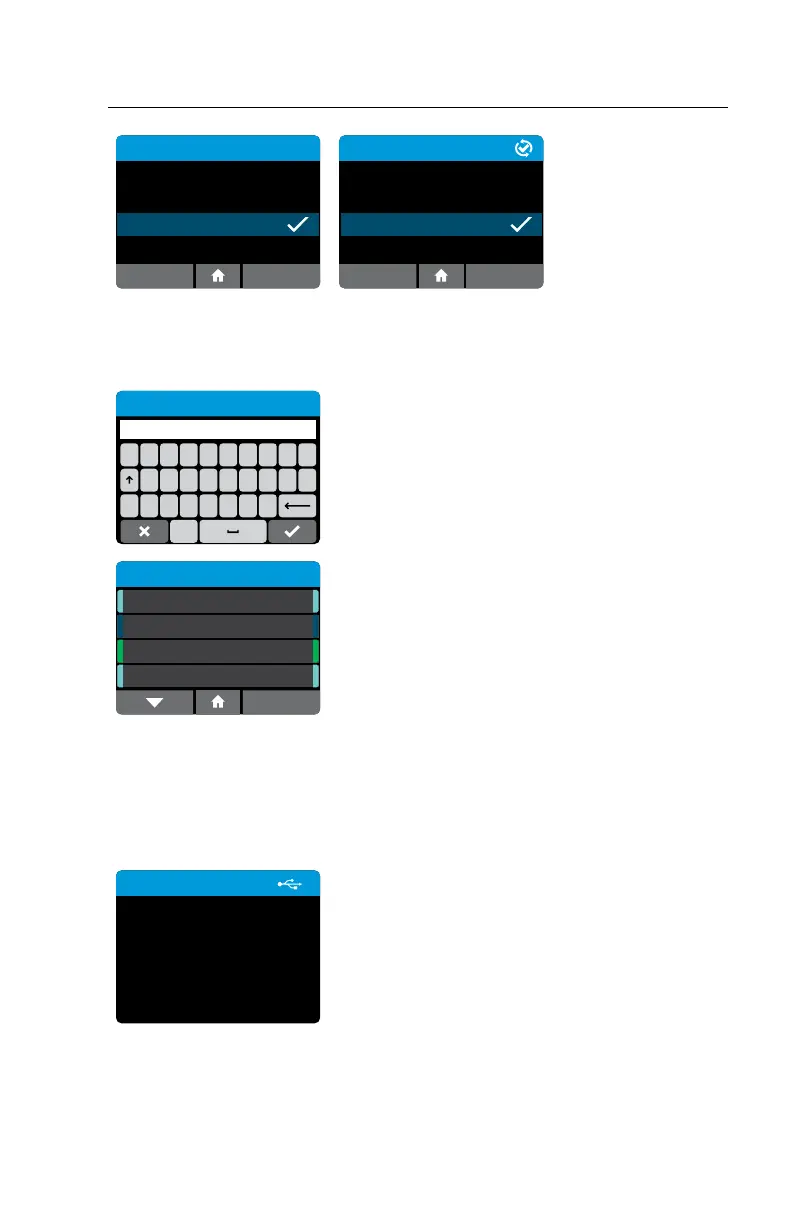
9.3 Search Results
Home>Review Memory>Search Results
QWERTYUI
#ZXCVBNM
ASDFGH JKL
123
Search Results
Use the Search Results function to search for
particular Patient Test Results.
The instrument will search Patient IDs and Date/
Times, based on the text entered.
Patient Test Results
4 of 10
Patient9
Patient8
Patient7
RSV
27/Sep/2018 07:28
Inuenza A & B
26/Sep/2018 07:28
Strep A
25/Sep/2018 07:28
RSV
24/Sep/2018 07:28
Patient6
For example: Searching for the text “Jan” will return
any test results where the Patient ID contains
the text “Jan”, and also any test results that were
obtained during the month of January.
A list of results matching the search criteria will be displayed and results may be
selected and viewed.
9.4 Export Results
Home>Review Memory>Export Results
Export Results
Exporting results to USB
device ...
To export results, for example when the instrument
memory is full, a USB drive must be inserted into
one of the instrument USB ports. Individual test
results are exported in JSON format. A summary
of all test results on the instrument will be in CSV
format.



 To Next Page