System Overview
22
OPTIS™ Integrated Next Operation and Maintenance Manual – 600173796 Rev. A
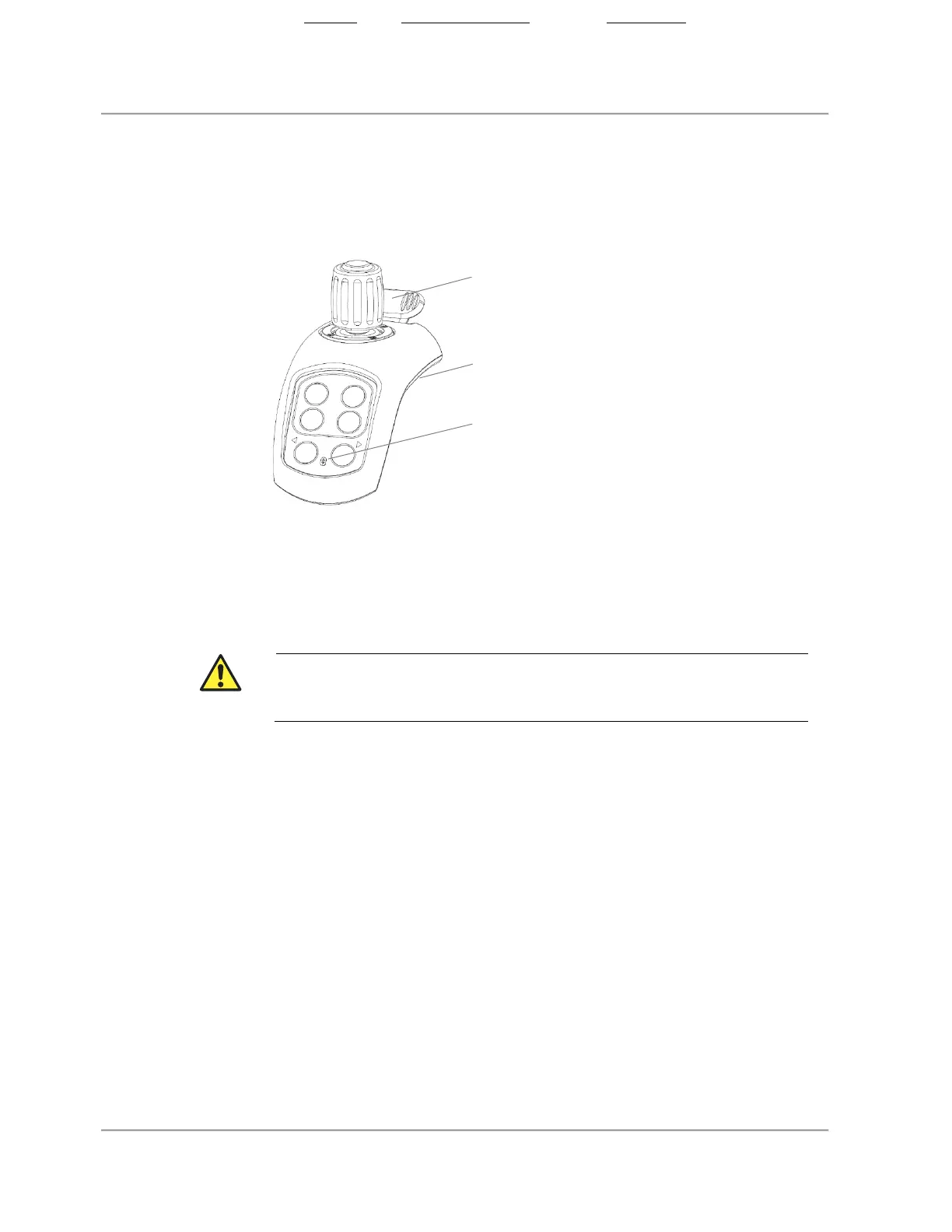
Tableside Controller (TSC)
Figure 4. Tableside Controller (TSC)
Note:
• If the TSC is connected by USB cable, the wireless connectivity
indicator does not illuminate.
• Improper handling of the USB connection can damage the port on the
connector panel.
A yellow “no connection” Wireless Connectivity Indicator LED
means the tableside controller (TSC) is not connected to the system. Refer
to “User Troubleshooting” on page 36 to reconnect.
2. USB connection
3. Wireless connectivity indicator
State: Released Date: 2021.03.01 22:19 GMT Effectivity: Upon Release













 To Next Page