- 14 - New HC Series User Manual
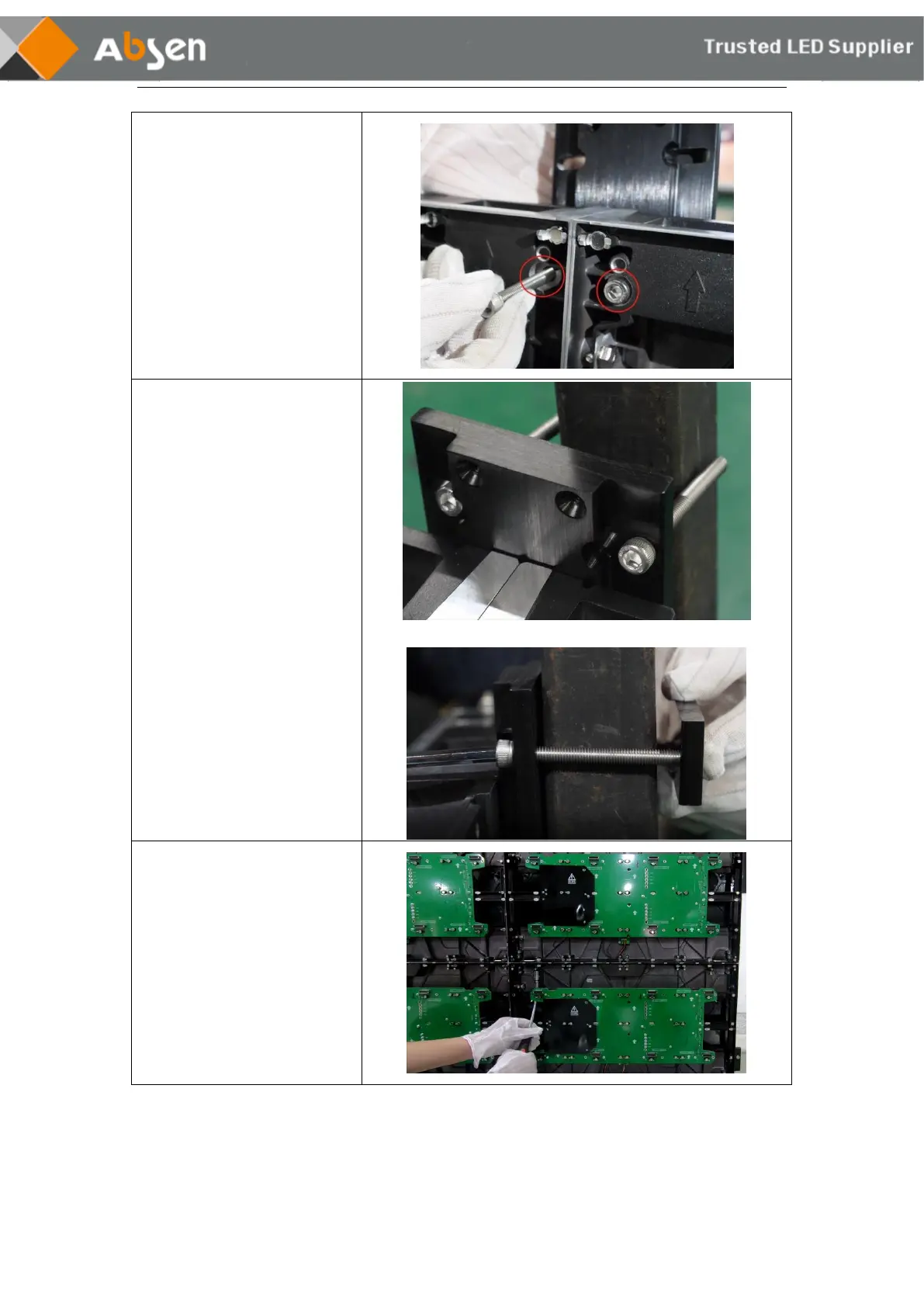
Step 2:
Using an M6×30mm socket hex
screw, pass through the front
mounting hole of the cabinet
from the front and lock into the
screw hole of the cabinet
connecting plate on the back.
Step 3:
The M6*60mm screws through
the cabinet connecting plate,
and connected with the fixed
connecting plate.
Step 4:
Install the second layer of
cabinet, and lock the screws
between the upper and lower
cabinet.
(Tighten the screws using the
soft sleeve tool)



 To Next Page
 Loading...